> ## Documentation Index
> Fetch the complete documentation index at: https://docs.sprig.com/llms.txt
> Use this file to discover all available pages before exploring further.
# Styling Studies with Custom CSS
**You can add and override the CSS applied to Sprig In-Product Surveys and Feedback to completely re-work its appearance to match your branding guidelines and requirements.**
Some look and feel styling is built into the Sprig dashboard by default. Other customizations require CSS styling. The guidance here is a deeper dive into how the CSS editor works and how to safely override default rules.
Custom CSS styling is done separately for In-Product Surveys and Feedback, and can be done in:
* Settings > Surveys > Look & Feel > CSS OR
* Settings > Feedback > Look & Feel > CSS
**Note:** currently Sprig only supports 1 CSS styling theme per Sprig Product. Per study styling is coming soon!
### Introduction
A single CSS file applies to all survey question types, although some CSS selectors only apply to HTML elements on specific survey types. **Any un-commented out CSS you add will override the default styling to all surveys when saved, including any in-progress studies. Do proceed with caution when applying.**
When you open the Custom CSS editor, you’ll see a block of commented-out code. These aren’t “extra” styles you need to delete or modify, they’re simply the default Sprig styles shown for reference. You can ignore them if you like or choose to clear the window.
### Basic instructions:
* **Add your own CSS below the comments, or replace selectors with your own.**
* The default file is organized by general styles and question-type-specific styles.
* You can make modifications directly in this editor or paste in your own CSS.
* **Use the preview panel to test changes across question types.**
* The preview will update with the changes you make to your CSS. You can select each of the question types from underneath the preview to see how your custom CSS changes their appearance. Note that not all changes will be shown in previews until the CSS styling configurations are saved. We encourage testing in a development environment and then copy and pasting the curate styling into production.
* Defaults will remain unless overridden.
* Custom CSS applies to all surveys within a product, including active surveys.
## The Practical Guide
The 600+ lines of default CSS have JSDoc style comments that organize all the selectors.
* [Base Typography](#base-typography)
* [Universal Elements](#universal-elements)
* [Card Component](#card-component)
* [Rich Text](#rich-text)
* [Choice Elements](#choice-elements)
* [Matrix Question](#matrix-question)
* [One to Five Scale (Likert)](#one-to-five-scale-likert)
* [NPS Question](#nps-question)
* [Open Text Card](#open-text-card)
* [Text or URL Prompt](#text-or-url-prompt)
* [Consent or Legal Card](#consent-or-legal-card)
* [Rank Order](#rank-order)
* [Buttons](#buttons)
* [Thank You Card](#thank-you-card)
Sprig has also curated 2 different quick "Choose-your-own-theme" [recipes](#quick-recipes), shown below!
#### Base Typography
What it controls: global text feel\
Key selectors: `html, body, b`
```css Try: theme={null}
/* Brand font */
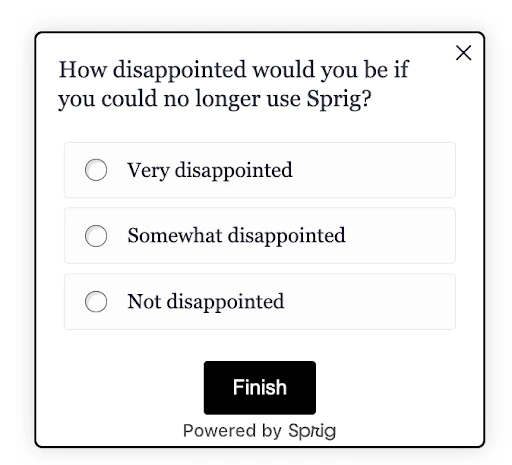
html, body { font-family: 'Georgia', serif; }
```
#### Universal Elements
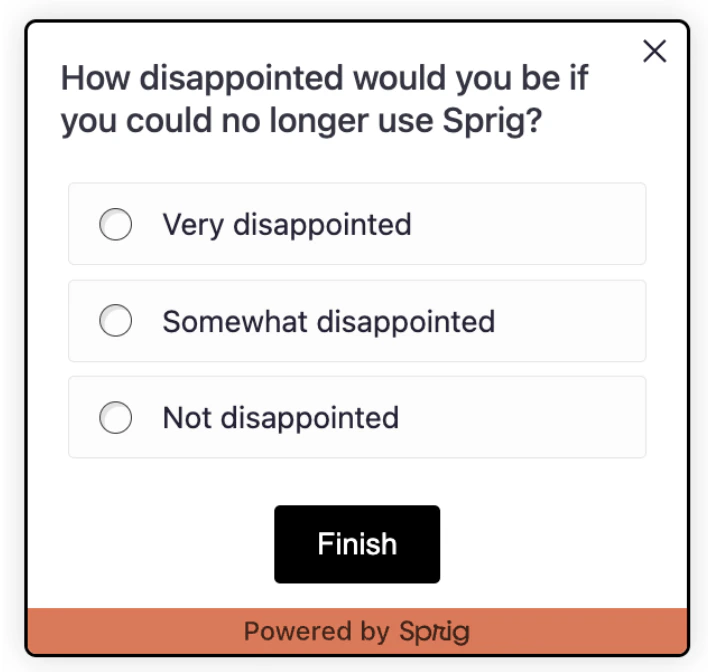
What it controls: the little bits around the card (footers, dots, close button) \
Key selectors: `.ul-footer, .ul-footer-bubble, .close-btn`
```css Try: theme={null}
/* Increased footer spacing & add color */
.ul-footer { margin-top: 12px; background-color: #e97451; }
/* Increase size of the close icon */
.close-btn { height: 18px; width: 18px;}
```
#### Card Component
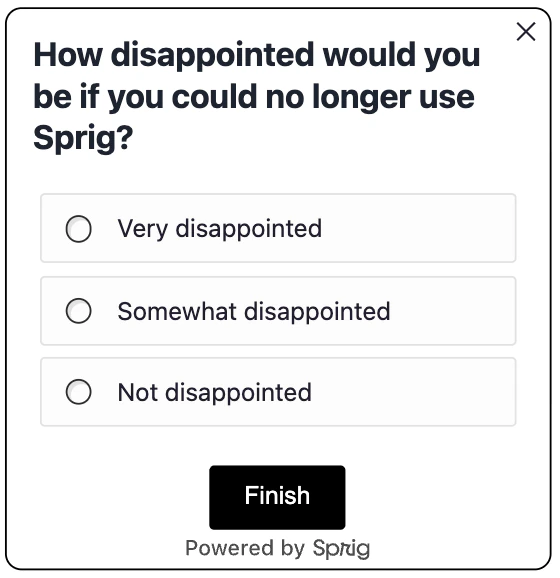
What it controls: the survey “card”, padding, shadow, radius.\
Key selectors: `.ul-card, .ul-card__container, .ul-card-main-content, .ul-question, .ul-caption `
```css Try: theme={null}
/* Rounded, no heavy shadow */
.ul-card__container--desktop, .ul-card__container--mobile {
border-radius: 10px;
box-shadow: none;
}
/* Headline + subcopy tone */
.ul-question { font-size: 20px; font-weight: 700; color: #1f2937; }
```
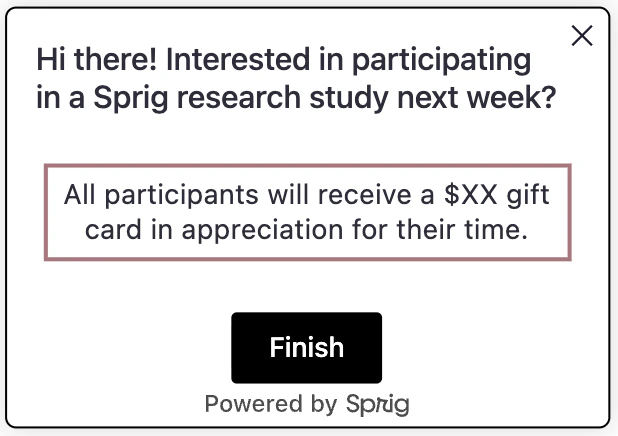
#### Rich Text
What it controls: paragraphs and lists in rich text cards.\
Key selectors: `.ul-rich-text-body, .ul-rich-text-body p, .ul-rich-text-body li`
```css Try: theme={null}
/* Visual focus on rich text */
.ul-rich-text-body p, .ul-rich-text-body li {
text-align: center;
padding: 5px;
border: #b18187 3px solid;
}
```
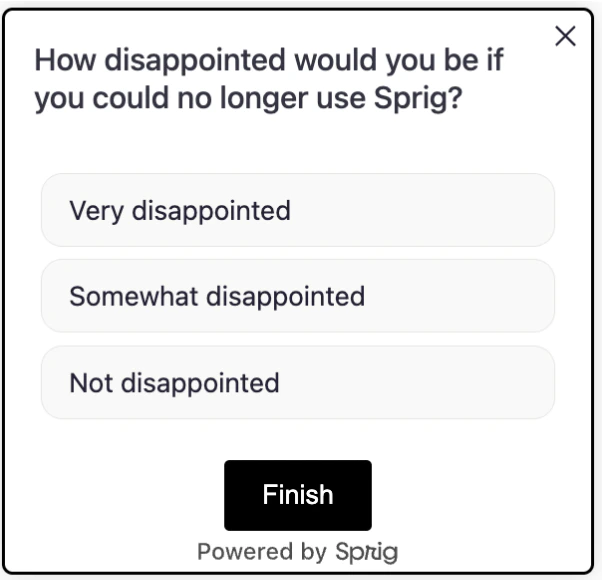
#### Choice Elements
What it controls: option "buttons," spacing, radio dots, labels (multiple choice, multi-select, matrix options) Key selectors:
```css Try: theme={null}
/* Space the list a bit */
.ul-card__choices--desktop { margin-top: 16px; }
/* Button-like options */
.choice { background: #f9f9f8; border-radius: 12px; }
/* Hide radio circles for a cleaner look */
.select-radio { display: none; }
```
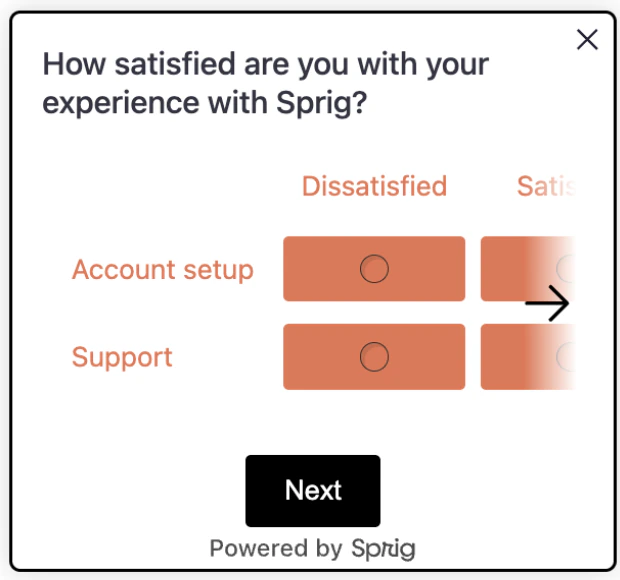
#### Matrix Questions
What it controls: row/column labels and cells.\
Key selectors:`.ul-matrix-row-label, .ul-matrix-column-label, .ul-matrix-option-wrapper `
```css Try: theme={null}
/* Colorful matrix background & label text */
.ul-matrix-option-wrapper {
background-color: #e97451;
margin: 4px;
border-radius: 3px;
}
.ul-matrix-row-label, .ul-matrix-column-label {
background: white;
color: #e97451;
}
```
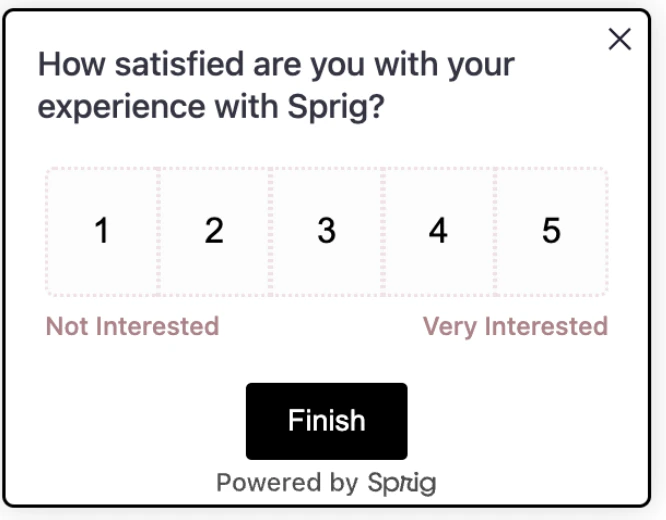
#### One to Five Scale (Likert)
What it controls: the row of numbers and labels beneath.\
Key selectors:`.ul-card--likert__numbers, .likert-number--desktop|--mobile, .ul-card--likert__labels`
```css Try: theme={null}
/* Dotted borders on each number & mauve labels */
.likert-number--desktop { border: 2px #f1e1e7 dotted; }
.ul-card--likert__labels { color: #b18187; }
```
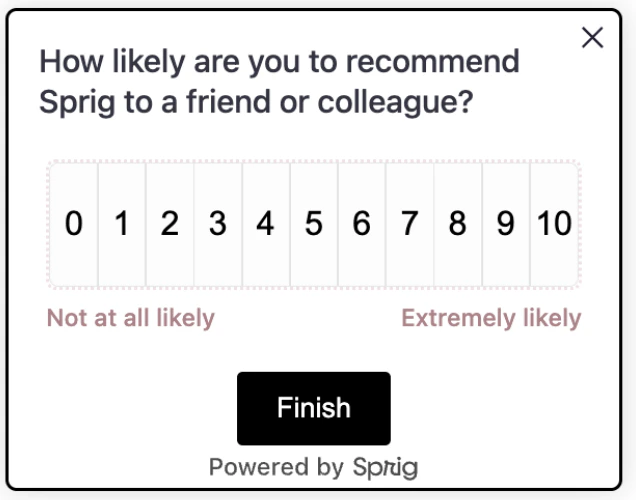
#### NPS Question
What it controls: the number grid and label row.\
Key selectors: `.ul-card--nps__numbers, .nps-number--desktop|--mobile, .ul-card--nps__labels `
```css Try: theme={null}
/* Same visual language as Likert */
.ul-card--nps__numbers { border: 2px #f1e1e7 dotted; }
.ul-card--nps__labels { color: #b18187; }
```
 #### Open Text Card
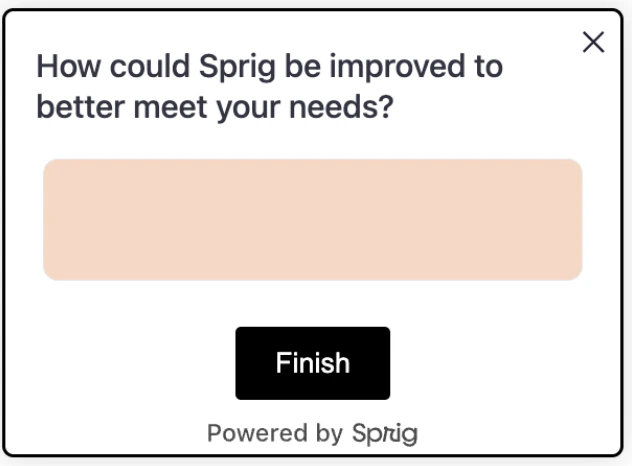
What it controls: text areas and their container.\
Key selectors: `.ul-card-text__container, .ul-card-text__input(--desktop|--mobile) `
```css Try: theme={null}
/* Peach background, rounder corners */
.ul-card-text__input { background: #fad6c3; border-radius: 8px; }
```
#### Open Text Card
What it controls: text areas and their container.\
Key selectors: `.ul-card-text__container, .ul-card-text__input(--desktop|--mobile) `
```css Try: theme={null}
/* Peach background, rounder corners */
.ul-card-text__input { background: #fad6c3; border-radius: 8px; }
```
 #### Text or URL Prompt
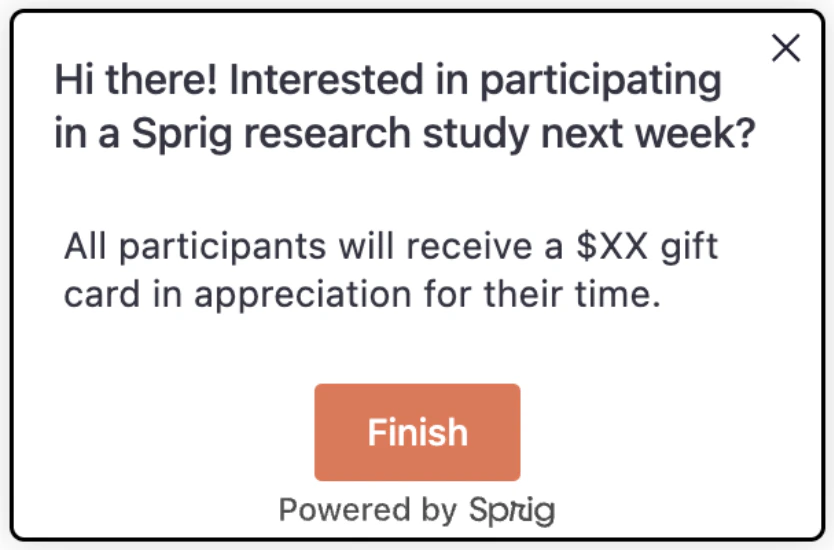
What it controls: the prompt button styling.\
Key selectors: `.ul-card__text-url-prompt-button `
```css Try: theme={null}
/* Make prompt feel like a primary action */
.ul-card__text-url-prompt-button { background-color: #e97451 }
```
#### Text or URL Prompt
What it controls: the prompt button styling.\
Key selectors: `.ul-card__text-url-prompt-button `
```css Try: theme={null}
/* Make prompt feel like a primary action */
.ul-card__text-url-prompt-button { background-color: #e97451 }
```
 #### Consent or Legal Card
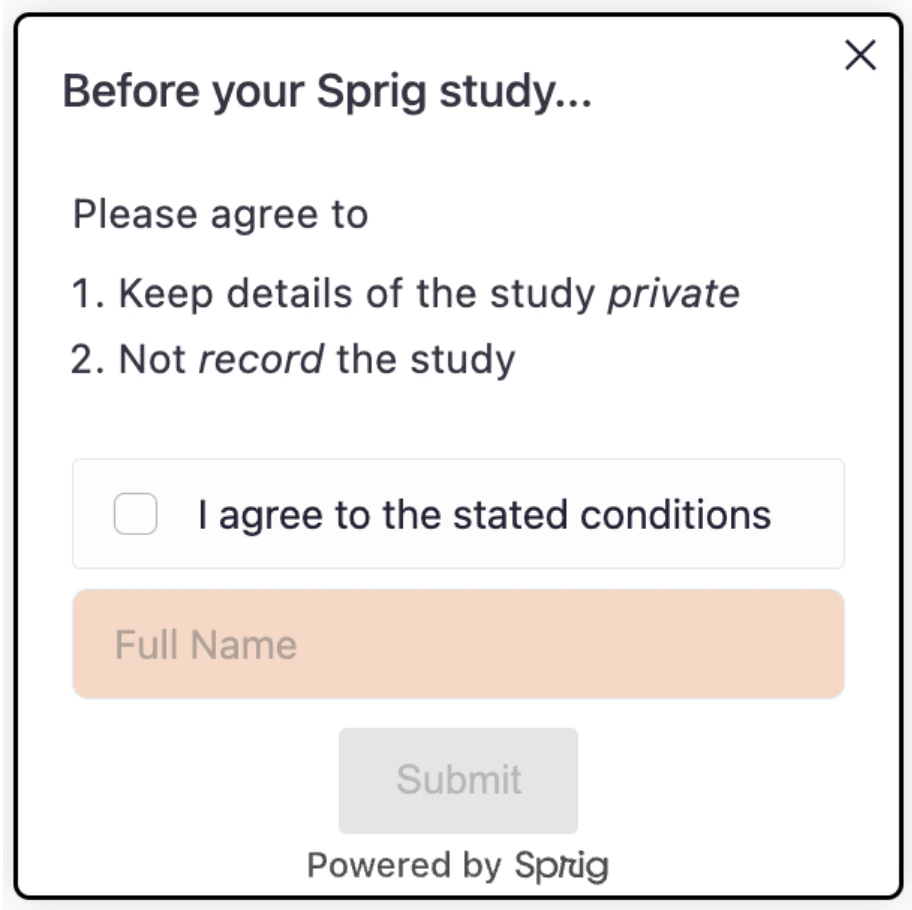
What it controls: name input and consent choices.\
Key selectors: `.ul-consent-legal__name-input, .ul-card__consent-legal .choice `
```css Try: theme={null}
/* Peach background, rounder corners */
.ul-consent-legal__name-input { background: #fad6c3; border-radius: 6px; }
```
#### Consent or Legal Card
What it controls: name input and consent choices.\
Key selectors: `.ul-consent-legal__name-input, .ul-card__consent-legal .choice `
```css Try: theme={null}
/* Peach background, rounder corners */
.ul-consent-legal__name-input { background: #fad6c3; border-radius: 6px; }
```
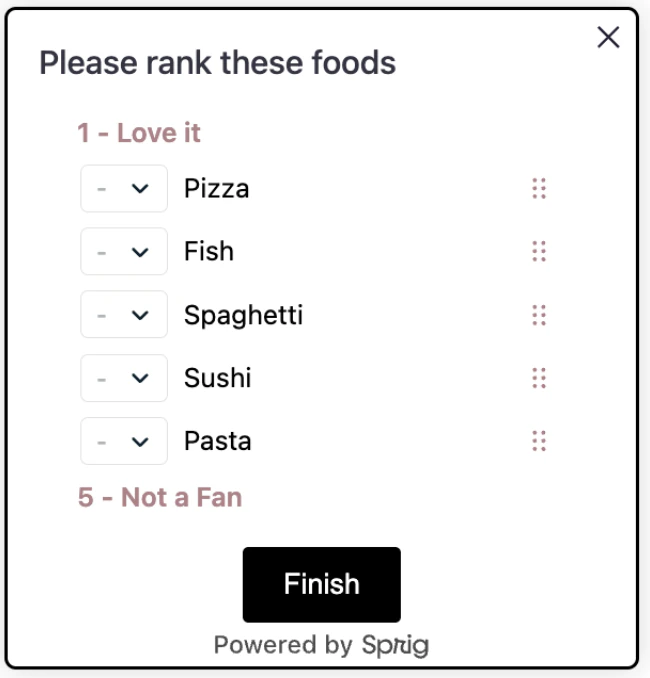
 #### Rank Order
What it controls: draggable rows, handles, and select.\
Key selectors: `.ul-card-rank__option, .__drag-btn, .__select `
```css Try: theme={null}
/* Peach background, rounder corners */
.ul-consent-legal__name-input { background: #fad6c3; border-radius: 6px; }
```
#### Rank Order
What it controls: draggable rows, handles, and select.\
Key selectors: `.ul-card-rank__option, .__drag-btn, .__select `
```css Try: theme={null}
/* Peach background, rounder corners */
.ul-consent-legal__name-input { background: #fad6c3; border-radius: 6px; }
```
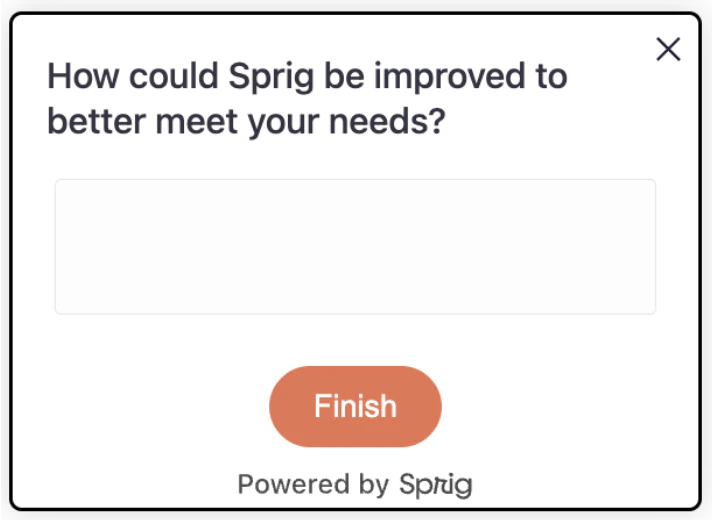
 #### Buttons
What it controls: primary/secondary actions (finish/submit)\
Key selectors: `.ul-card-text__button, .ul-card-skip__button, .ul-card__button-wrapper `
```css Try: theme={null}
/* Rounded (pill-shape) primary action */
.ul-card-text__button {
border-radius: 20px;
background: #e97451;
color: #fff;
}
```
#### Buttons
What it controls: primary/secondary actions (finish/submit)\
Key selectors: `.ul-card-text__button, .ul-card-skip__button, .ul-card__button-wrapper `
```css Try: theme={null}
/* Rounded (pill-shape) primary action */
.ul-card-text__button {
border-radius: 20px;
background: #e97451;
color: #fff;
}
```
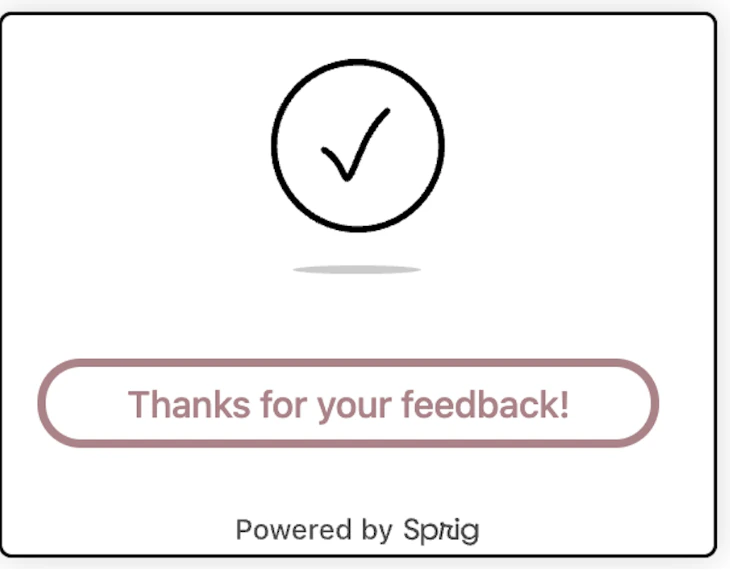
#### Thank You Card
What it controls: closing screen layout and text.\
Key selectors: `.ul-card--thanks, .ul-thanks-check, .ul-card--thanks .ul-question, .ul-card--thanks .ul-caption `
```css Try: theme={null}
/* Rounded (pill-shape) primary action */
.ul-card-text__button {
border-radius: 20px;
background: #e97451;
color: #fff;
}
```
## Quick Recipes
“Choose-Your-Own-Theme” recipes designed to help you tailor the look and feel of your studies.
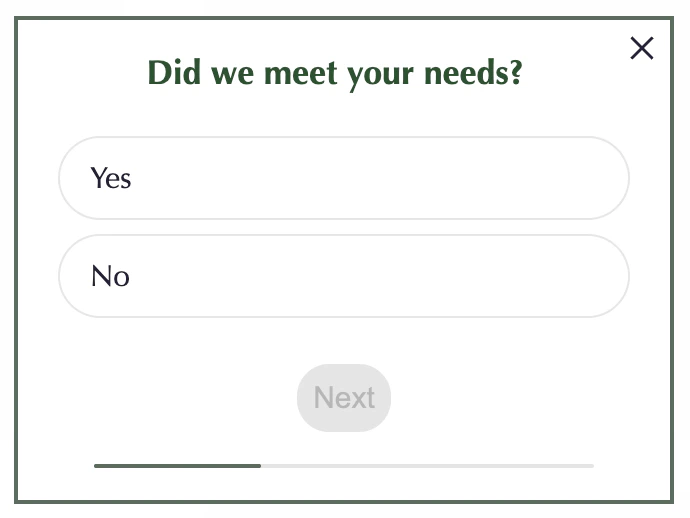
```css Minimal Branded Look theme={null}
body { font-family: Optima; }
.ul-card__container { border: #5a6b5f 2px solid; border-radius: 0; box-shadow: none; }
.ul-question { font-weight: 700; color: #21522e; text-align: center}
.choice { background: white; border-radius: 24px; }
.select-radio { display: none; }
.ul-card-text__button { border-radius: 16px; padding: 8px;}
```
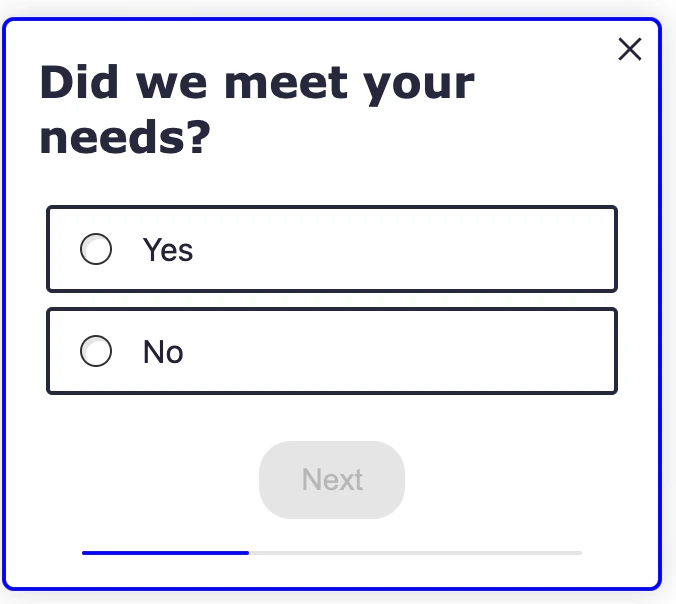
```css High Contrast for Accessibility theme={null}
.ul-question { font-weight: 700; font-family: Verdana; color: #25283D; font-size: 22px; }
.choice { background: white; font-size: 16px; border: 2px solid #25283D; }
.ul-card-text__button { background: #25283D; color: #fff; border-radius: 16px; }
```