> ## Documentation Index
> Fetch the complete documentation index at: https://docs.sprig.com/llms.txt
> Use this file to discover all available pages before exploring further.
# AI Translations
Add a language. Sprig Design Agent translates your entire survey instantly, every question, choice, and button label, ready to review and launch in seconds.
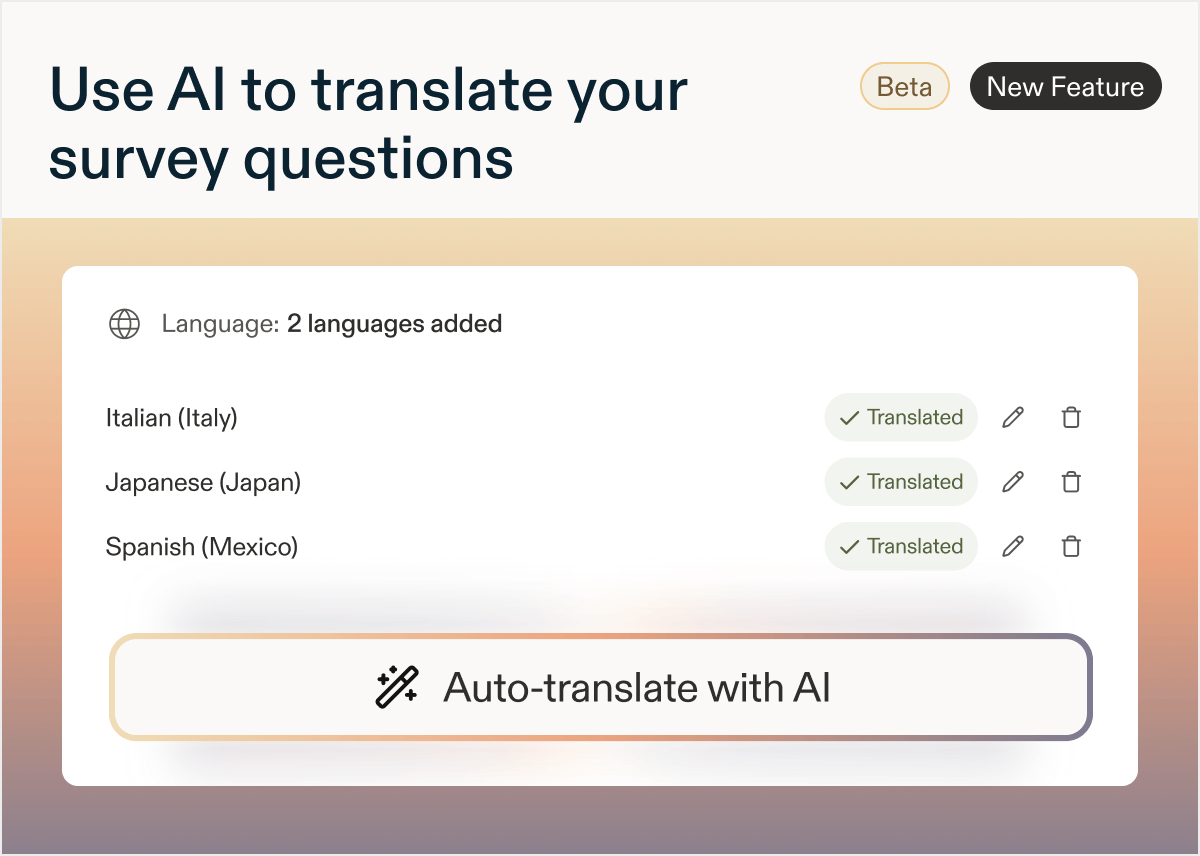 Teams running global research know which languages they need. The slow part is everything in between: exporting translation files, routing them to translators or localization teams, waiting days for the file to come back, then uploading and checking every field.
**How AI Translation Works**
AI Translations runs directly inside the Study Builder, and you stay in control at every step:
* Detects every translatable field in your study: questions, descriptions, choices, and button labels.
* Generates translations for each language you select, all at once.
* Displays translations inline so you can review them side by side with the original (e.g. English).
* Edit any translation directly, your changes are saved.
* Regenerate anytime if you update your survey questions.
* ***Note***\*: regenerating creates new AI translations for every question and field, so any edits you've made to existing translations will be **lost**.\*
**Using AI Translations**
1. Build your survey in your default language.
2. Select **Add language** in the Language card at the bottom of the Questions tab.
3. Choose your language(s) from the dropdown menu.
4. Press **Translate with AI**. Sprig generates translations for every translatable field across all selected languages.
5. Review the translations inline and edit any field as needed. Then set your language targeting, preview, and launch.
**Recommendation**
Always generate translations after your survey is finalized. This way all questions get translated and there are no leftover questions or responses.
Teams running global research know which languages they need. The slow part is everything in between: exporting translation files, routing them to translators or localization teams, waiting days for the file to come back, then uploading and checking every field.
**How AI Translation Works**
AI Translations runs directly inside the Study Builder, and you stay in control at every step:
* Detects every translatable field in your study: questions, descriptions, choices, and button labels.
* Generates translations for each language you select, all at once.
* Displays translations inline so you can review them side by side with the original (e.g. English).
* Edit any translation directly, your changes are saved.
* Regenerate anytime if you update your survey questions.
* ***Note***\*: regenerating creates new AI translations for every question and field, so any edits you've made to existing translations will be **lost**.\*
**Using AI Translations**
1. Build your survey in your default language.
2. Select **Add language** in the Language card at the bottom of the Questions tab.
3. Choose your language(s) from the dropdown menu.
4. Press **Translate with AI**. Sprig generates translations for every translatable field across all selected languages.
5. Review the translations inline and edit any field as needed. Then set your language targeting, preview, and launch.
**Recommendation**
Always generate translations after your survey is finalized. This way all questions get translated and there are no leftover questions or responses.