> ## Documentation Index
> Fetch the complete documentation index at: https://docs.sprig.com/llms.txt
> Use this file to discover all available pages before exploring further.
# Agent Context
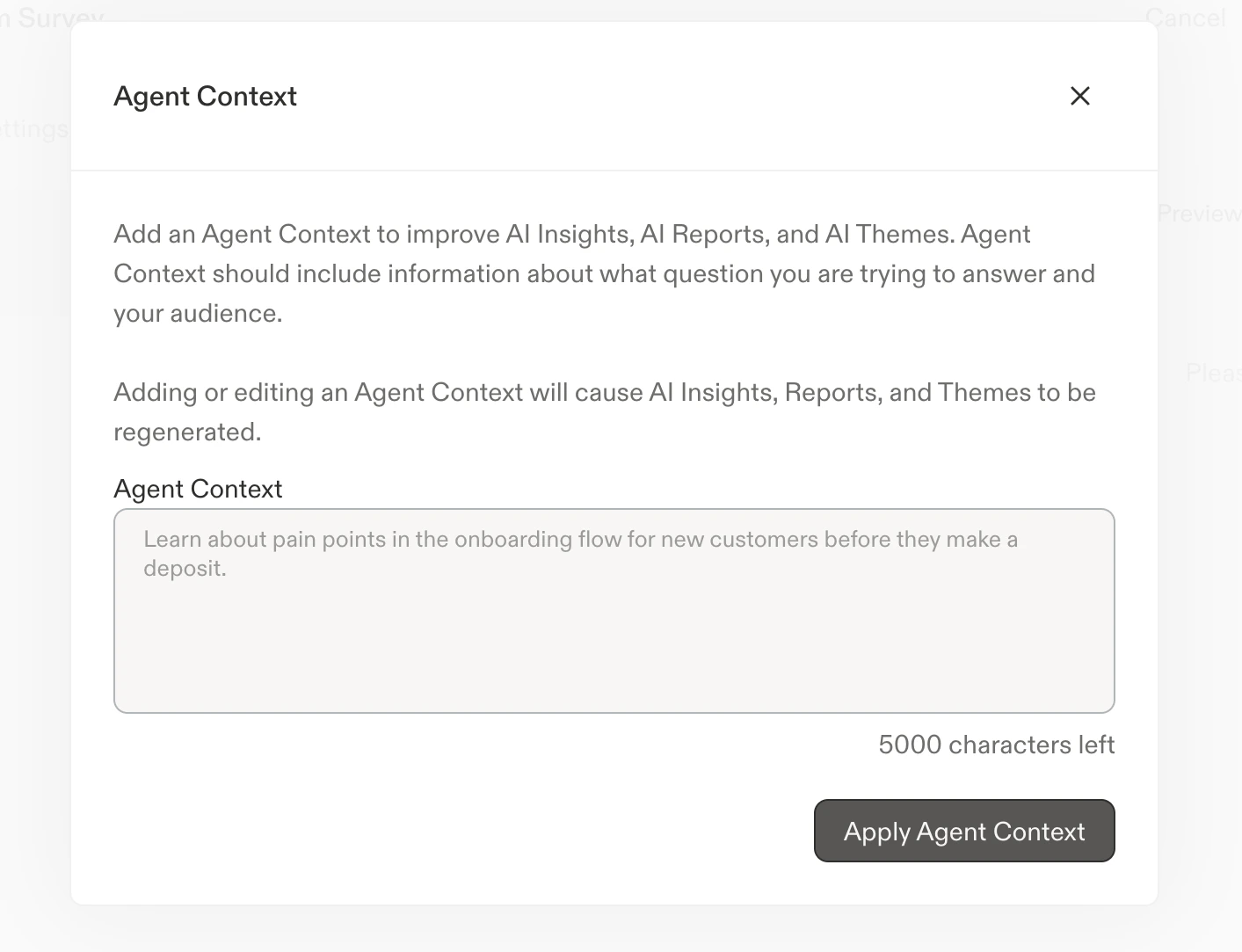
Generate more tailored, relevant insights without data training with Agent Context.
### **Agent Context**
Note: **Agent Context** was previously called "Study Goal."
Adding an Agent Context significantly aids AI analysis by increasing priority of information that is most relevant to your current objective. Agent Context is used to inform our Field Agent and Synthesize Agent output.
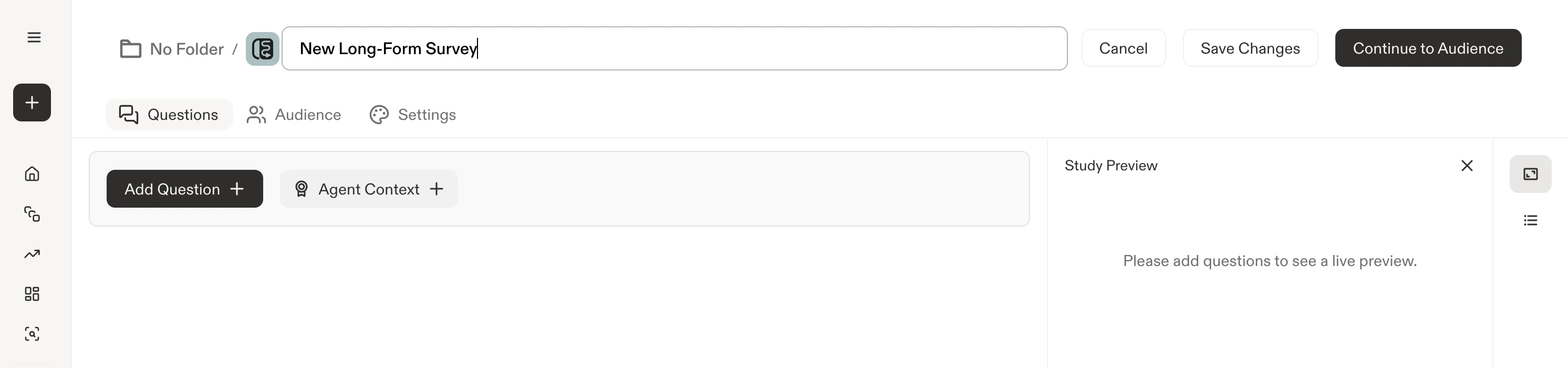
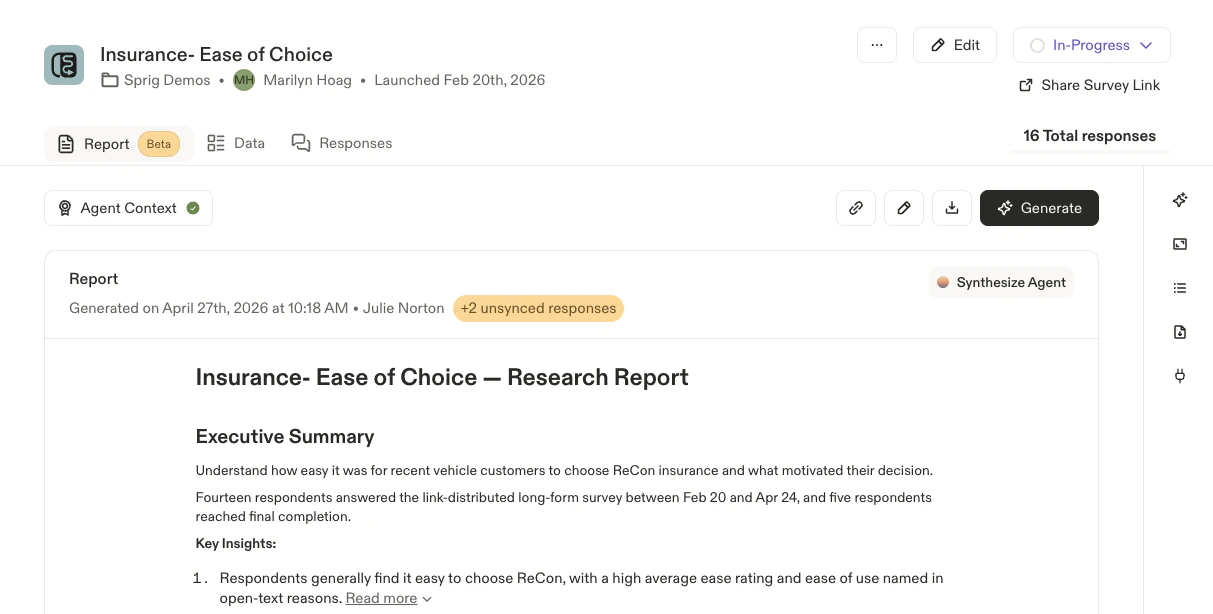
* Agent Context can be added from within the study builder OR on study results pages
* Agent Context can be updated multiple times and can be updated across both in-progress and completed survey studies
* Agent Context is available on: In-Product Surveys, Surveys, Feedback, and Heatmaps
* The Agent Context has a limit of 5000 characters.
* Agent Context can be added to: align AI output toward study goals, provide terminology or feature definitions, give context on the study participant pool or respondent characteristics, and more.
**Find the AI analysis helpful or not?**
Each and every thumbs up / down you click is used to improve the model!
### **Where to find Agent Context**
1. From within the study builder, you can access, update, and modify Agent Context by navigating to the ribbon icon
2. From a study results page, you can access, update, and modify Agent Context from the Reports Tab
 ### **AI Study Summary**
**AI summaries are only generated for Heatmap studies**, AI summaries across In-Product Surveys, Surveys, and Feedback studies have been rolled into [AI Study Reports.](https://docs.sprig.com/docs/native-ai/synthesize-agent/ai-study-reports)
On Heatmap studies, Sprig will automatically generate study summaries:
* After a certain number of initial captures
* On an ongoing, periodic basis as the study receives more captures
* When Agent Context is added or updated
Sprig study summaries can be easily copy + pasted by clicking on the clipboard icon just above the generated study summary
### **AI Study Summary**
**AI summaries are only generated for Heatmap studies**, AI summaries across In-Product Surveys, Surveys, and Feedback studies have been rolled into [AI Study Reports.](https://docs.sprig.com/docs/native-ai/synthesize-agent/ai-study-reports)
On Heatmap studies, Sprig will automatically generate study summaries:
* After a certain number of initial captures
* On an ongoing, periodic basis as the study receives more captures
* When Agent Context is added or updated
Sprig study summaries can be easily copy + pasted by clicking on the clipboard icon just above the generated study summary