> ## Documentation Index
> Fetch the complete documentation index at: https://docs.sprig.com/llms.txt
> Use this file to discover all available pages before exploring further.
# Interpreting Studies
> Understanding your study's progress.
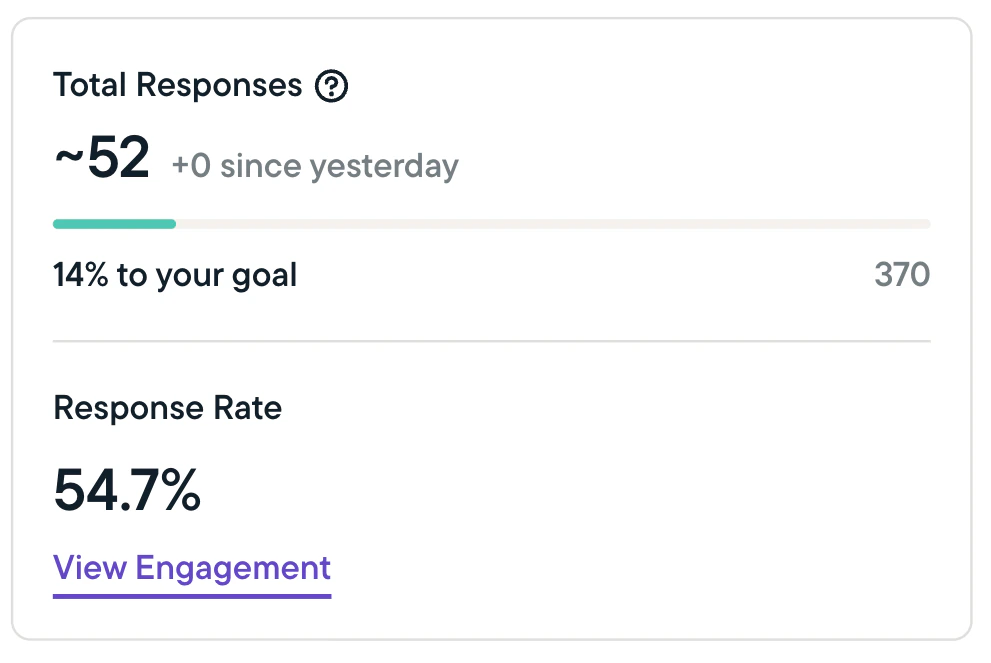
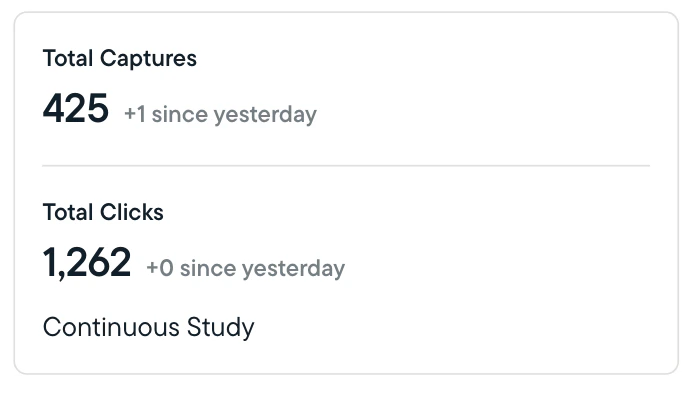
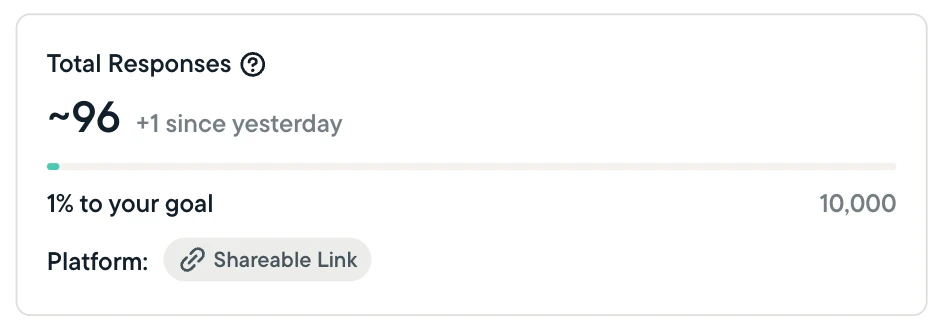
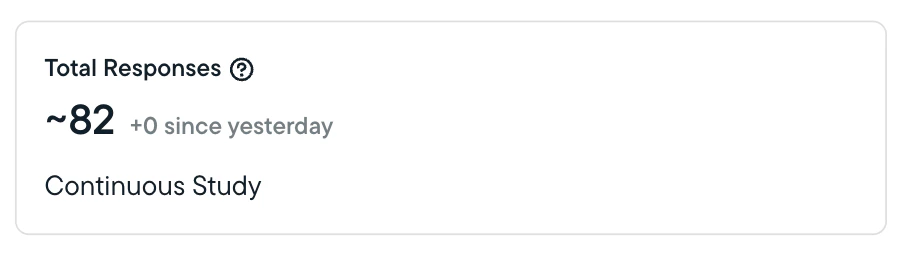
At the top of the results page for each In-Product Survey, Survey, Feedback, or Heatmap study you launch, Sprig provides statistics to help you understand the study's status and performance throughout its run. See the below examples:
 ## Study Performance Statistics
* Sprig will show you total responses, clips, and captures, and calculate the completion percentage for any studies that are not set to run continuously or until a specified date.
* The completion percentage (as applicable) shows how close you are to completing your study based on the target number of responses or captures you've set.
* Sprig will indicate the number of responses/clips/captures received in the past 24 hours.
* For In-Product Surveys, Sprig will calculate and show the response rate; which is calculated slightly differently depending on which platform you are using:
* **Web & mobile studies (In-Product Surveys)** - The response rate is calculated by dividing the number of responses received by the number of studies seen by a respondent.
* **Survey (link) studies** - Response rates are not displayed since Sprig does not track how many link studies are sent or seen.
## Key Terms
***Sent*:** The term 'sent' has different meanings depending on which platform you are using for your study:
* *Web and mobile studies* - A web or mobile study is considered 'sent' when it is scheduled to be displayed to a user who is currently active on your site or app.
***Seen*:** The term 'seen' has different meanings depending on which platform you are using for your study:
* *Web and mobile studies* - A study is considered 'seen' when displayed in a user's browser or app. Studies that are sent may not be seen if, for example, a user navigates away from a page before meeting time-on-page criteria set during study creation.
***Response/Answer*:** A 'response' is counted every time someone answers one or more questions in a study; as such, the total response count includes both users who complete the entire study and users who only complete a portion of it.
***Completed*:** A question is completed with a valid response or answer.
***Skipped by User*:** The respondent has navigated to another page but the question is not completed with a valid answer.
***Not Displayed*:** The question was not displayed to the user (usually, because of skip logic configurations)
## Study Performance Statistics
* Sprig will show you total responses, clips, and captures, and calculate the completion percentage for any studies that are not set to run continuously or until a specified date.
* The completion percentage (as applicable) shows how close you are to completing your study based on the target number of responses or captures you've set.
* Sprig will indicate the number of responses/clips/captures received in the past 24 hours.
* For In-Product Surveys, Sprig will calculate and show the response rate; which is calculated slightly differently depending on which platform you are using:
* **Web & mobile studies (In-Product Surveys)** - The response rate is calculated by dividing the number of responses received by the number of studies seen by a respondent.
* **Survey (link) studies** - Response rates are not displayed since Sprig does not track how many link studies are sent or seen.
## Key Terms
***Sent*:** The term 'sent' has different meanings depending on which platform you are using for your study:
* *Web and mobile studies* - A web or mobile study is considered 'sent' when it is scheduled to be displayed to a user who is currently active on your site or app.
***Seen*:** The term 'seen' has different meanings depending on which platform you are using for your study:
* *Web and mobile studies* - A study is considered 'seen' when displayed in a user's browser or app. Studies that are sent may not be seen if, for example, a user navigates away from a page before meeting time-on-page criteria set during study creation.
***Response/Answer*:** A 'response' is counted every time someone answers one or more questions in a study; as such, the total response count includes both users who complete the entire study and users who only complete a portion of it.
***Completed*:** A question is completed with a valid response or answer.
***Skipped by User*:** The respondent has navigated to another page but the question is not completed with a valid answer.
***Not Displayed*:** The question was not displayed to the user (usually, because of skip logic configurations)