Added
New: Backward navigation for link Surveys
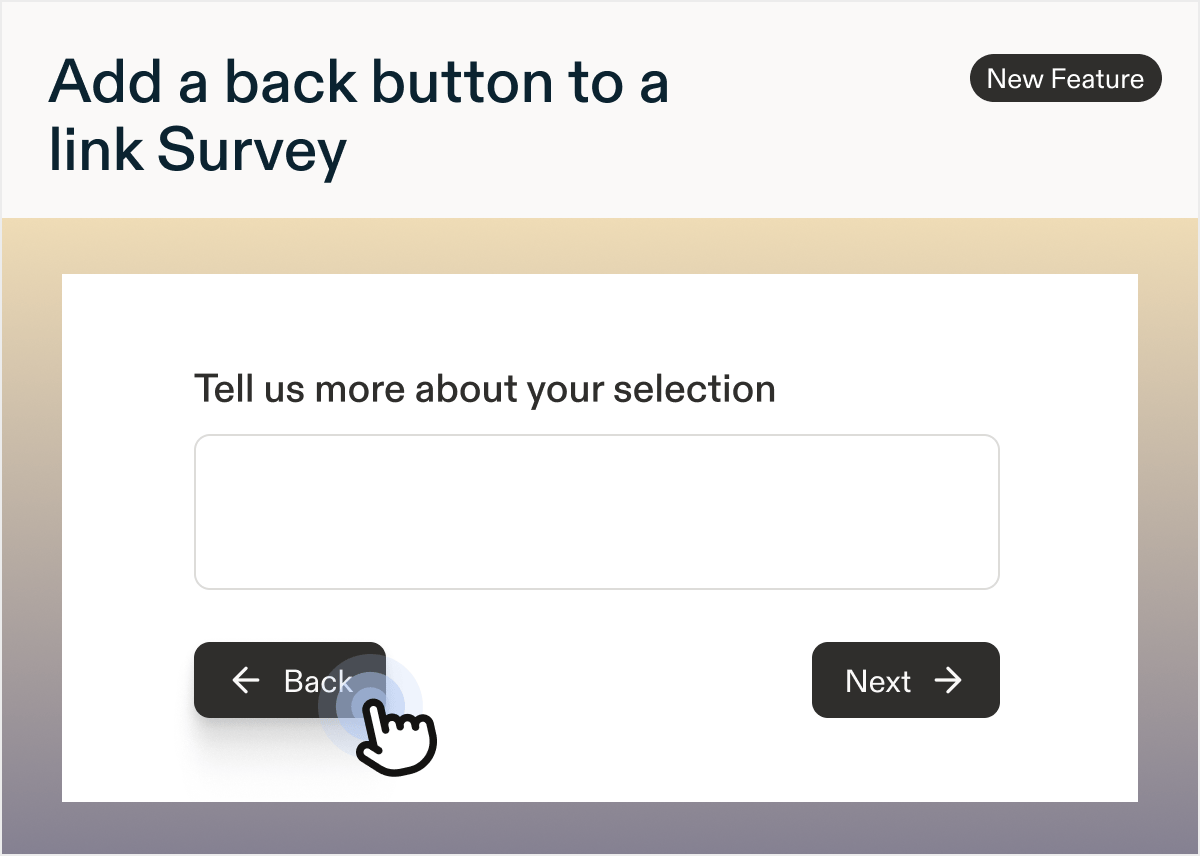
by Laura Desmond-BlackWe’re happy to share that it is now possible to add a back button to Surveys. Once enabled, it lets respondents taking a Survey navigate back to previous questions and change their answers.The back button is easy to use: previous answers are preserved as respondents move backward so that once they begin moving forward again they don’t have to re-enter everything. If changing an earlier answer impacts the logic of the survey or future questions, once the respondent begins moving forward, they’ll proceed through the new path smoothly. Dynamic questions or content, like AI Follow-ups and Response Piping, will pick up the new responses and re-generate appropriately.Ready to add a back button to your Survey? Follow these steps:- Create or locate an existing Survey
- Open it in edit mode and switch to the Settings tab
- Scroll to the Survey Navigation section and enable the Allow backward navigation toggle
Improved
Updated: Link behavior for mobile In-Product Surveys
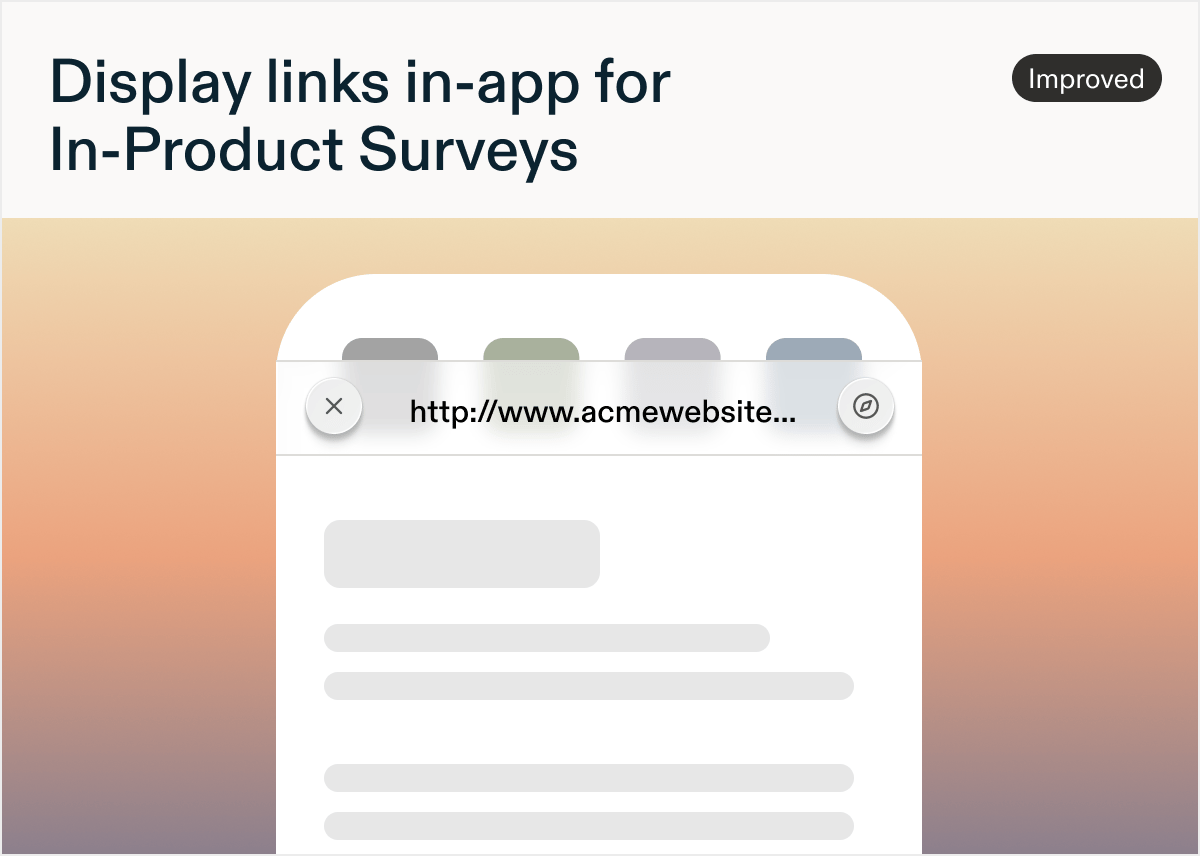
by Laura Desmond-BlackTapping a link in a Text / URL Prompt question in an In-Product Survey used to send respondents to their phone’s default browser, taking them out of your app. That made it easy to lose someone before they finished the study, or for them to get distracted and never come back.Now, Text/URL Prompt questions in mobile In-Product Surveys can open the browser in the app, making it easy for respondents to get back to what they were doing before taking the survey. This new option lives on the Settings tab of the survey when at least one Text/URL Prompt question is present and the platform is set to mobile. In addition to keeping people in their flow, the in-app browser view follows your light and dark theme settings, ensuring the experience feels cohesive no matter your settings.In-Product Surveys in a draft state at the time of this release or created after this release will be set to have links open in-app by default. In-Product Surveys that were In-Progress or Paused at the time of this release will have the setting for the old link-out behavior on, however they can be switched to the new option at any time. The iOS and Android SDKs with this improvement are already out, updated React Native and Flutter SDKs are coming soon.Check out the documentation to learn more!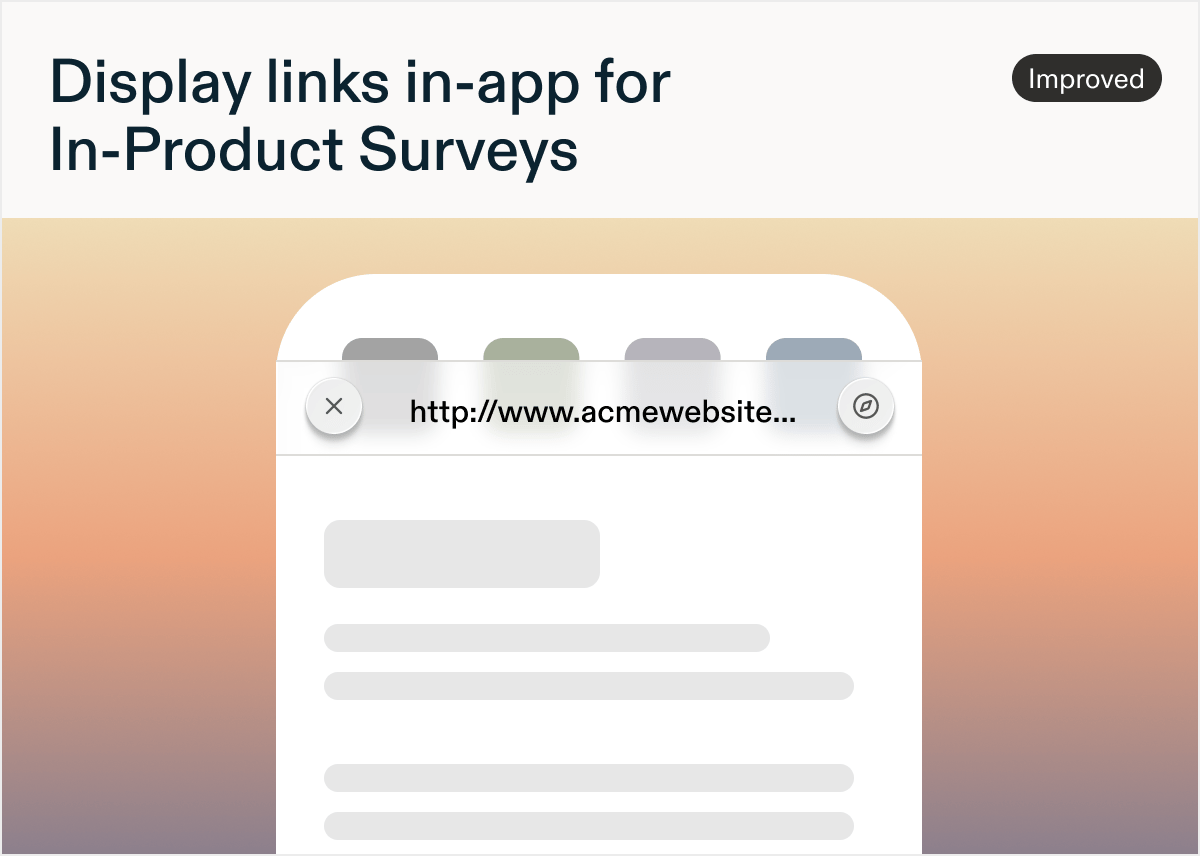
Added
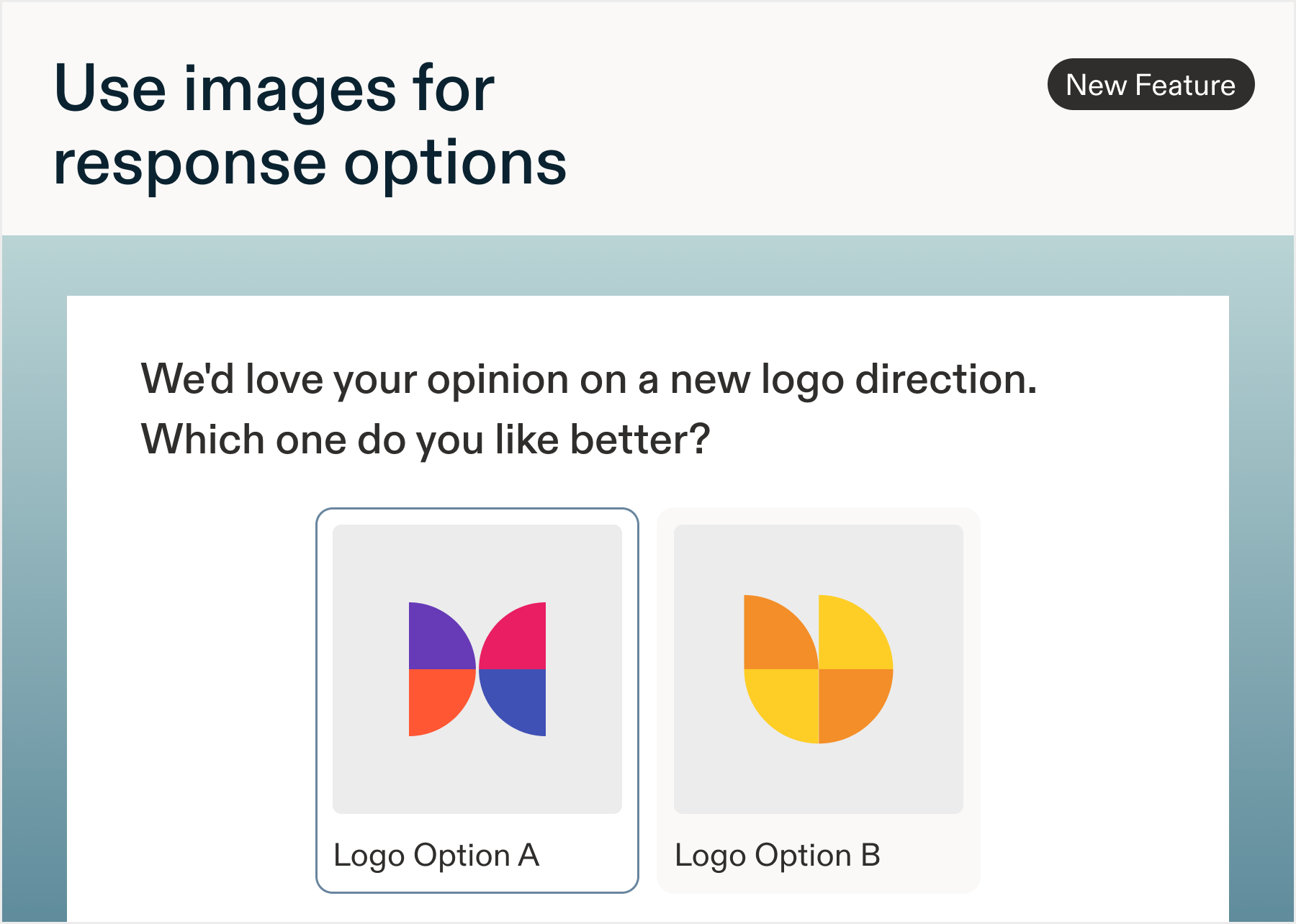
New: Images in Response Options
by Paresh VakhariyaAdd images to multiple choice answersAttach an image to each answer choice in Single Select and Multi Select questions. Respondents pick between designs, layouts, or products by tapping image cards instead of reading descriptions of them.- Still a multiple choice question underneath, so skip logic, randomization, and AI Follow-ups work unchanged
- Results show image thumbnails on the Responses page and Data tab, with one-click expand to full size
- Upload JPEG, PNG, or WebP, up to 10MB per option
- If an image ever fails to load, the option falls back to a text row and responses keep collecting
Added
New: Carry Forward Logic
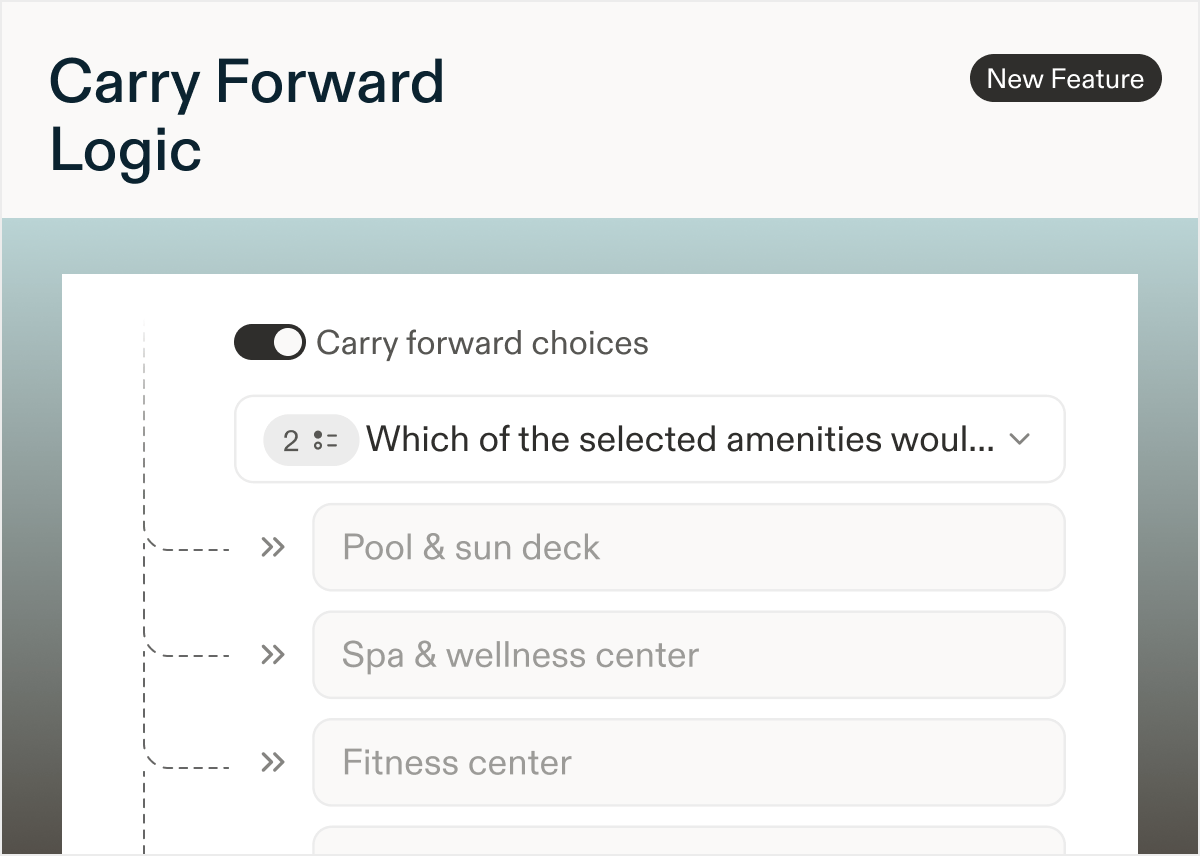
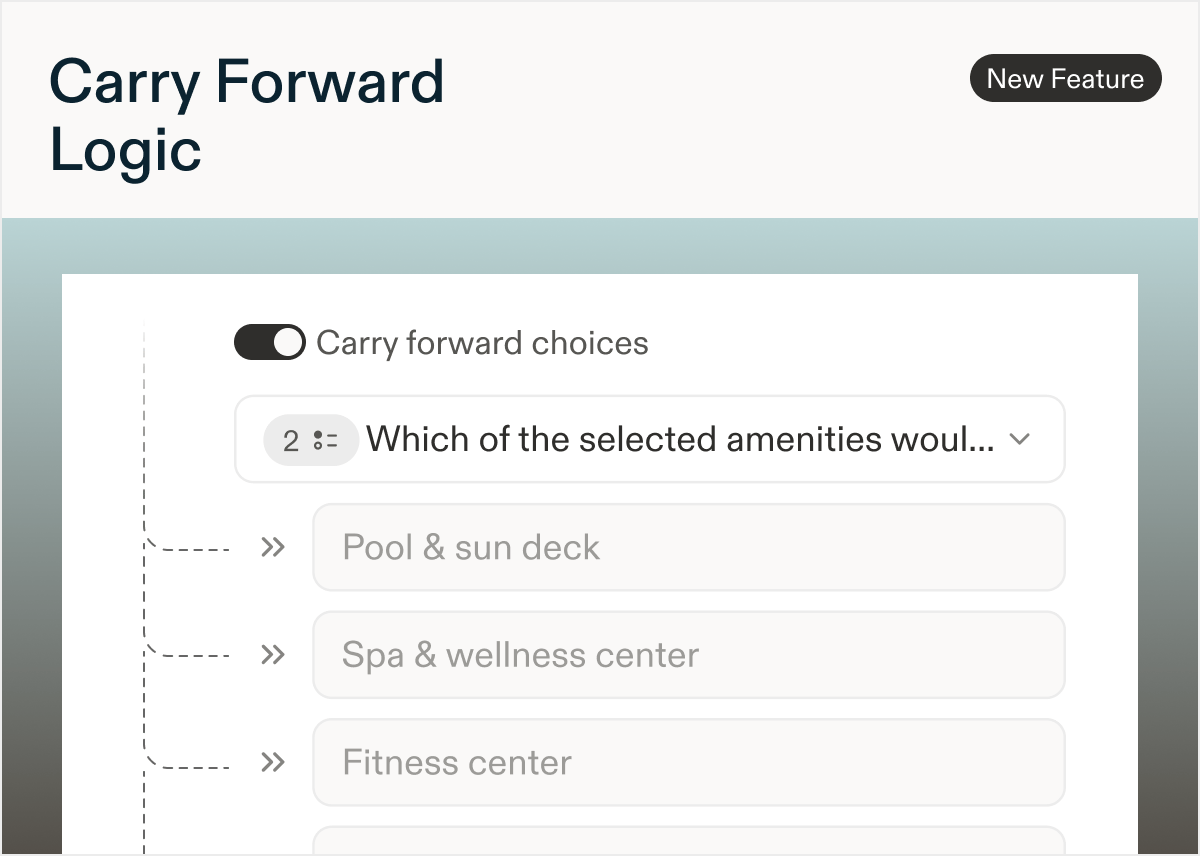
by Laura Desmond-BlackEver ask respondents to select which brands or features they use, then want to dig deeper into just the options they selected in the following questions? Carry Forward makes this easy by letting you take a respondent’s answers from one question and automatically pull them into a later one, so they’re choosing from their own choices instead of starting over. This keeps surveys more relevant and simplifies the survey-taking experience ensuring you get the best, and most, data possible.What’s available:- Source questions: Multi-Select and Matrix questions
- Destination questions: Multiple Choice (single- and multi-select), Rank Order, and Matrix questions
Improved
Updated: Dark mode for web and mobile In-Product Surveys
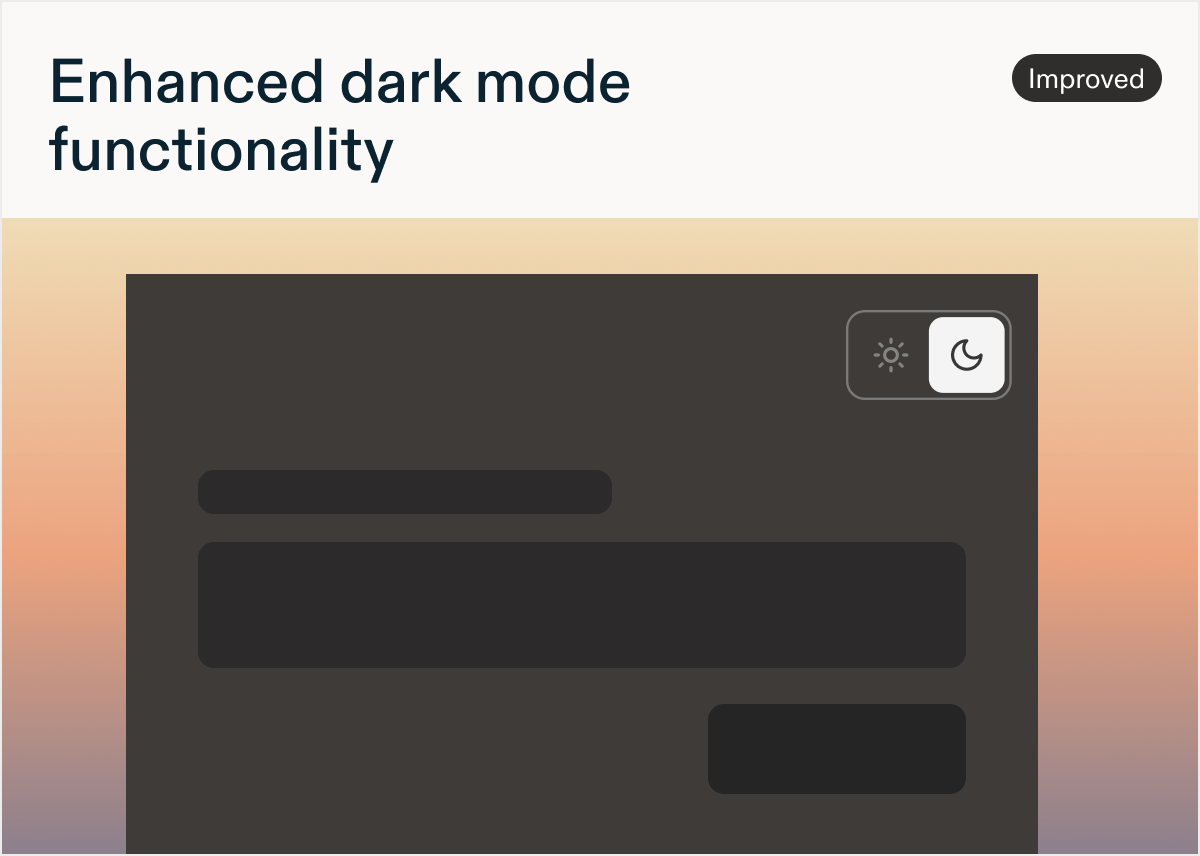
by Laura Desmond-BlackWe’re happy to share that while it’s been possible to add custom dark mode styling to In-Product Surveys for a while, there’s now a default dark theme for teams who want a faster solution.Previously, if you wanted to display In-Product Surveys with a dark theme, you had to build the CSS yourself. With today’s release, in Settings > Surveys > Look & Feel, there is now a toggle in the Study Style section to Enable Default Dark Mode CSS. Once on (don’t forget to Save!), the new built-in dark theme will automatically show if a user has their device set to dark mode. Enabling this setting will also reveal a toggle in the Study Builder preview that allows you to switch between light and dark themes so you can easily see how a survey looks in either theme. Note: this setting will result in the preview reacting to your computer’s own setting which means it might be in dark mode before you even try the toggle!Once enabled, the built-in dark theme will apply to all web and mobile In-Product Surveys, as well as Feedback studies.Ready to customize Sprig’s default dark theme to match your app’s look? Take a look at the updated documentation to get started today!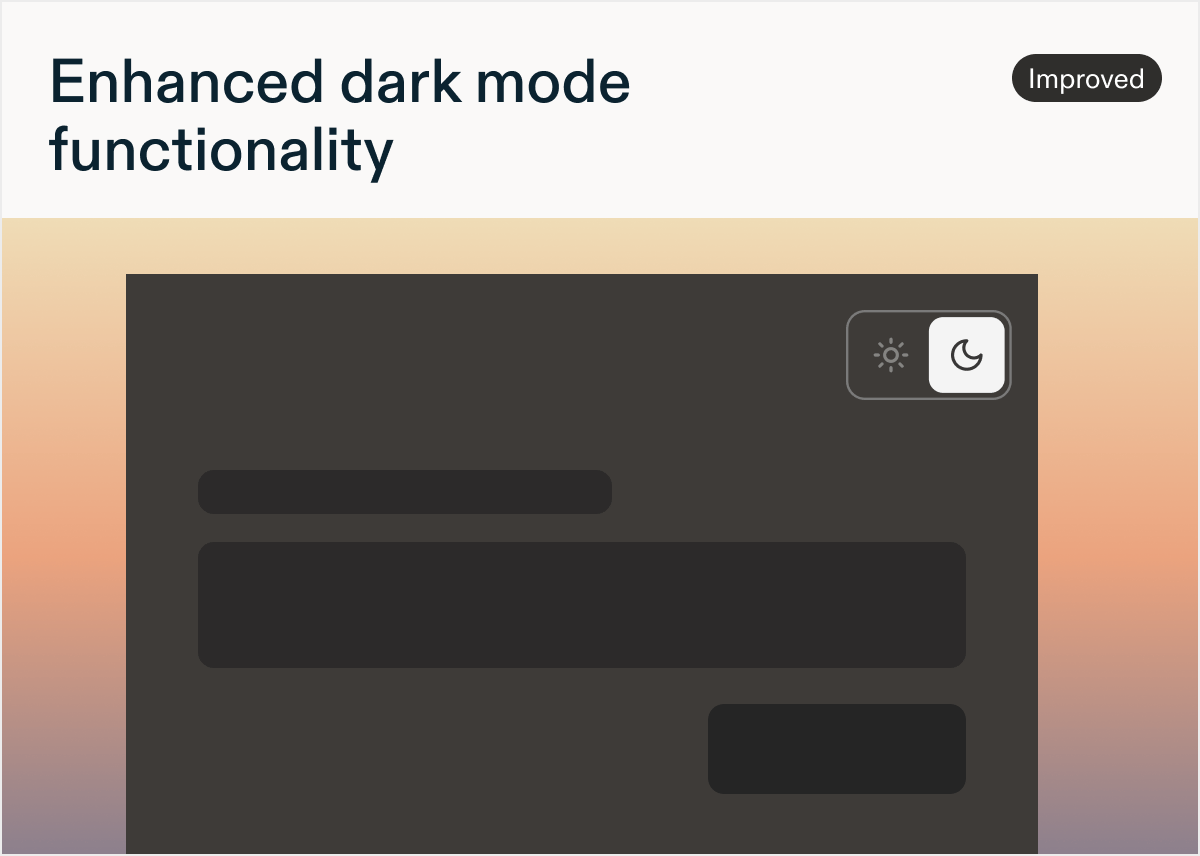
Added
New: Send Sprig Data/Responses/Reports to AI Tools
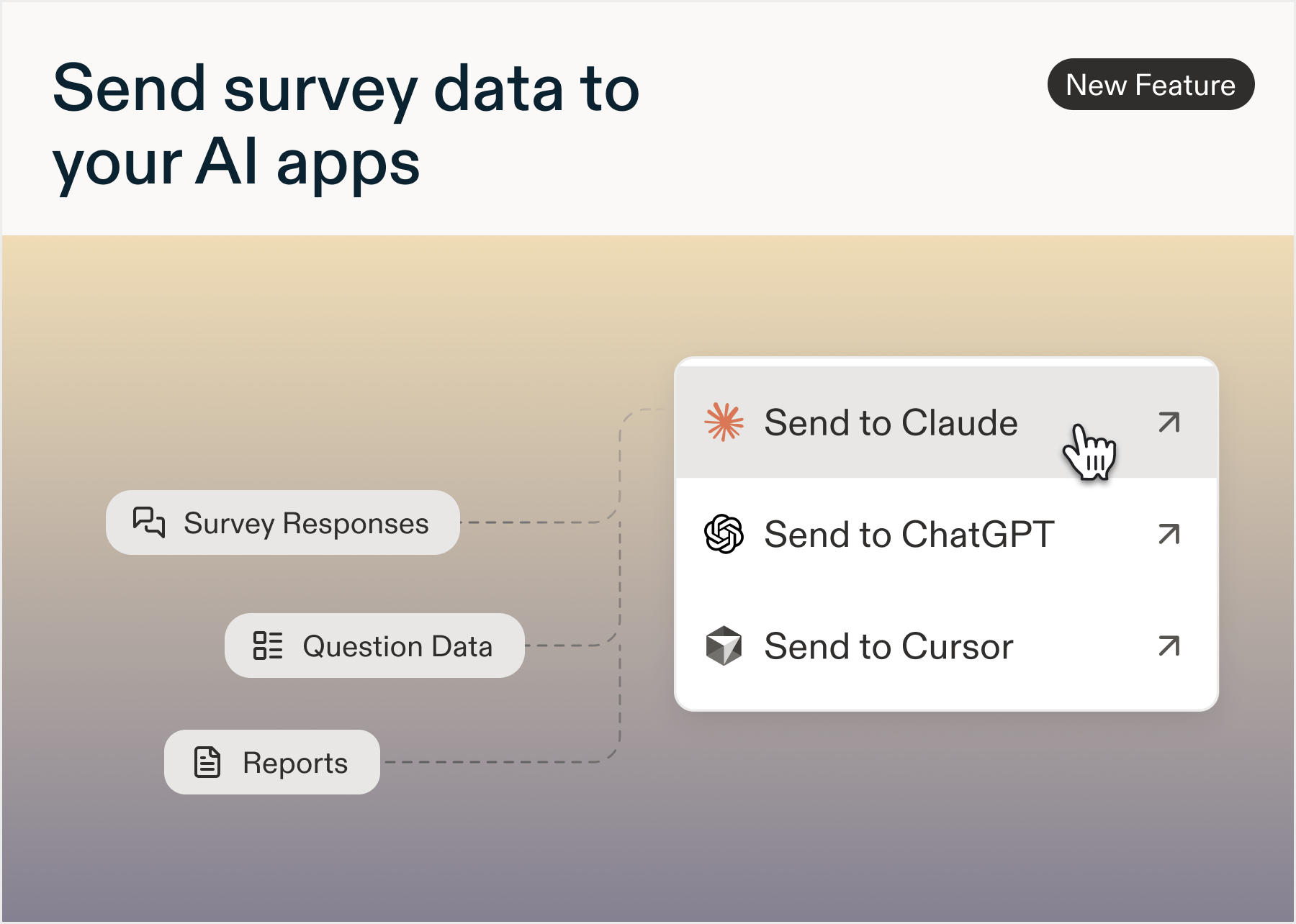
by Paresh VakhariyaSend your Sprig data to ChatGPT, Claude, or Cursor in one clickSend to AI Tools adds a button on study Data, Responses, and AI Study Reports that opens the content in the AI tool of your choice, pre-loaded as a prompt. No more screenshotting charts, exporting CSVs, or pasting responses block by block.- Runs on the Sprig MCP connector: sign in with your Sprig account once per tool, then every send is one click. The connection is read-only
- You can pull Sprig data: compare studies, fetch more responses, trend a metric
- Admins control Sprig MCP connections for your Sprig account
Added
New: Validated Text Questions
by Laura Desmond-BlackCollect text responses that are ready to use the moment they arrive. With the new Validated Text question type, a respondent’s answer is checked against a required format before they can proceed, so you spend less time cleaning up phone numbers with missing zip codes or numbers that accidentally gained a letterChoose from built-in formats for email addresses, phone numbers, URLs, and numeric entries, or define your own format with a custom regular expression. If a response doesn’t match, respondents see an error message explaining what to fix, and that message can be customized and translated like other study copy.Validated Text questions work for both required and optional questions. When optional, respondents can leave the question blank, but any text they do enter must pass validation.Available now for all customers and all study types that support questions. Check out the documentation to learn more and use it in your next survey!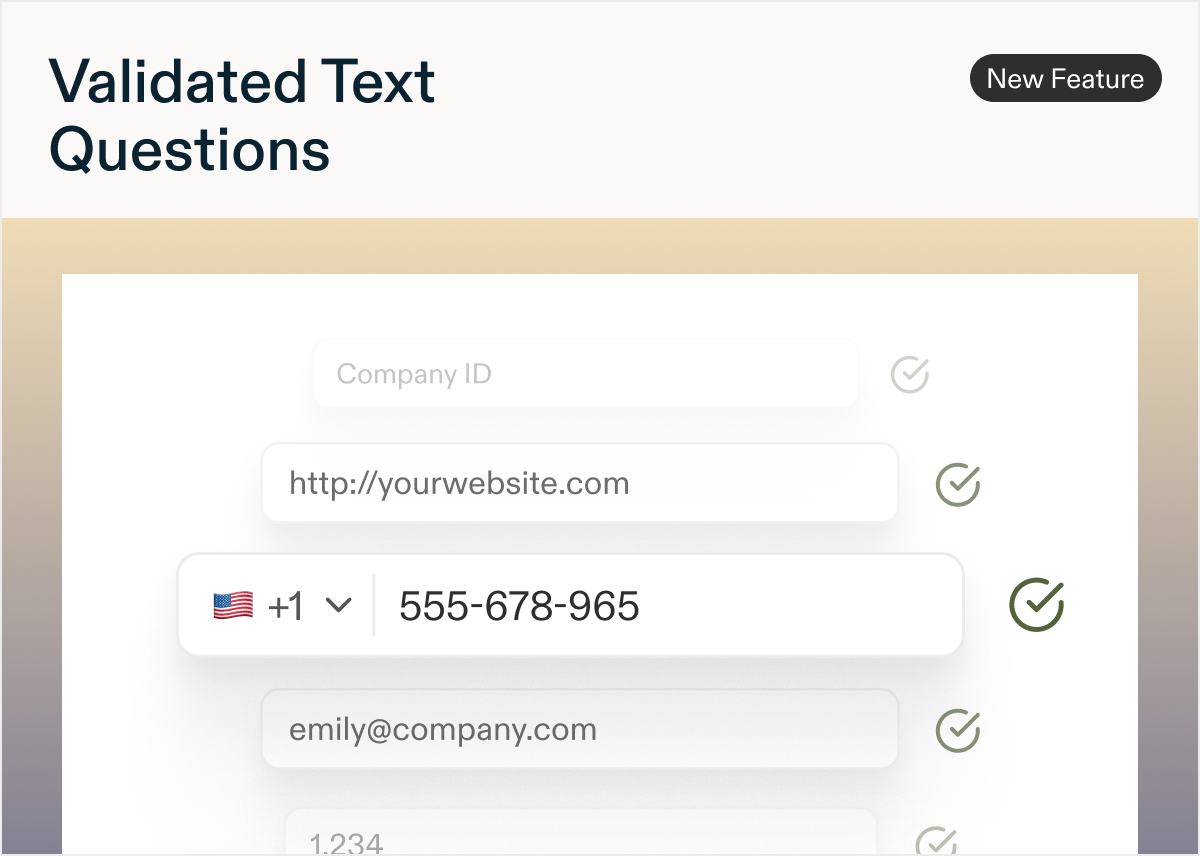
Added
New: Exclude Responses from Analysis
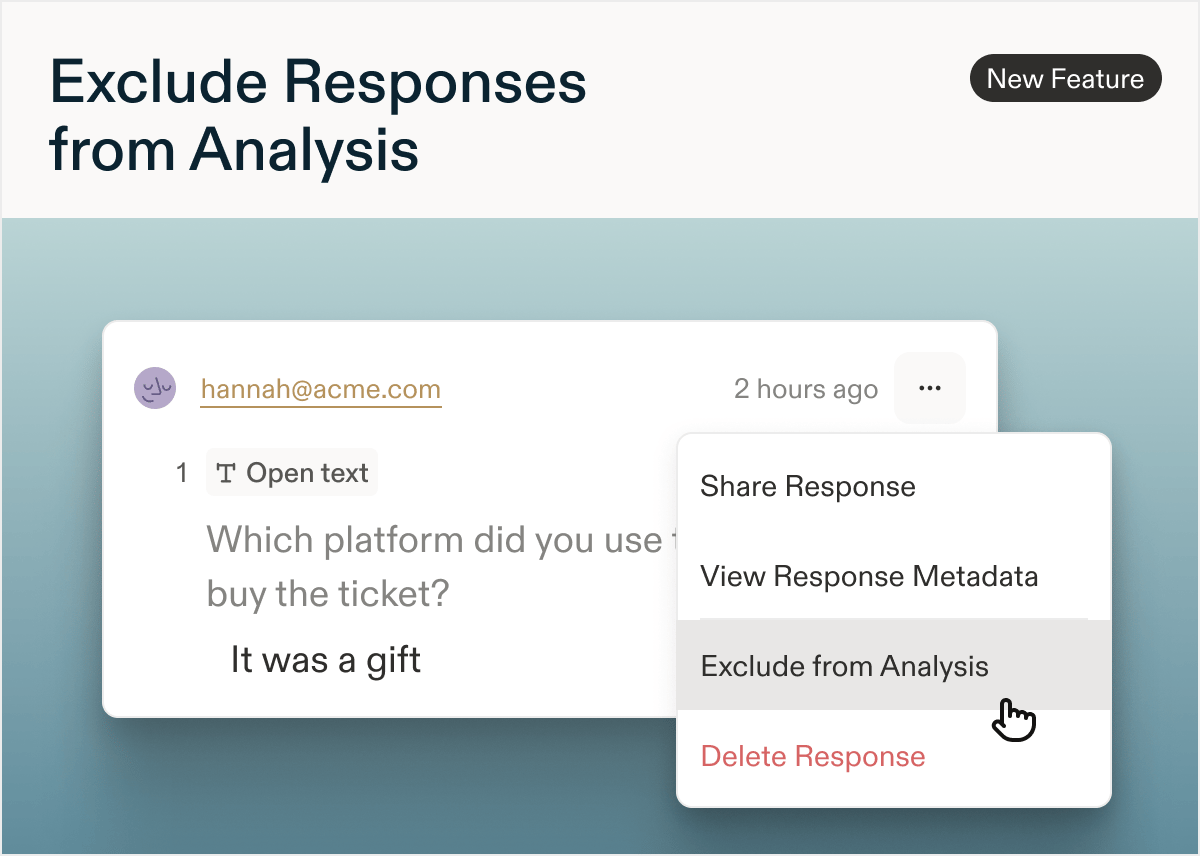
by Laura Desmond-BlackHave a response that isn’t useful? Now you can easily exclude it from the in-app analysis.To take advantage of this new option, navigate to the Responses tab of a survey, locate the response you want to exclude, and click the… menu in the upper right corner of the response. You’ll see a new “Exclude from analysis” option in the dropdown menu. Select it to hide the response from question summaries on the Data tab of the survey and the AI Study Report.Once it’s hidden you’ll see an indicator on the response so it’s easy to tell what’s happened with it. You can undo the exclusion if needed by heading back to the same menu. Enjoy cleaner data, with less effort.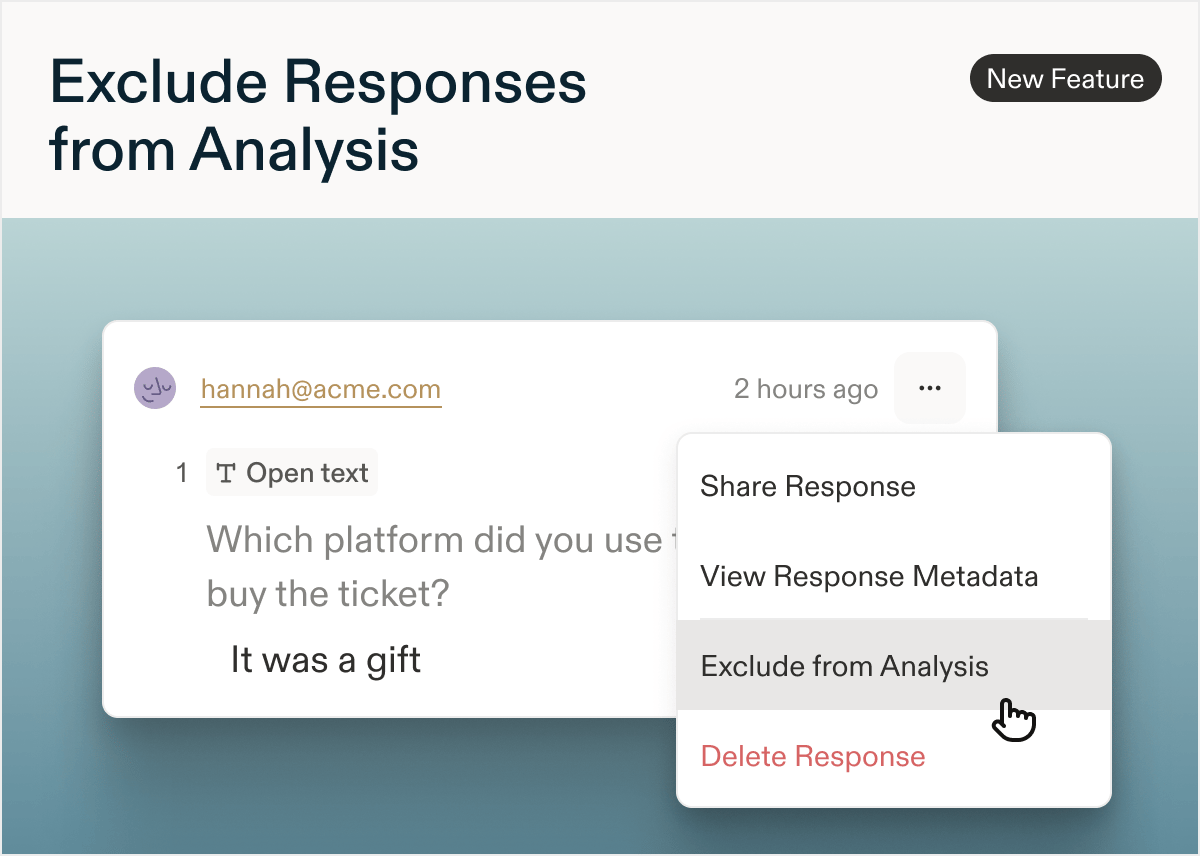
Added
New: Email distribution from Sprig
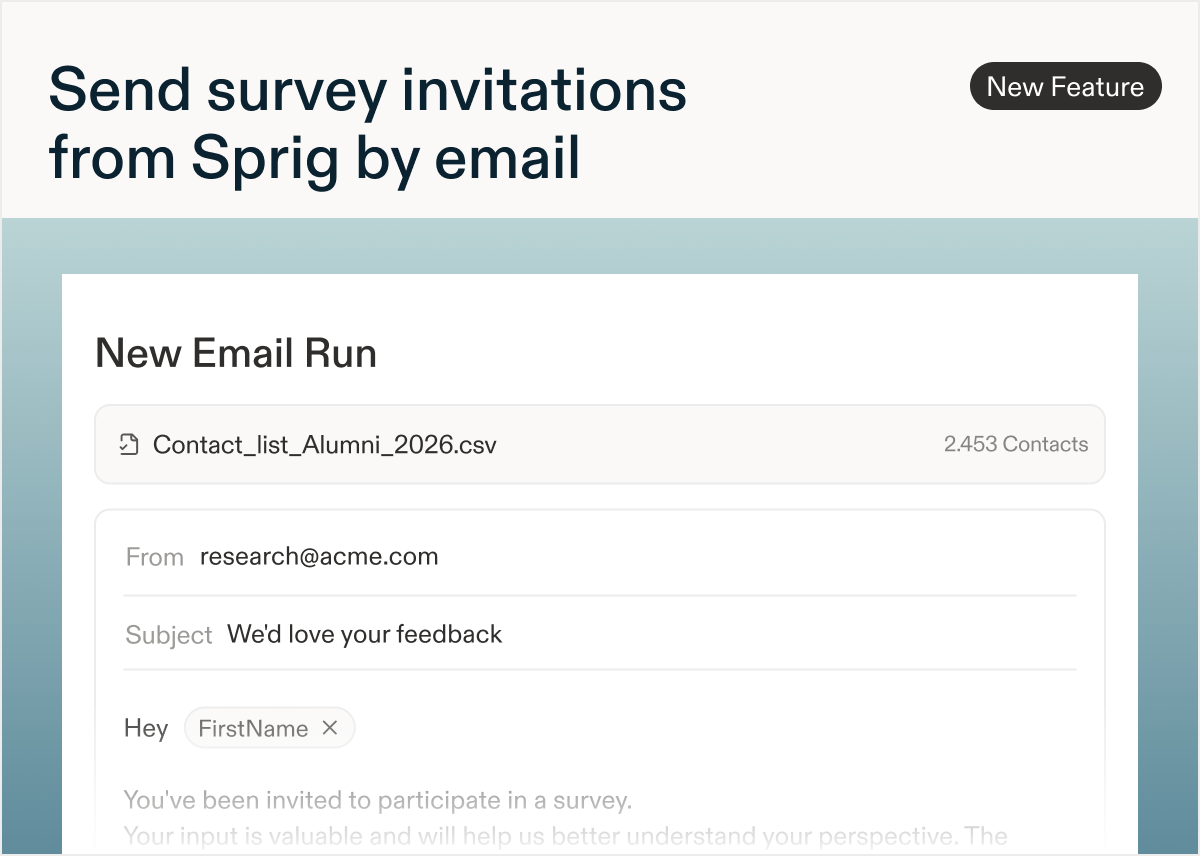
by Laura Desmond-BlackGet your survey in front of the right people without spinning up a separate email tool. With Sprig’s email distribution functionality, you can send your survey to a list of contacts using your own domain, customize the email’s content, and review open rates.Sprig’s email distribution supports the needs of enterprises by allowing you to:- Upload a Contact List once and reuse it across future Email Runs and Surveys.
- Personalize the email message with recipient data uploaded through the CSV, insert your survey link in one click, and take branding to the next level with a full HTML editor.
- Meet unsubscribe requirements with automatically included unsubscribe links that route recipients to a branded page.
- Schedule emails to go out on survey launch or at a later time. Add additional Email Runs to the same survey at any time, each tracked separately for sends, opens, and response rates.
Added
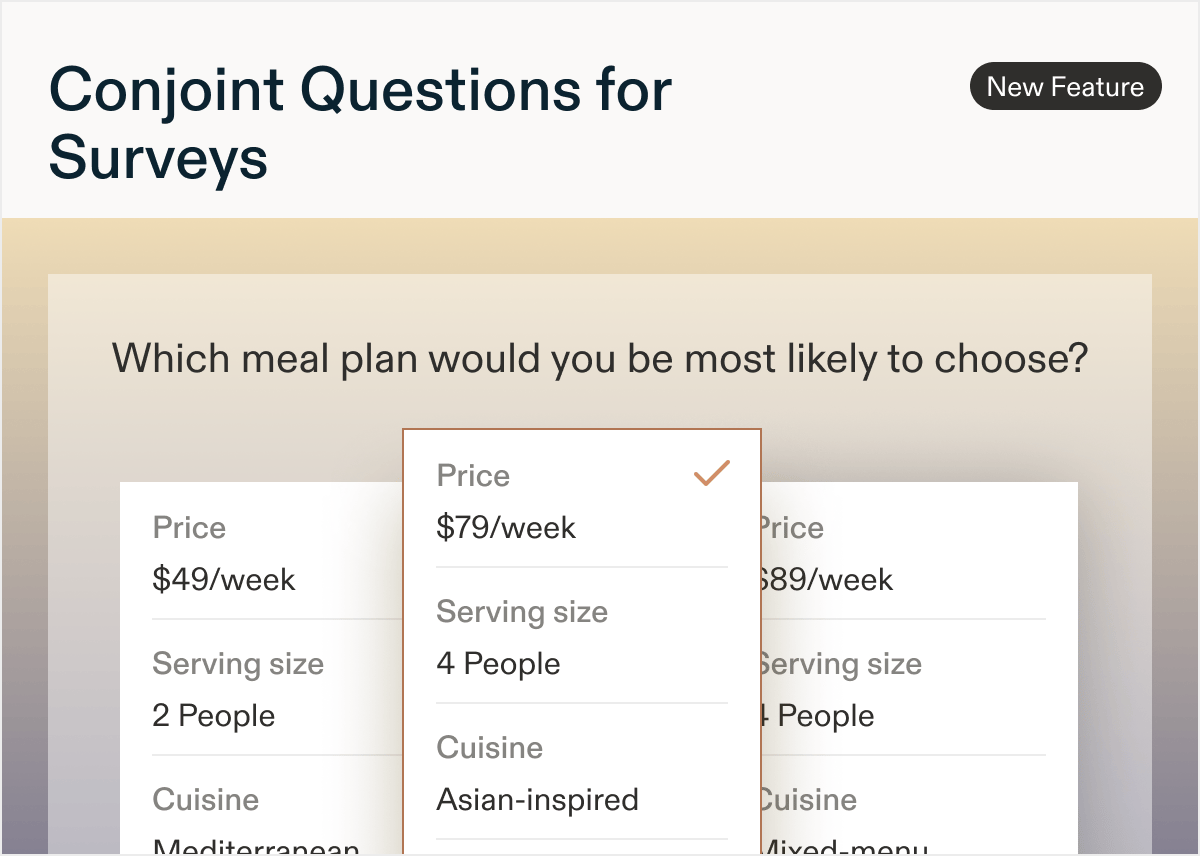
New: Conjoint questions for Surveys
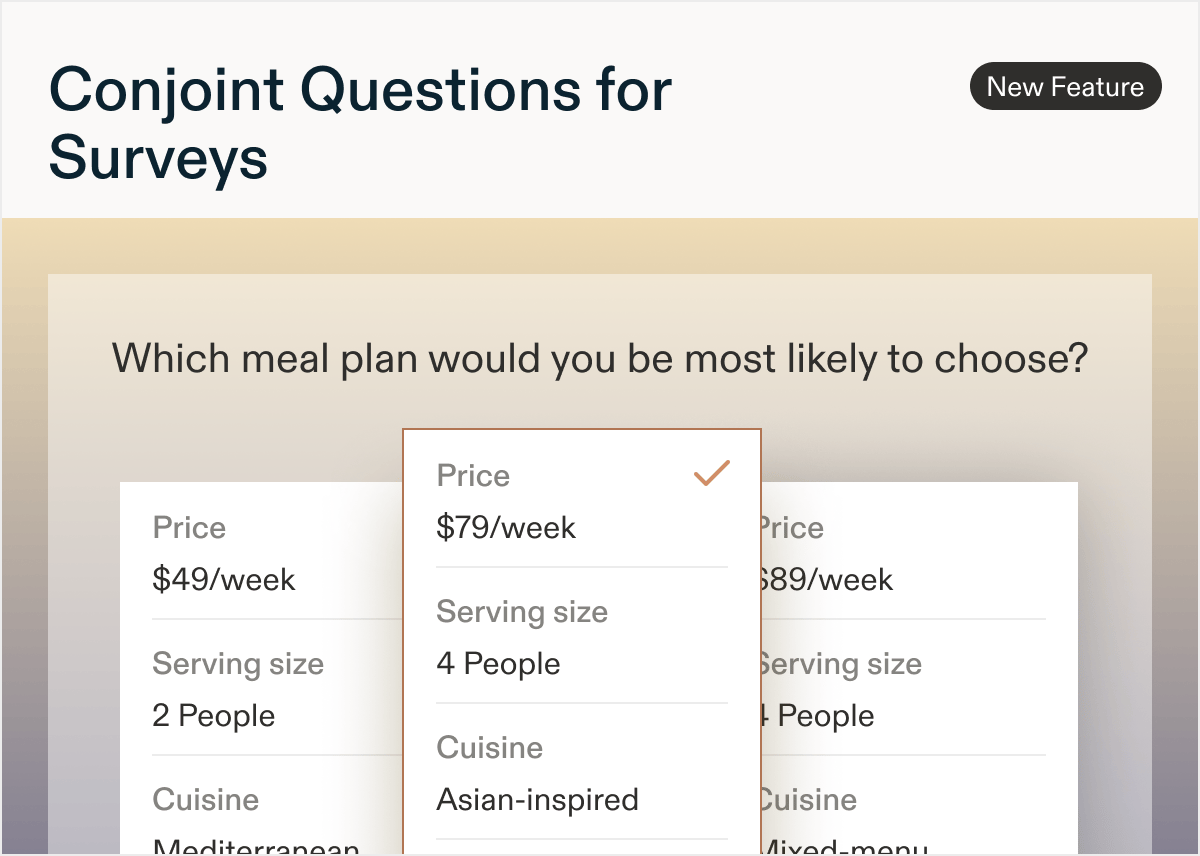
by Laura Desmond-BlackWant to know what your users would actually choose, not just what they say they prefer? Now you can find out quickly with Sprig’s new Conjoint question. Show respondents realistic combinations of features and ask them to pick one, just like a real purchase decision, so you can understand the components of the package that matter most.Use Conjoint questions for pricing and packaging research, understanding willingness to pay, and estimating relative feature importance.With Sprig’s Conjoint you can:- Build your own experiment: define features and levels, choose how many options appear per task and how many tasks each respondent will complete.
- Optionally randomize the order of features across respondents to avoid bias.
- Exclude unrealistic combinations with Exclusion Groups, and optionally add a “None of these” choice for more realistic results.
Added
New: Sprig Panels
by Laura Desmond-BlackNeed feedback from outside your existing user base?With Sprig Panels, you can recruit verified participants and deliver your survey to them without leaving Sprig. Reach fresh audiences for concept testing, brand perception research, and more, without over-surveying your own users.Target exactly who you need with 300+ recruitment criteria, from location and job title to industry and income, with live audience size and cost estimates as you build.Sprig calculates and handles incentive payouts automatically, so there’s no manual tracking or spreadsheets.Run multiple panels on a single survey to reach different audience segments at once.Available now for Surveys and customers on the Enterprise plan. Reach out to your Customer Success team to get started.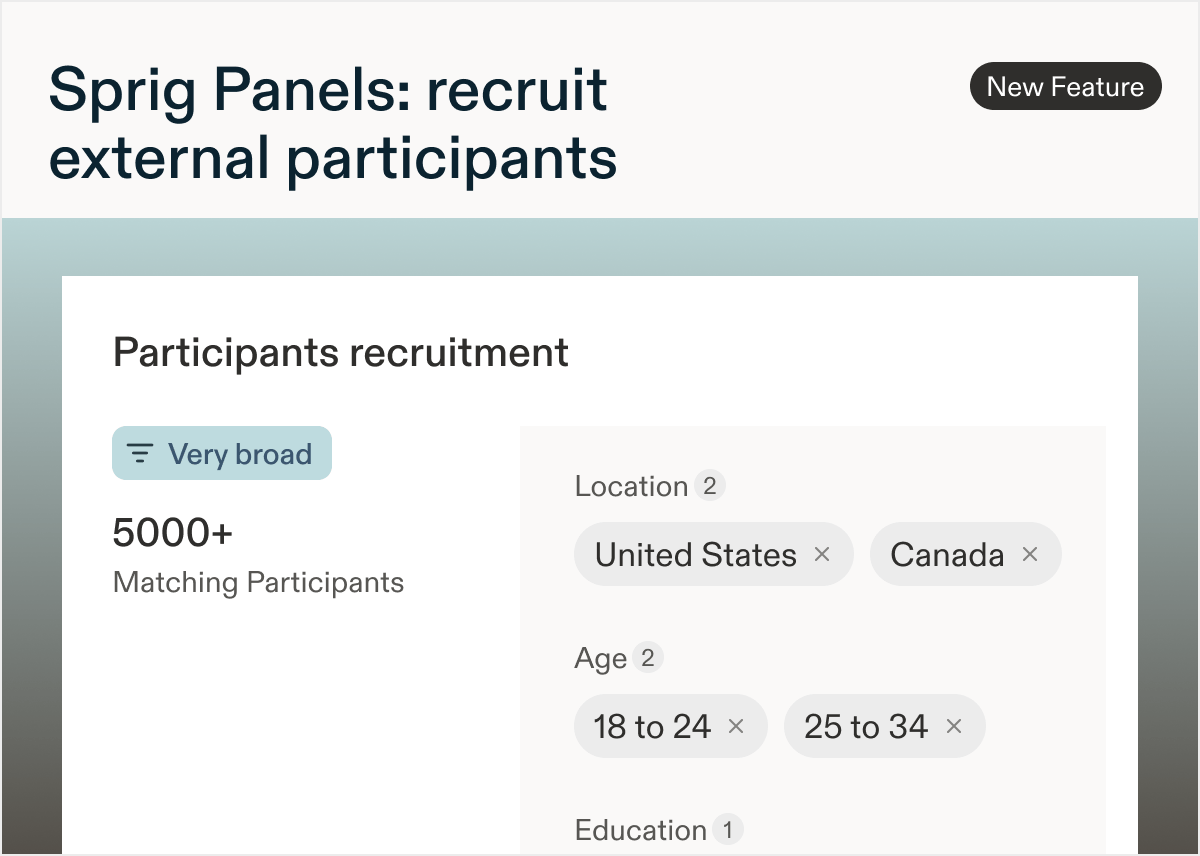
AI File Upload: now with more survey options
by Paresh VakhariyaThe AI File Upload Builder now imports more question types, more study types, and more of your survey/display logic, so the draft Sprig builds matches your document even more closely. Upload a PDF or Word doc and get a launch-ready survey with skip logic, display logic, randomization, and required questions already in place.New
- Voice and video questions. Include voice or video questions in your document and Sprig builds them into the draft, ready for respondents to answer by speaking or on camera.
- AI Dynamic Questions and AI Follow-Ups. Specify either in your document and Sprig configures them during import, so your survey adapts in real time from the first launch.
- Consent and legal questions. Capture respondent consent or legal acknowledgment as part of your imported survey.
- Display logic. Add “DISPLAY LOGIC:” notes next to questions to show them only when a condition is met. Sprig brings the logic in exactly as written.
- MQSP and IPS support. Upload documents for Multi-Question Single Page studies and In-Product Surveys, not just standard Surveys. When your document explicitly specifies IPS, Sprig defaults to building an In-Product Survey.
Improved
- Rate every draft. Use the new up/down vote buttons on file upload output to tell us how the draft turned out. Your feedback directly improves the builder.
- Refreshed interface. The builder now matches Sprig’s new design system.
- Easier review. The Design Agent pane and survey editor scroll independently, and the pane auto-scrolls to reveal the latest Design Agent messages.
- More accurate imports. Upgraded the underlying model and refined the question and study schemas for cleaner, more reliable drafts.
Fixed
- File caching that could serve an older version of your uploaded document
- “END” skip logic terminology not being picked up, leaving fields blank
- Question numbering off by one
- Single select questions incorrectly converting to text prompts
New: AI Translations
by Paresh VakhariyaGreat news! Now, you can translate your entire survey with AI, every question, description, choice, and button label, in seconds.No more exporting CSVs, routing files to translators, and waiting days to launch global research.To use AI Translations, select Add language in the Language card of your study’s Questions tab, choose your language(s), and select Translate with AI. Review and edit any translation inline, then set your language targeting and launch.If you update your survey, regenerate translations anytime. Note that regenerating replaces all existing translations, including manual edits.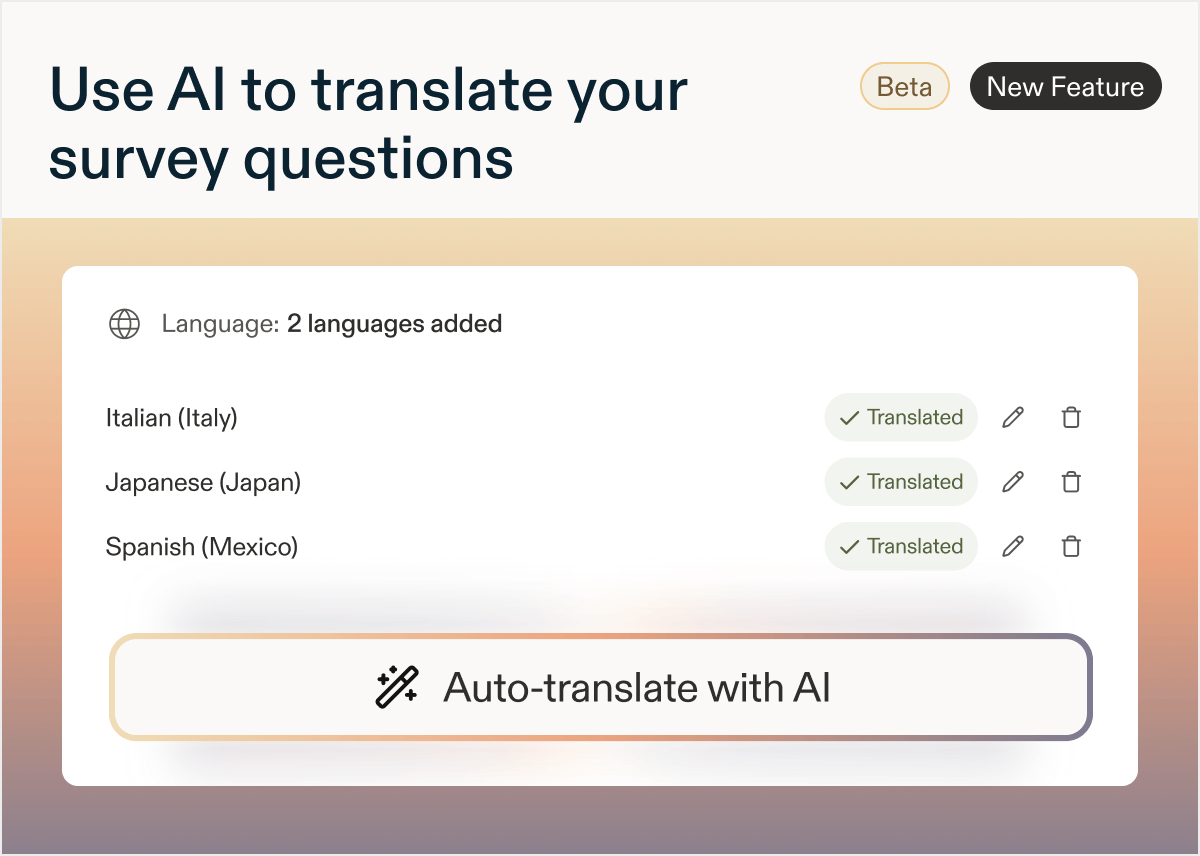
New: Response-based Quotas for Surveys
by Laura Desmond-BlackGet exactly the responses you need by setting response-based quotas for Surveys.Create up to three screener questions that can be used to define user segments that you want to collect data for. Set targets for each segment. Use quotas to filter the responses collected.Check out the documentation so you can use them in your next Survey!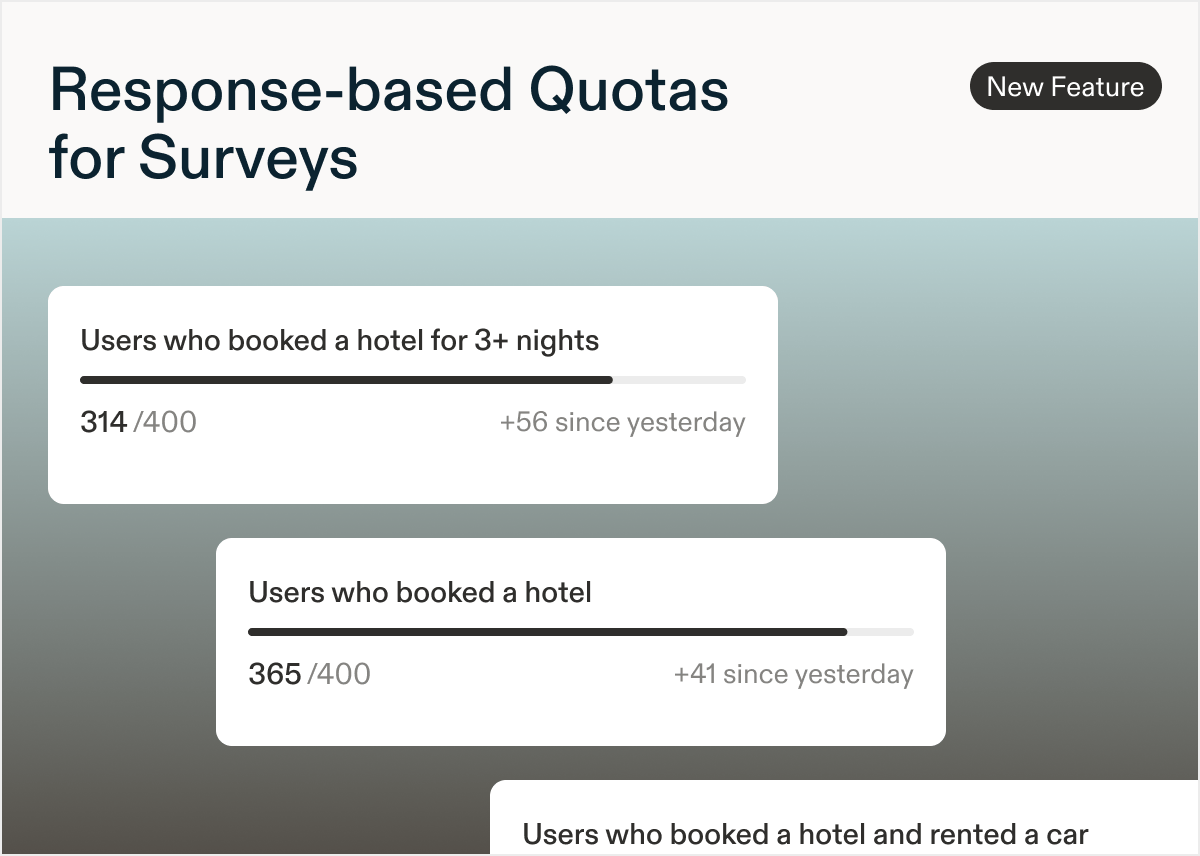
New: Add an image to a question
by Laura Desmond-BlackGreat news! You can now add an image or gif to a question and easily test a new logo, name, or UI element.It’s easy to get started: look for the Add Media button near the “Required” toggle in the question header; it’s available for most question types. Follow the file type and size requirements and preview and test the survey as usual. If you prefer not to use this, Admins can always disable it in Settings > Surveys > Configure. Learn more to get started today!Available for Surveys and In-Product Surveys on mobile and web.Note: The Admin setting was initially off by default. This was changed to being on by default on July 10th.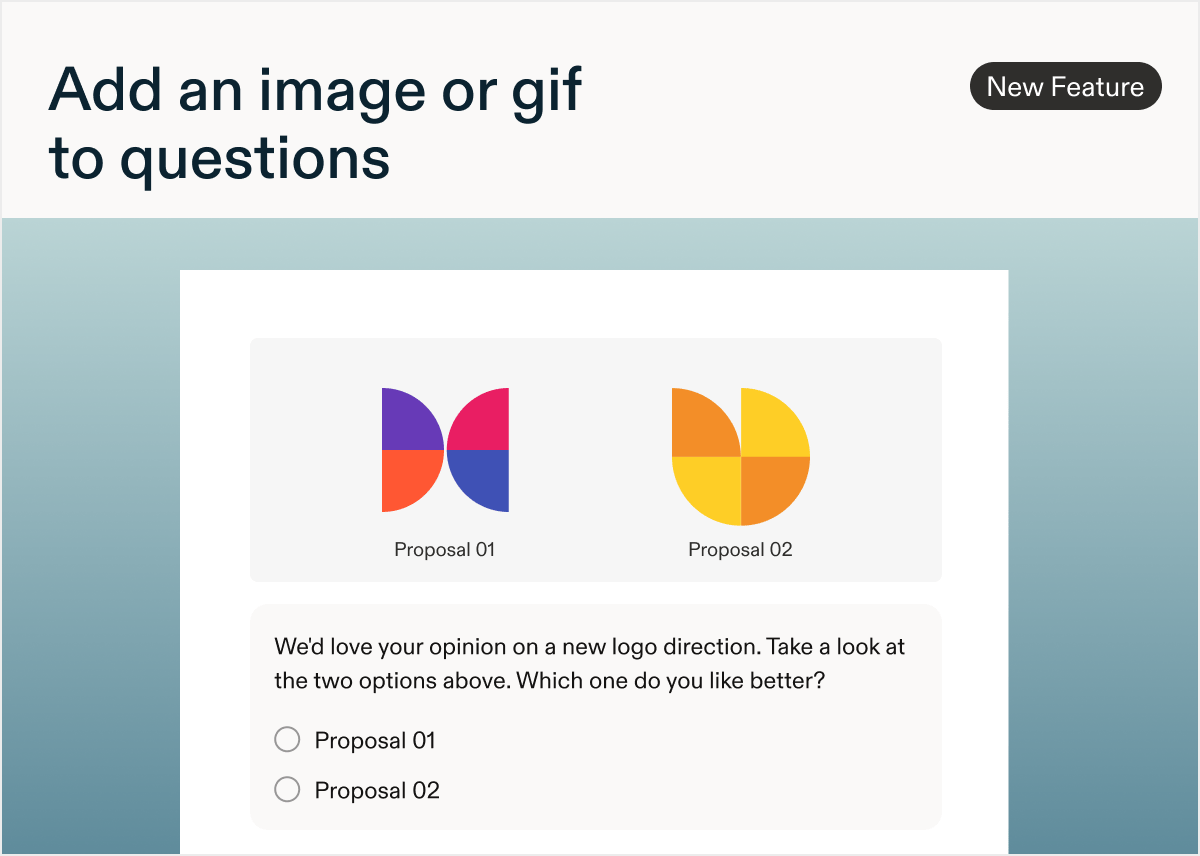
New: Hide custom branding on surveys
by Laura Desmond-BlackNow you can hide your logo and brand color when sharing a Survey. To turn off custom branding, navigate to the Settings tab within a Survey (make sure to be in Edit mode), scroll down to the Survey Branding section and select the Hide Branding option.Available to customers on the Enterprise plan.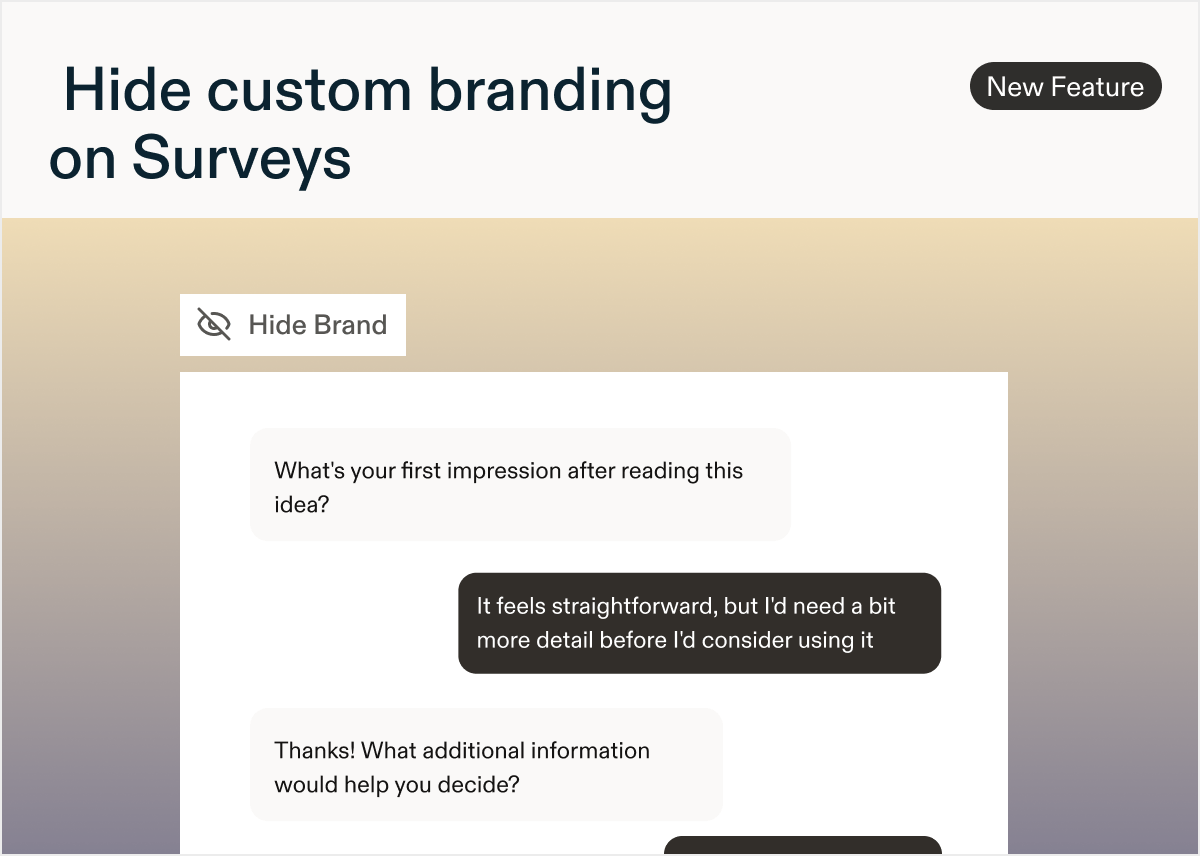
New: Surveys have an updated look
by Laura Desmond-BlackBased on your feedback we’ve updated the respondent experience for Surveys to make it even easier to get rich, rapid responses with a beautiful, easy-to-read experience.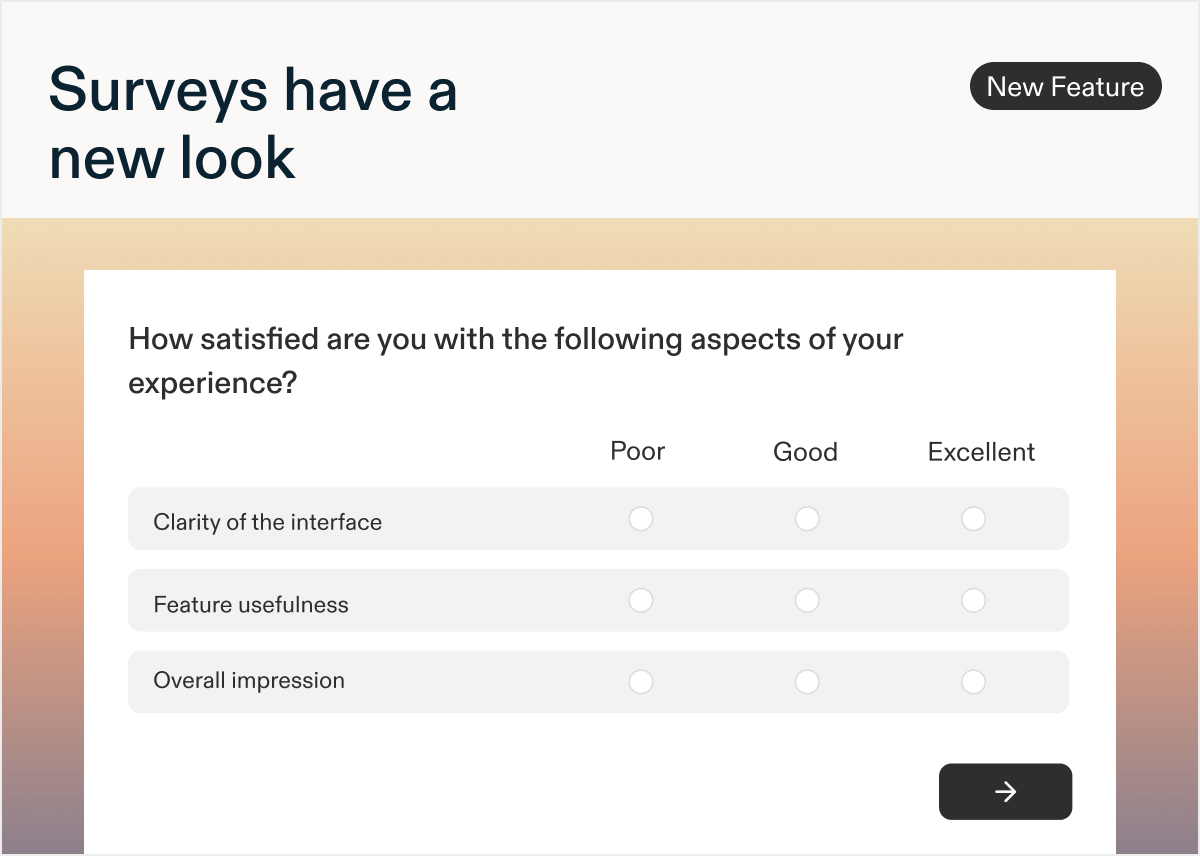
What’s changed
- The forward button is now closer to questions and larger so it requires less mouse movement to access.
- Autofocus has been removed from pages with multiple questions so respondents can drive their own progress.
- Situations where there was both a forward button in the question and a page-level forward button have been eliminated.
- Text/URL questions in Surveys no longer have the “No button” option as it’s no longer necessary.
- The number of buttons that show on a page with multiple questions has been reduced; they’re still visible when AI Follow-up or AI Dynamic questions are present.
- The display of Matrix questions has been improved.
- They’ll now expand horizontally if there’s space - no more horizontal scrolling.
- If the viewport is too narrow, the question will automatically switch to an accordion layout.
New: Create Surveys from your AI client with MCP
by Paresh VakhariyaYou can now create Sprig studies directly from Claude, ChatGPT, or any connected AI client using Sprig MCP. Describe your research goal in plain language and your AI client drafts the study, configures the questions, and them prompt it to save it to Sprig as a draft ready for your review.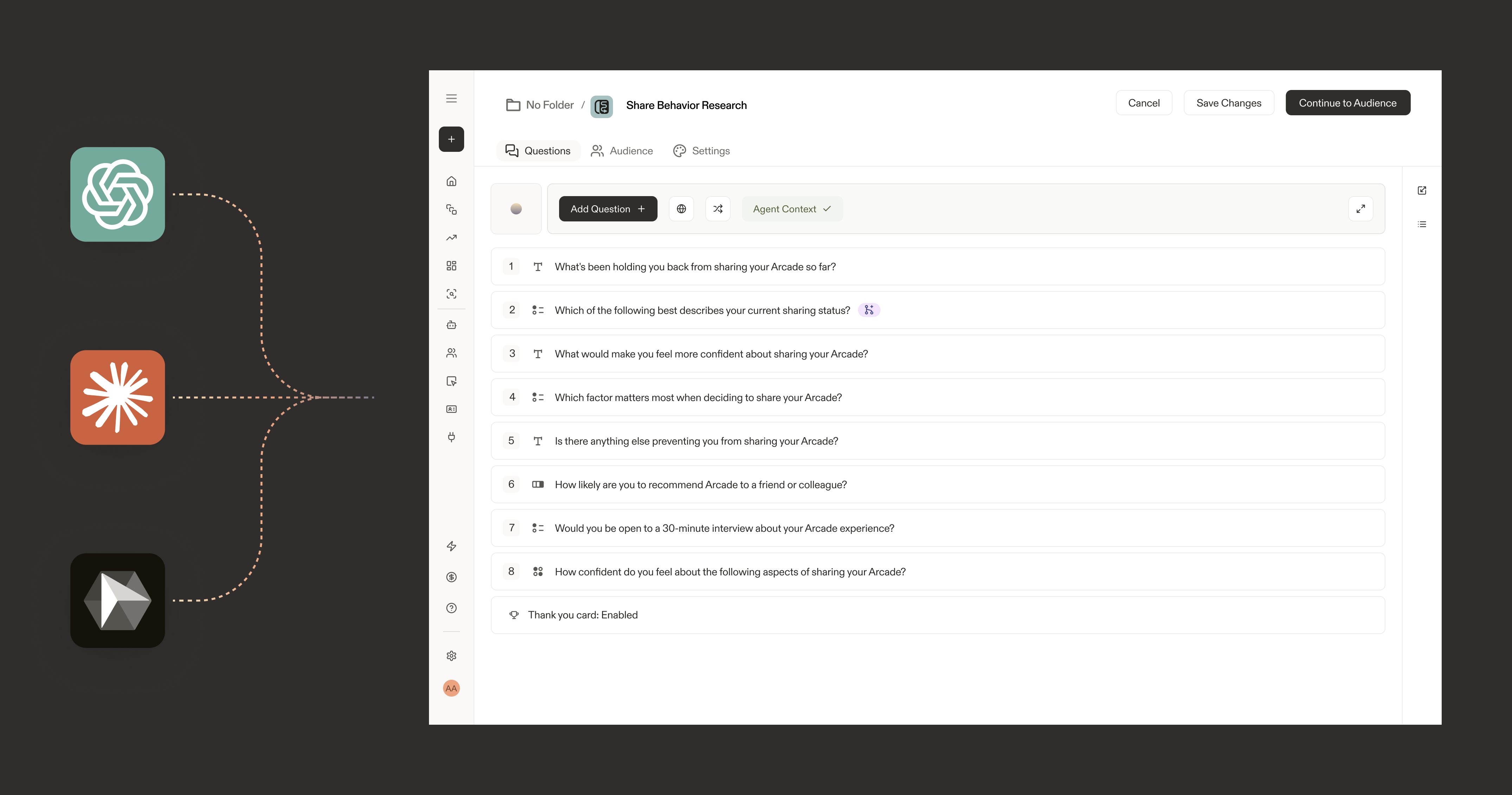
New: AI Follow-ups for more Question Types
by Paresh VakhariyaWhat’s new in this release
Add AI follow-up questions to- Ratings (number, smiley, star)
- Multiple choice (single and multi-select)
- NPS
- Matrix, and
- Rank order questions so any of these can probe for the “why” behind a response, not just open text.
Added
Sprig MCP is now available
by Paresh VakhariyaConnect your Sprig workspace to AI tools using the Model Context Protocol (MCP). Your studies, responses, segments, and Agent Context are now accessible as live context in Claude, Claude Code, ChatGPT, Cursor, Gemini CLI, GitHub Copilot, and more.
What’s new
Sprig MCP server Exposes your Sprig workspace data as callable tools via a standard MCP endpoint athttps://mcp.sprig.com/mcpAny MCP-compatible AI client can connect and query your data directly.3 tools available at launchOAuth authorization Connections use OAuth 2.0. No API keys to manage. Admins authorize once at the workspace level; members connect their individual accounts with a single click.Admin and member controls Workspace admins connect Sprig for their org. Members authorize their own accounts independently. Access is scoped to each user’s existing workspace permissions.
Supported clients at launch
Anthropic: Claude, Claude Code, Claude CoworkOpenAI: ChatGPT, CodexGoogle: Gemini CLIMicrosoft: GitHub CopilotCode editors: CursorWhat you can do
Pull Sprig data directly into any connected AI client without exporting or copy/pasting:- Summarize study results and surface top themes
- Compare responses across studies or time periods
- Analyze how responses differ across user segments
- Generate research summaries, readouts, and hypotheses
- Look up any study by name or ID
How to connect
Go to Settings → Agents → Sprig MCP to get your MCP server URL and follow the setup steps for your AI client.Added
New: AI Study Report
by Laura Desmond-BlackUse Sprig’s Synthesize Agent to quickly go from raw responses to a structured report that can easily be edited, downloaded, or shared with team members. Spend less time on manual analysis and more time ensuring insights are able to influence critical decisions.Influence the content of the AI Study Report by adding Agent Context to ensure the report accurately reflects your goals and the particular focus area for the study. Reports are generated based on the Agent Context, the study’s raw responses, and AI Insights generated for the study.Reports follow research best practices with an executive summary, and sections for key insights, strengths, and opportunities. Meaningful quotes from open text questions are included to add depth to findings.Editors can generate reports for in-progress studies that have 10 or more responses, or completed studies.AI Study Reports are available for customers on the Enterprise plan for Surveys, In-Product Surveys, and Feedback studies. Learn more about generating a report for your next study!Note: this feature is being released in stages so you may not see it yet. We expect rollout to be complete by early May.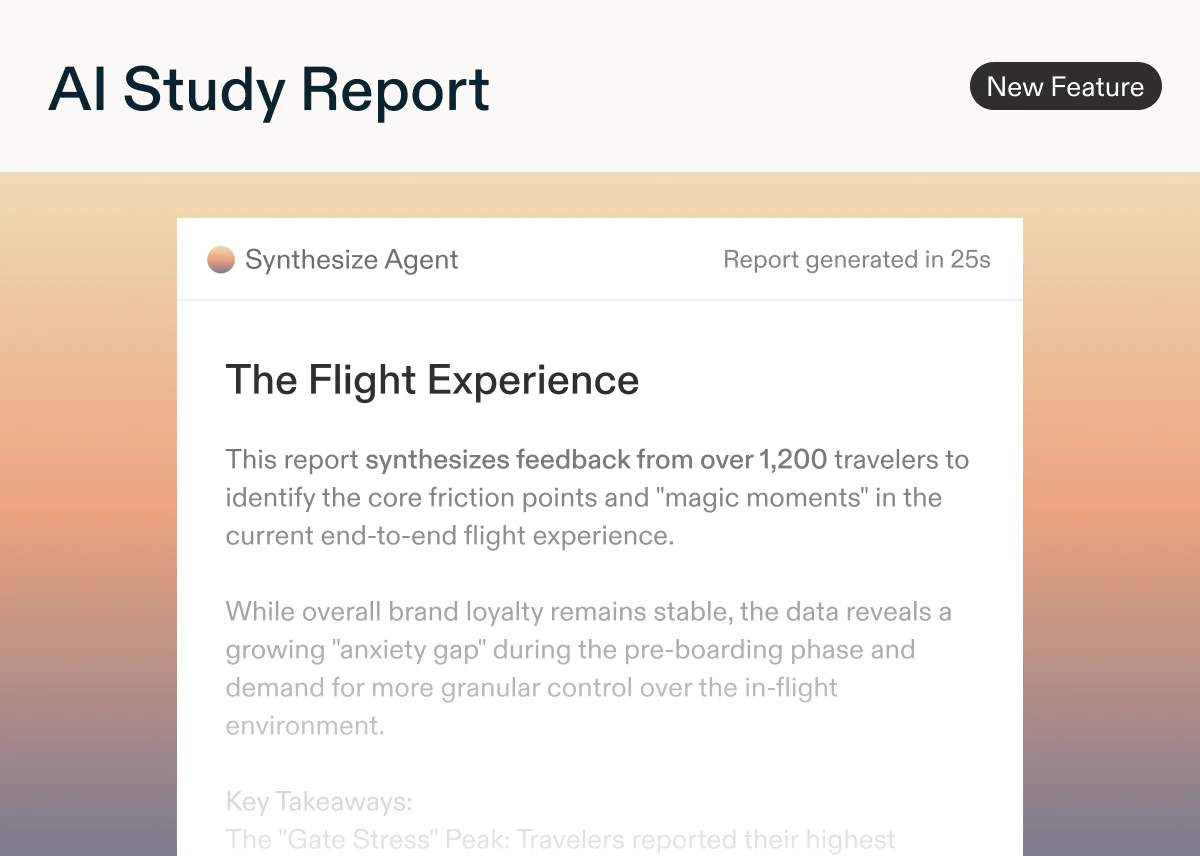
Added
AI Dynamic Questions
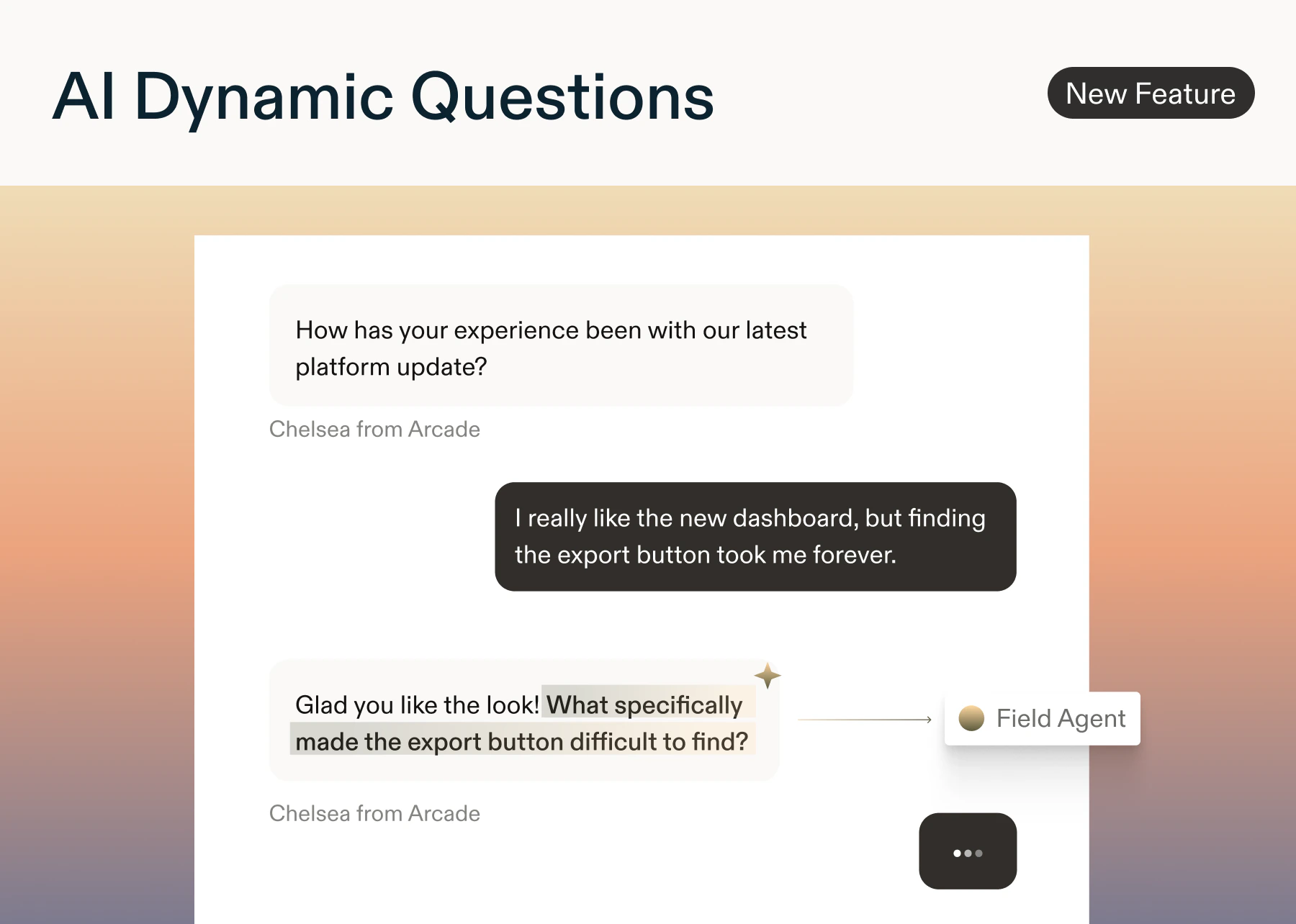
by Paresh VakhariyaAI Dynamic Questions Enterprise tier onlySurveys now adapt in real time. AI Dynamic Questions (utilizing the Field Agent) automatically generate relevant open text question based on what each respondents prior questions/responses- Add an AI Dynamic Question anywhere in your study. You can also add a custom (optional) prompt to each question.
- AI reads all prior questions and responses, then generates a short, neutral follow-up using NLP signals like sentiment, intent, and keywords. If it can’t generate safely or quickly, the question is skipped.
- Results appear in Reports alongside your standard responses.
- Question styles: Clarification · Depth · Context · Impact · Sentiment · Keyword
- Safeguards: Moderation filters block PII, bias, and unsafe content. Skip logic and quotas are always respected.
- Available on: In-product surveys, surveys, and feedback button: Enterprise plans only. No limit on the number of AI Dynamic Questions per study.
- Team context (if available)
- Agent context pka Study Goals (if provided)
- All prior questions and responses
- Question prompt (if entered)
- NLP signals: intent, sentiment, topics, and entities
Improved
Prototype Testing Enhancements
by Laura Desmond-BlackFor those of you who use Sprig to test new ideas and concepts, we have two enhancements to share:- You can now include published Figma Make and Lovable prototypes in Surveys. Get feedback on these highly dynamic prototypes just like you can for more traditional prototypes by placing them within a broader survey that might include multiple ideas. Learn more.
- For those who share AI-generated prototypes directly with users, we’ve validated that you can install the Sprig SDK into the prototypes themselves so that Feedback studies or In-Product Surveys can be part of the experience. Results show in Sprig just like when you launch studies in your live apps. Now you no longer have to rely on manual, in-person, or ad-hoc processes to get feedback on these vibe-coded ideas. Learn more.
Added
AI Follow-up Question
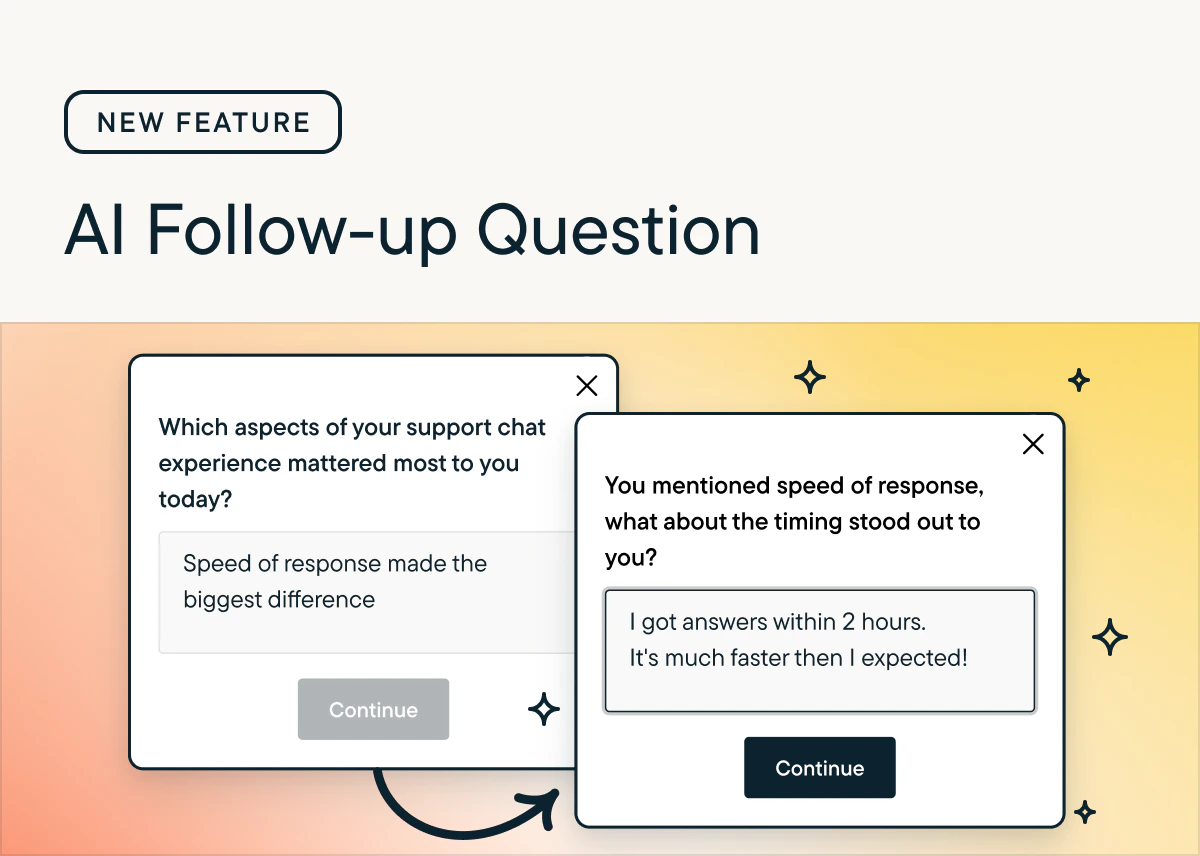
by Paresh VakhariyaAI Follow-Up automatically generates personalized, open-ended probes based on a respondent’s specific answer, capturing richer detail without manual programming.Key Features
- Supports Open Text questions; currently unavailable for Voice/Video. More question types to have AI Follow-up questions soon.
- Users must choose between AI Follow-Up or Skip Logic per question.
- Skips automatically if a relevant or safe question cannot be generated quickly.
Why use AI follow-up questions?
- AI follow-up questions help turn vague feedback into specific, actionable insights by probing for clarity, examples, and root causes.
- They mimic a live interviewer at scale, improving response quality without adding researcher workload.
How to Use
- Enable via the toggle in Study Setup for any Open Text question.
- Context used: Uses study goals, previous responses, and NLP signals (sentiment, intent) to tailor probes.
- Generates questions focused on clarification, impact, sentiment, or depth.
- Results: View both the AI-generated probe and the respondent’s answer in the Results tab.
Best Practice
-
Use 1–2 AI Follow-Up questions per survey to balance deeper insights with respondent experience.
Added
New: Display Logic
by Laura Desmond-BlackDisplay Logic is now available for Surveys, In-Product Surveys, and Feedback studies for customers on the Enterprise plan 🎉Now you can easily configure questions to show when a respondent meets specific criteria based on their prior responses in the survey or user attributes you’ve stored in Sprig, like their plan or region. This allows you to ask customers a question with options that are relevant to them (Mets, Jets, or Nets for those in New York and Bears, Cubs, and Bulls for those in Chicago) which will lead to higher engagement and richer data.Check out the documentation to learn more about setting up Display Logic.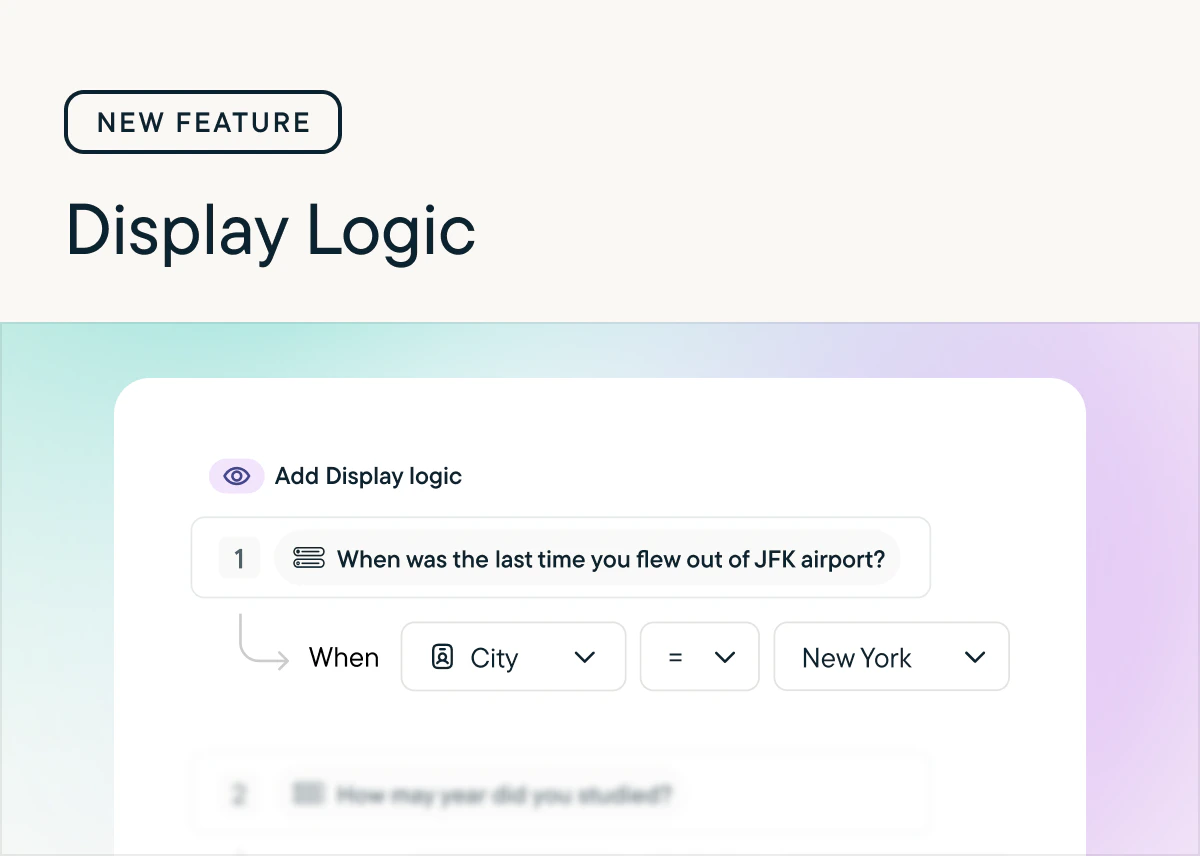
Added
New: Attribute Piping
by Laura Desmond-BlackGeneric questions are out; tailored experiences are in. Starting today, you can use the attribute data you already store in Sprig to customize your survey questions and descriptions in real-time.Why this is great: more context for respondents means higher completion rates and higher quality responses. Instead of asking, “How much value do you feel like you’re getting from your paid plan?” ask, “How much value do you feel like you’re getting from your Enterprise plan, Sarah?”How it works: Just like Response Piping, reference any attribute stored in Sprig directly within the question or description text.Availability: Attribute Piping is available for customers on the Enterprise plan across In-Product Surveys, Surveys, and Feedback studies.👉 See how to set it up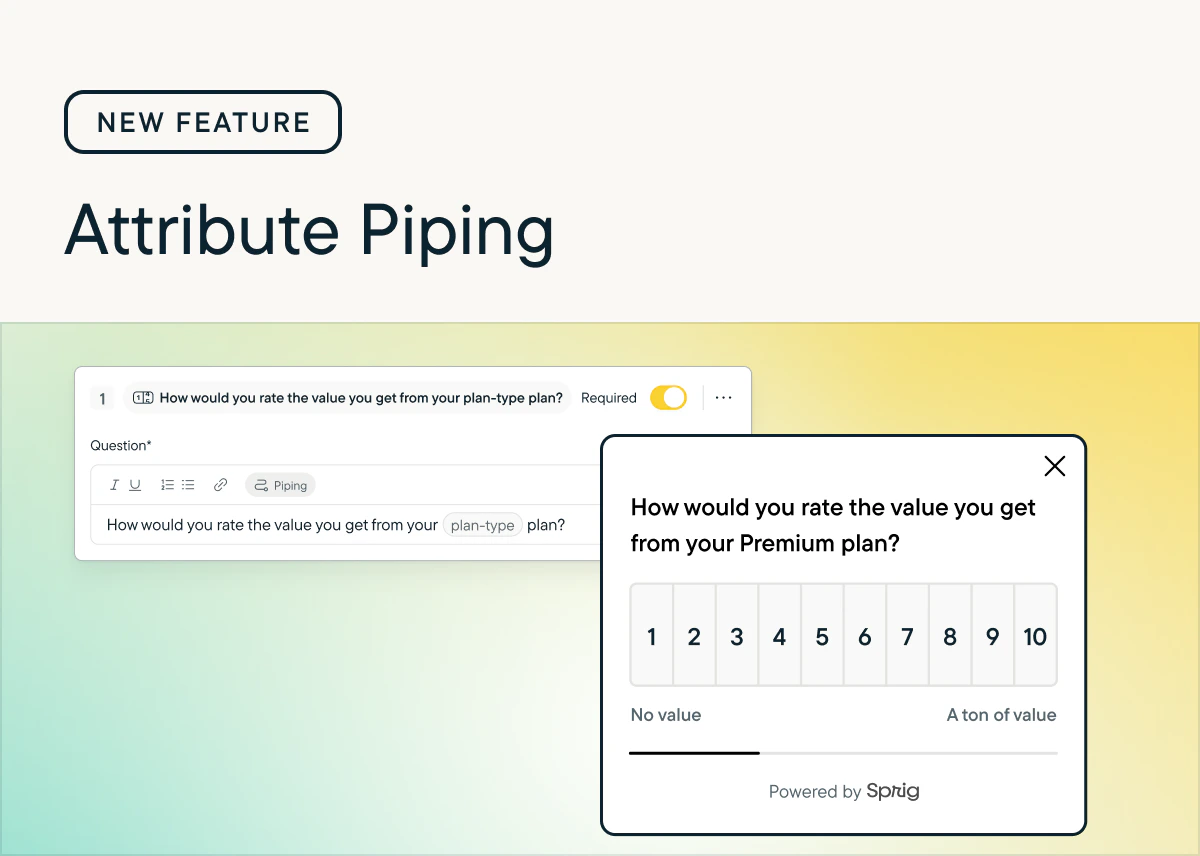
Improved
Display Limits for Choice Randomization
by Laura Desmond-BlackWith this release customers on the Enterprise plan gain an additional configuration option when randomizing the choices offered to respondents in Multiple Choice: Multi-Select and Matrix questions.Now when setting choices to display in a randomized order in these questions there will be an option to limit the number of choices displayed. For example, if you have a list of 20 themes that you’d like respondents to select from but you don’t want them to become overwhelmed with the full list, you can choose to limit the number of choices displayed to only 6 or 8.See our Help Center documentation to learn more.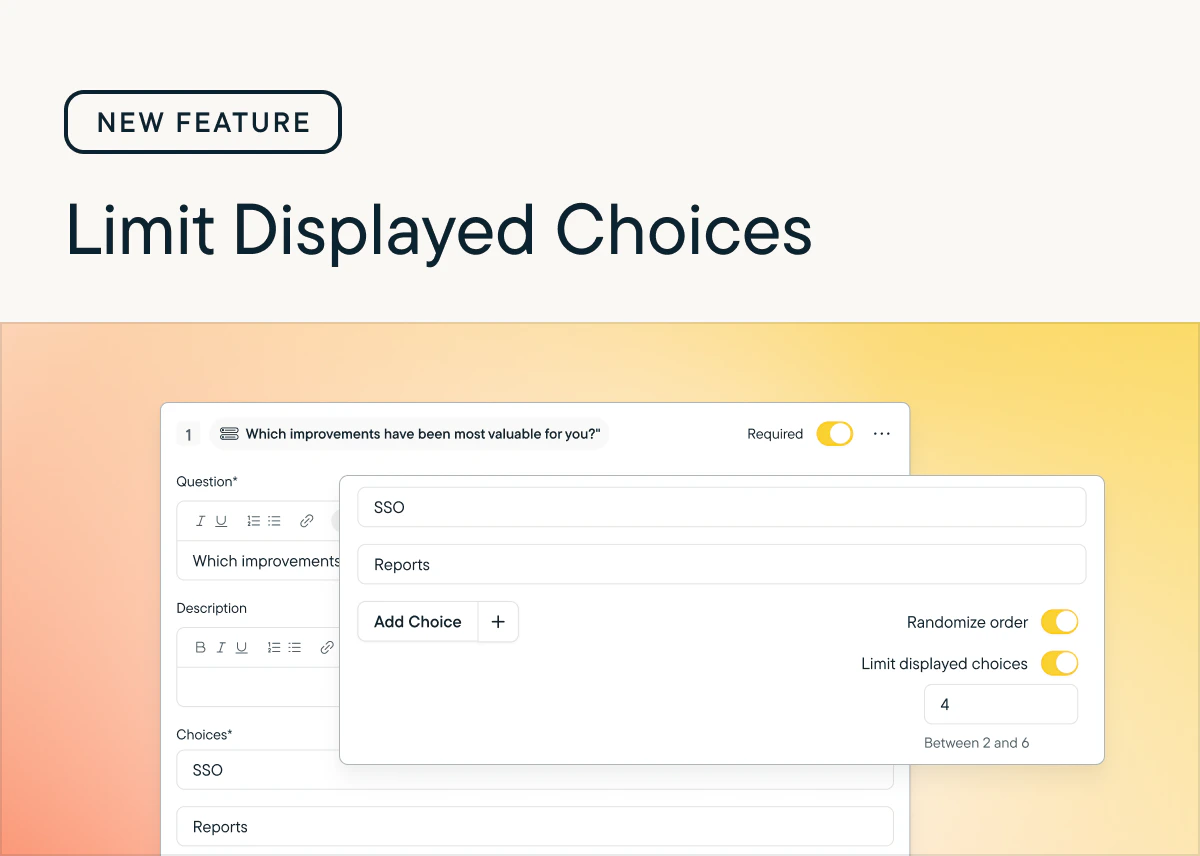
Improved
Date filters for CSV Exports
by Laura Desmond-BlackDo you ever wish you could export survey response data for a specific timeframe?Well, now you can! You can now choose a timeframe when requesting a CSV export so you can jump into analysis faster. Choose between preset or custom timeframes. If your survey has more responses than are supported for CSV exports (950,000) you can reduce the number of responses using the new filters and continue with your work. Learn more.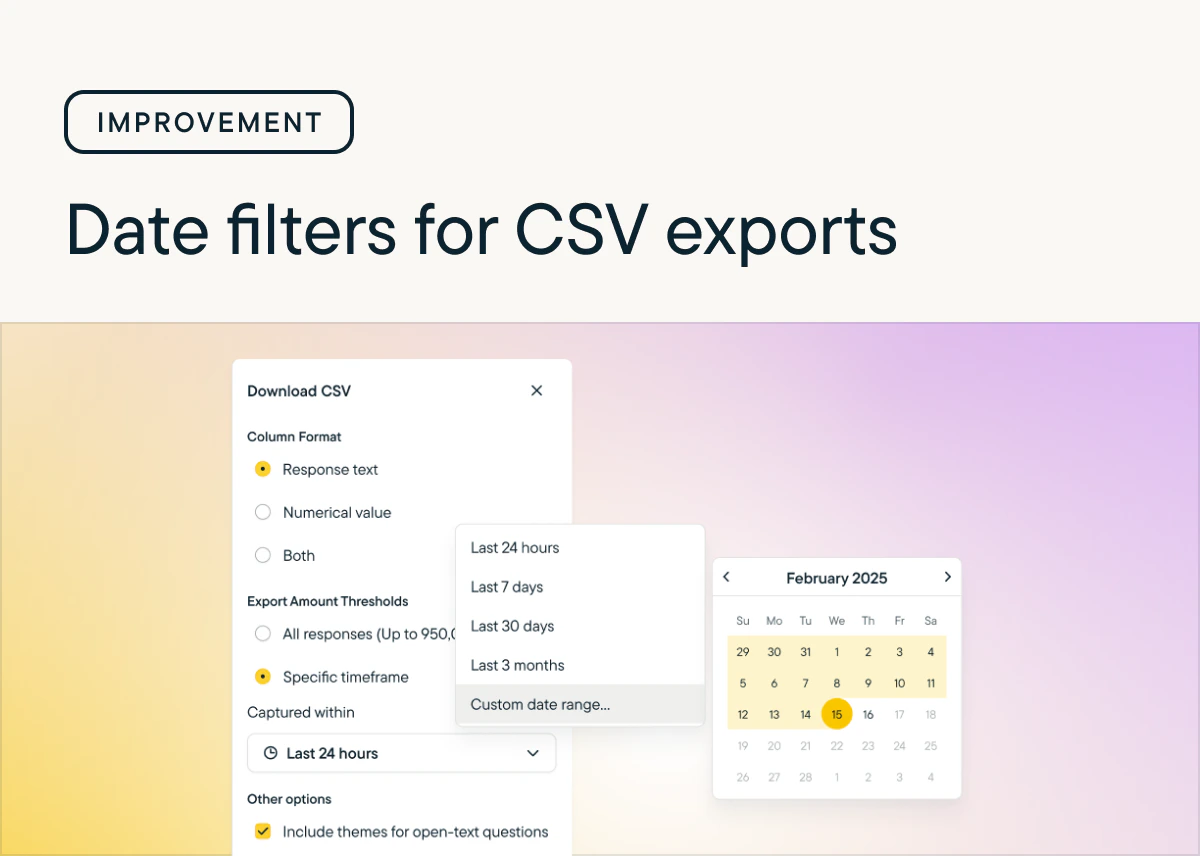
Added
New Question Type: MaxDiff
by Laura Desmond-BlackMaxDiff questions are here! 🎉 🥳Gather detailed insights from respondents as you consider how to prioritize improvements or refine brand messaging with intuitive researcher and respondent experiences. Use the recommended setting to configure the question quickly or define your own experiment structure with the custom setting. Get a sense for how respondents feel about what you’re asking them to rate using the built-in best-worst summary or download the CSV to run your own analysis. Check out the documentation to learn more.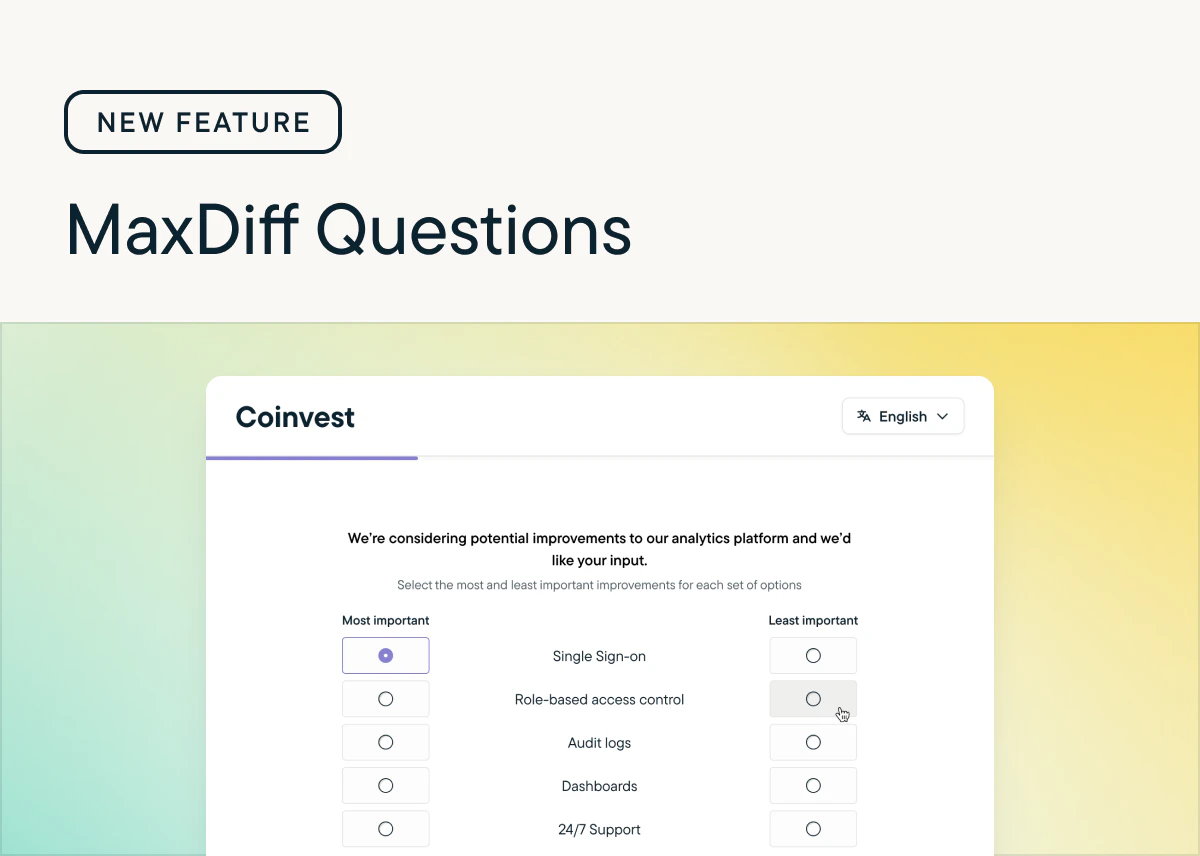
Added
Conversational Surveys
by Paresh VakhariyaWe have introduced Conversational Surveys: a new, chat-style survey experience that makes responding feel more natural and engaging.Instead of displaying multiple questions on a single page, Conversational Surveys present questions one at a time, creating a smooth, dialogue-like flow. Respondents interact as if they’re in a friendly conversation, leading to a more human, immersive, and enjoyable experience.Check out Conversational surveys to learn more about using this new functionality in your surveys!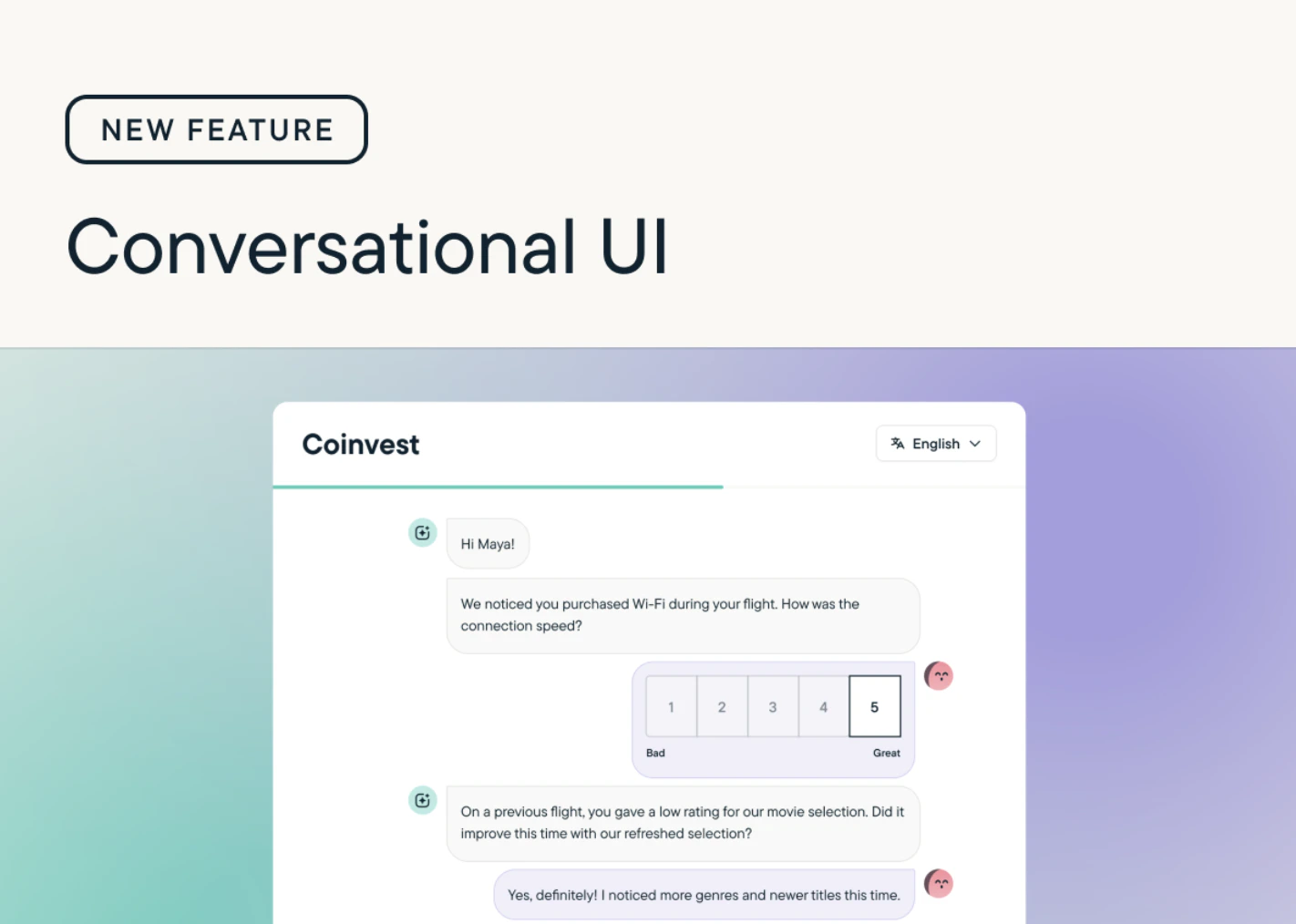
Added
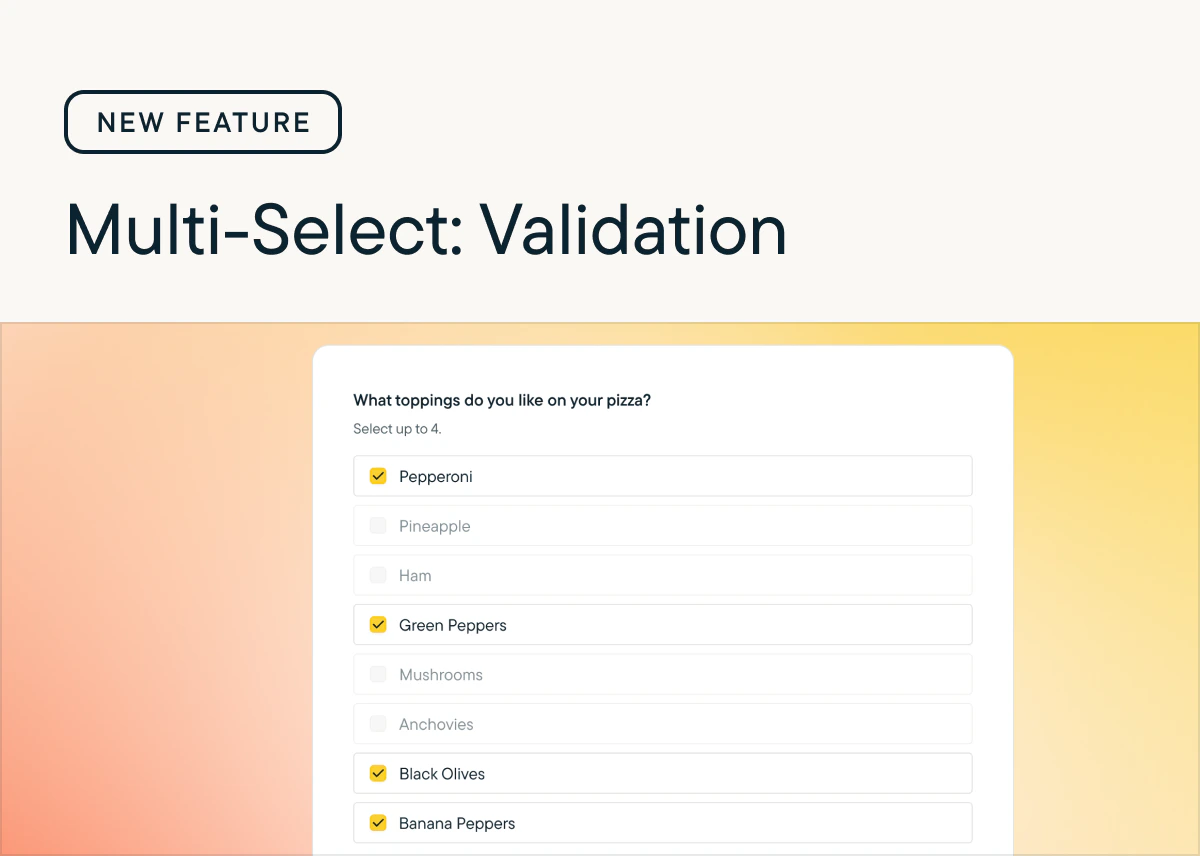
Validation for Multiple Choice Multi-Select questions
by Laura Desmond-BlackWe’ve added new validation options for Multiple Choice Multi-Select questions so that you can capture exactly the data you need from respondents. There are now three settings for validating responses to these questions:- Unlimited - Respondents can select as many choices from the list as they’d like.
- Maximum - Set an upper limit for how many choices respondents can select.
- Range - Set both lower and upper limits for how many choices respondents can select.
Improved
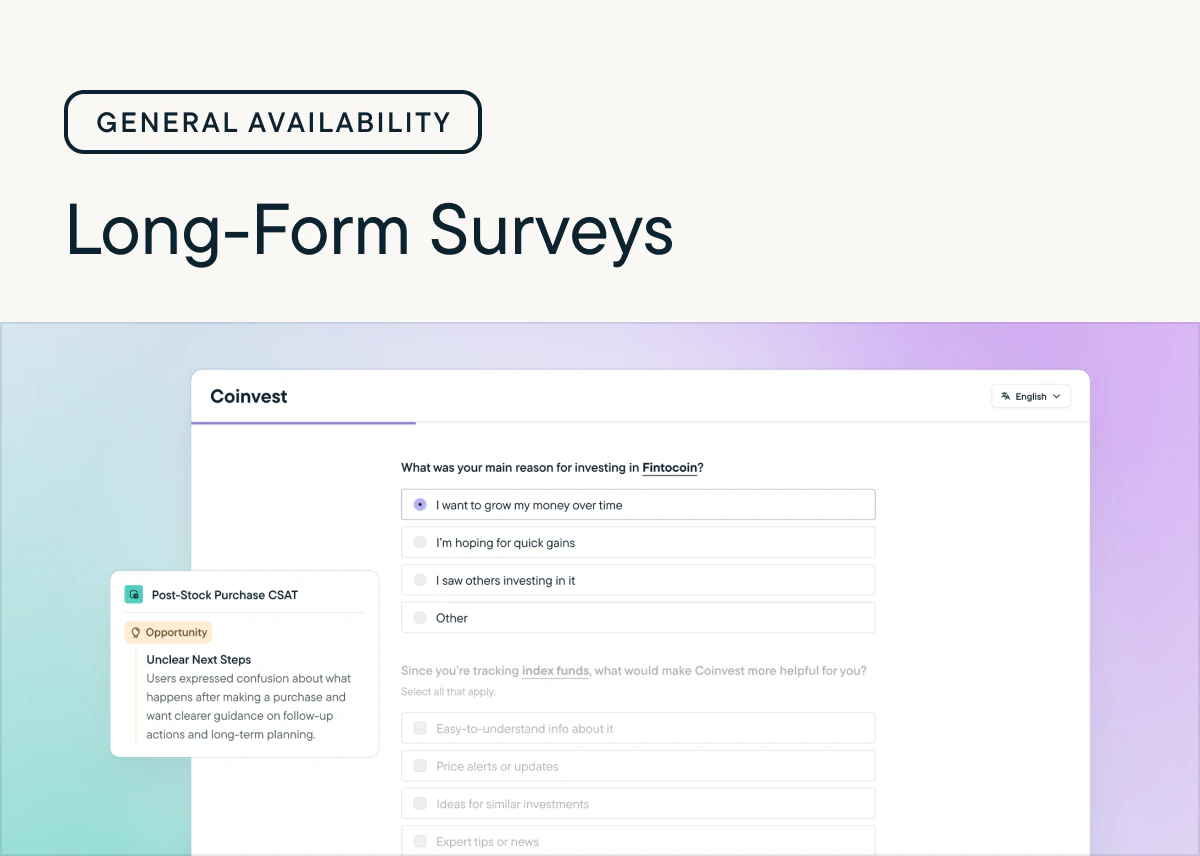
Surveys are out of beta
by Laura Desmond-BlackWe’re pleased to announce that Surveys have reached general availability!Over the course of the 3 month beta we added tons of new functionality including page-level Randomization, Rank Order questions, multiple questions per page, and Response Piping. We loved seeing how quickly you incorporated these new capabilities into your surveys and and appreciate all of the feedback you shared as you tested and launched surveys.While the beta is over, we’re just getting started—we have many releases planned for the next few months including:- Conversational Respondent UI: A modern, chat-style survey experience that feels more human and drives better response rates. Choose when to deliver surveys in this format or the standard format with a per-study setting.
- MaxDiff questions: Quickly get detailed information about your users’ preferences with an easily configurable question.
- AI Study Builder: Upload your research plan and generate a complete survey in moments.
Added
New: Response Piping
by Laura Desmond-BlackResponse Piping is now available for In-Product Surveys, Surveys, and Feedback studies.Now you can provide a highly-personalized experience for respondents and ensure they get the most relevant survey-taking experience possible, which will result in increased response rates and better response data for you.Check out the documentation to learn more and include it in your next survey!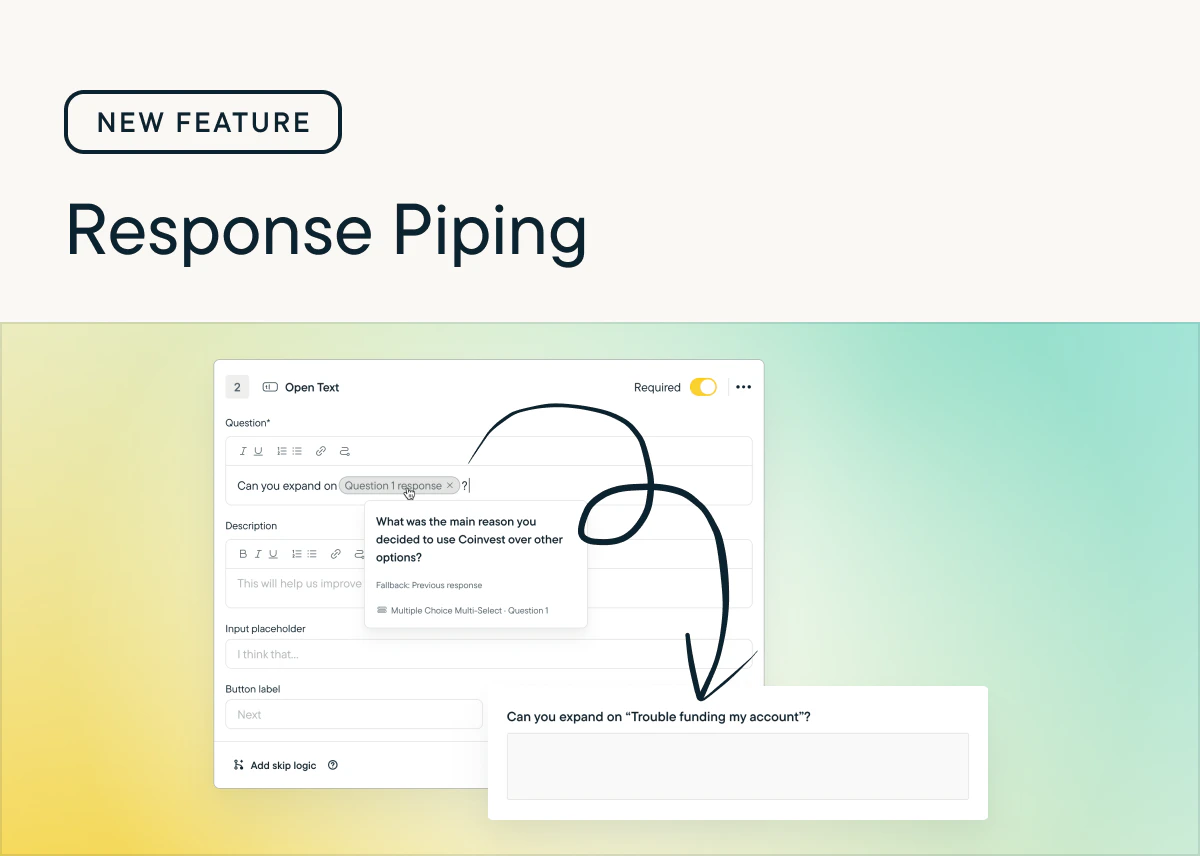
Added
Introducing: Rank Order Questions
by Laura Desmond-BlackNow available for In-Product and Surveys: Rank Order Questions 🎉With this new question type, you can see exactly how your users rank multiple options. That clarity helps you make confident, data-driven decisions. No more guessing which features, messages, or experiences matter most.Rank Order questions are available today in Surveys. To use them with In-Product surveys you’ll need the latest version of the web SDK which was released yesterday. Native mobile SDKs will be available by the end of the week, and React Native and Segment.io SDKs will be available next week. Check the Changelog for updates. Also available are new CSS classes and styles so Rank Order questions can match your brand.Learn more about setting up Rank Order Questions in Help Center.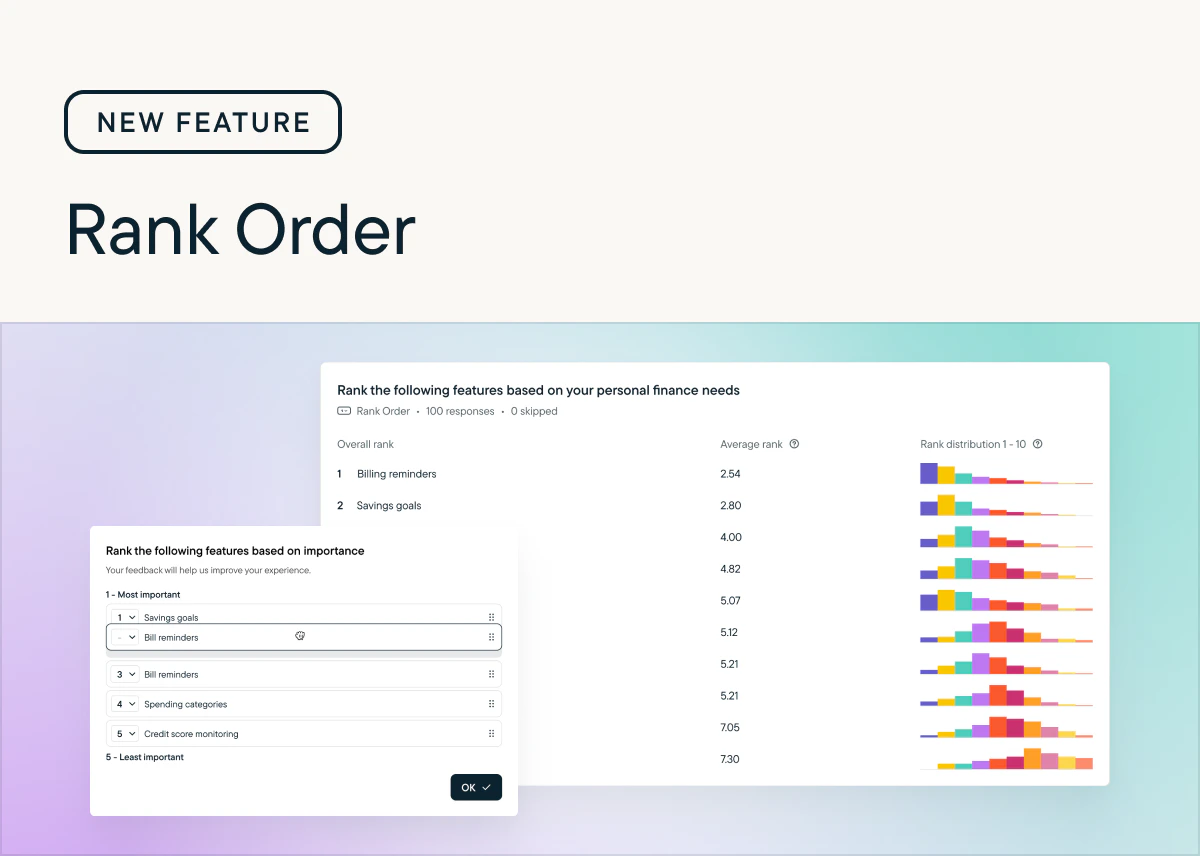
Improved
Sprig Mobile Replays: Capture WKWebView views and SwiftUI text and images
by Laura Desmond-BlackStarting with iOS SDK version 4.24.7, you can opt-in to capturing WKWebView views as well as SwiftUI text and images so that more content from your app is visible in Replays. These options can be found in Settings > Replays > Configure > iOS.These new settings give you the ability to capture more content from iOS apps while also respecting any selections you’ve made from the Basic, Moderate, and Strict privacy options.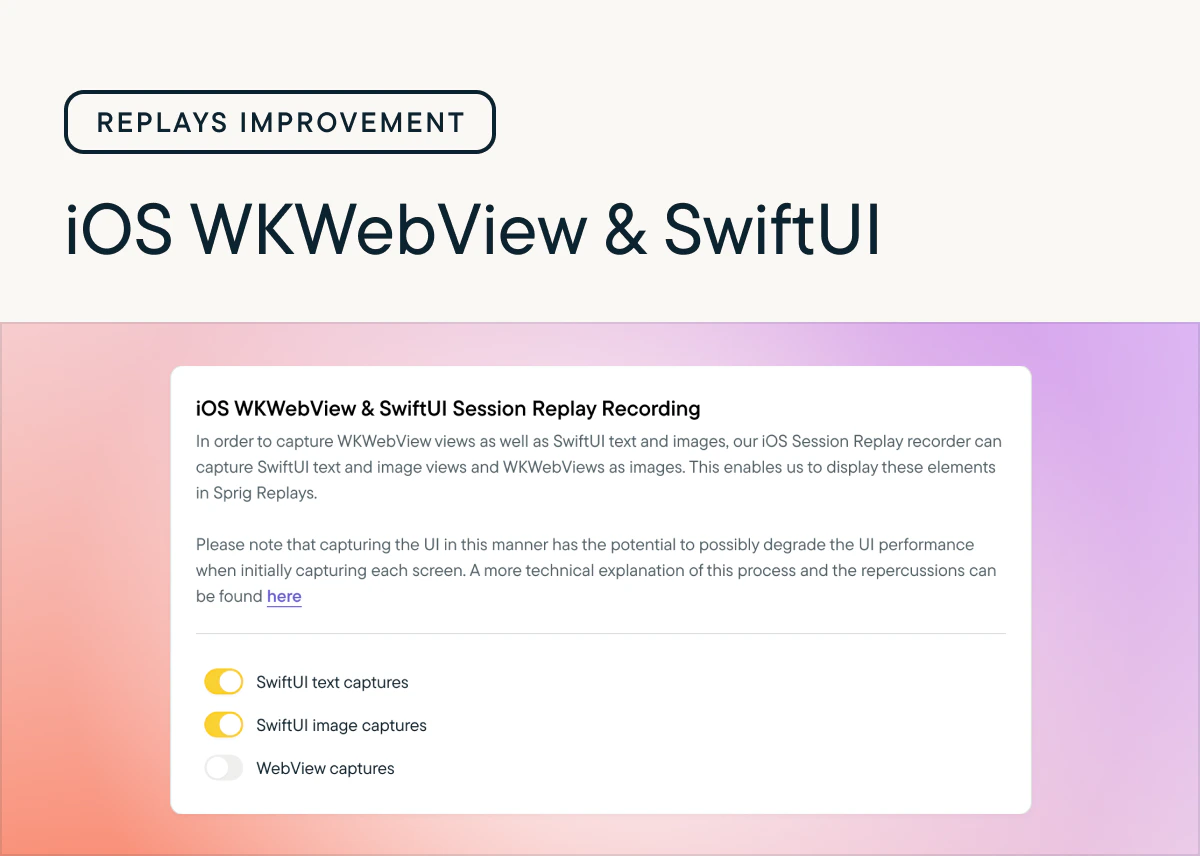
Added
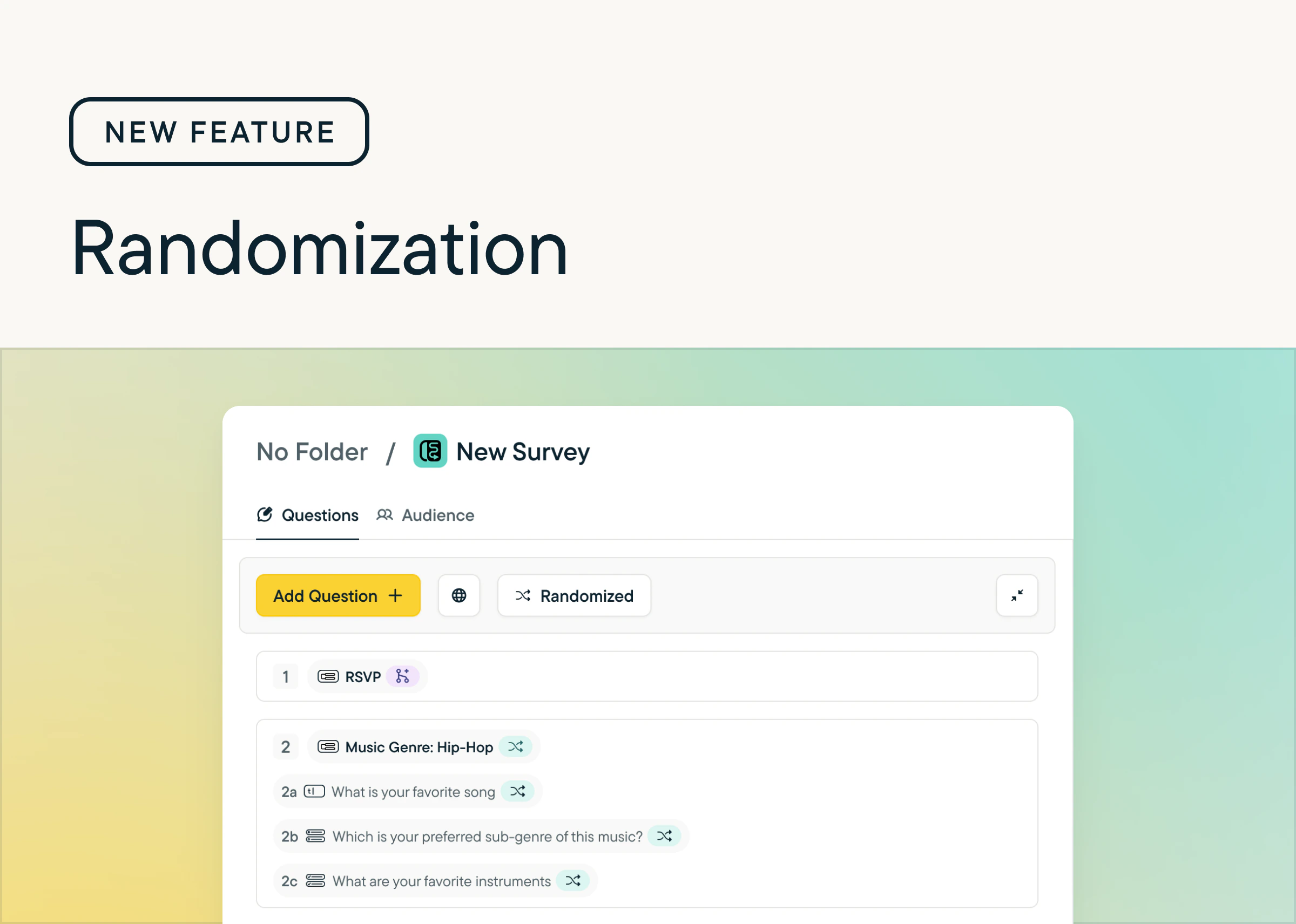
Randomization for pages and questions
by Laura Desmond-BlackWe’ve added the ability to randomize pages and questions within Surveys. Now you can:- Randomize all the pages and questions in a survey with one click (and undo it with one click too)
- Pin specific questions so they stay in place
- Easily see which questions are randomized or pinned with new indicators that show next to question and page titles
Added
Surveys: Beta now open
by Laura Desmond-BlackThe beta for Long-From Surveys is now open to all customers on paid plans. From now until October 15, 2025 you can use Long-From Surveys, up to 2,500 responses/month, for free. Share longer surveys, with multiple questions per page with your user base wherever you can embed a link. Send personalized surveys in multiple languages, with logic that ensures respondents answer the right questions. Get insights quickly from Sprig AI, the same way you can for In-Product Surveys. Check out the documentation to learn more.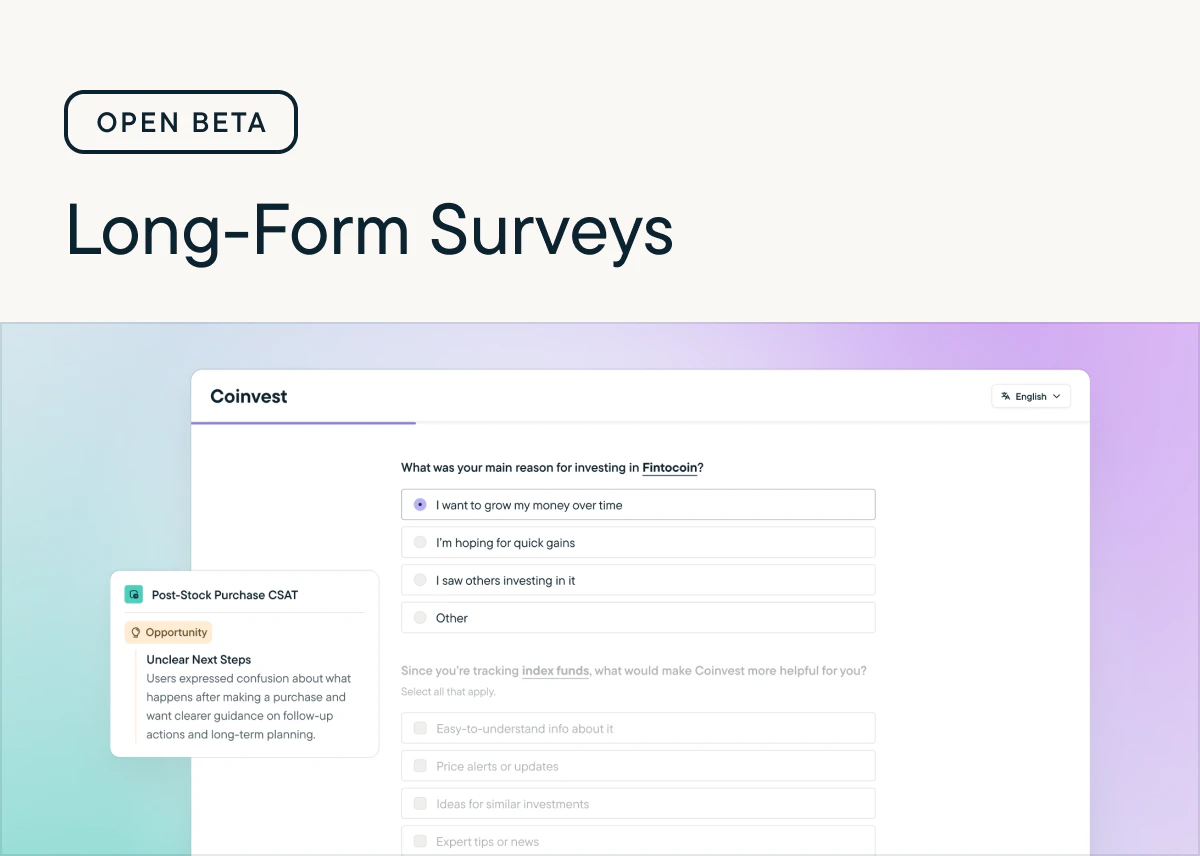
Improved
Easily Collaborate With Direct Response Sharing in Slack
by Maha ChaudhryIt’s now easier to share Sprig insights with your team. Slack notifications for new responses include direct links to specific feedback so you can quickly dive in. In the Sprig app, the Responses tab also features a new Share Response dropdown option, making it simple to send individual responses to your teammates. Set up your Slack integration, or try sharing a response today.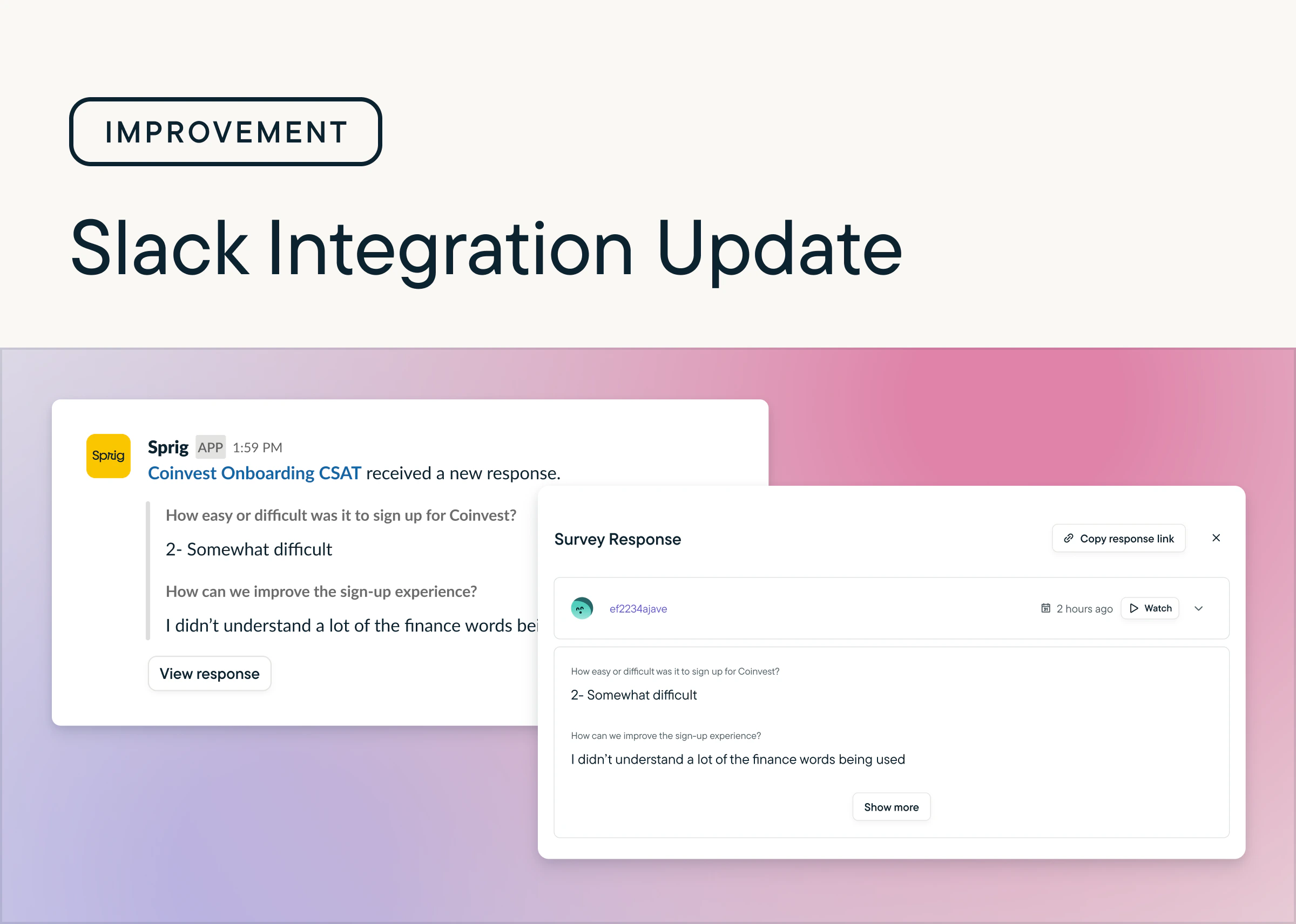
Improved
Get More Actionable Themes With Improved Replays AI
by Maha ChaudhryAI Analysis for Replays just got a powerful upgrade. Sprig AI now processes more clips more often and with greater accuracy. Your themes are now richer, more actionable, and always reflect the latest trends in your users’ behavior. Check out the improved AI themes in your Replays.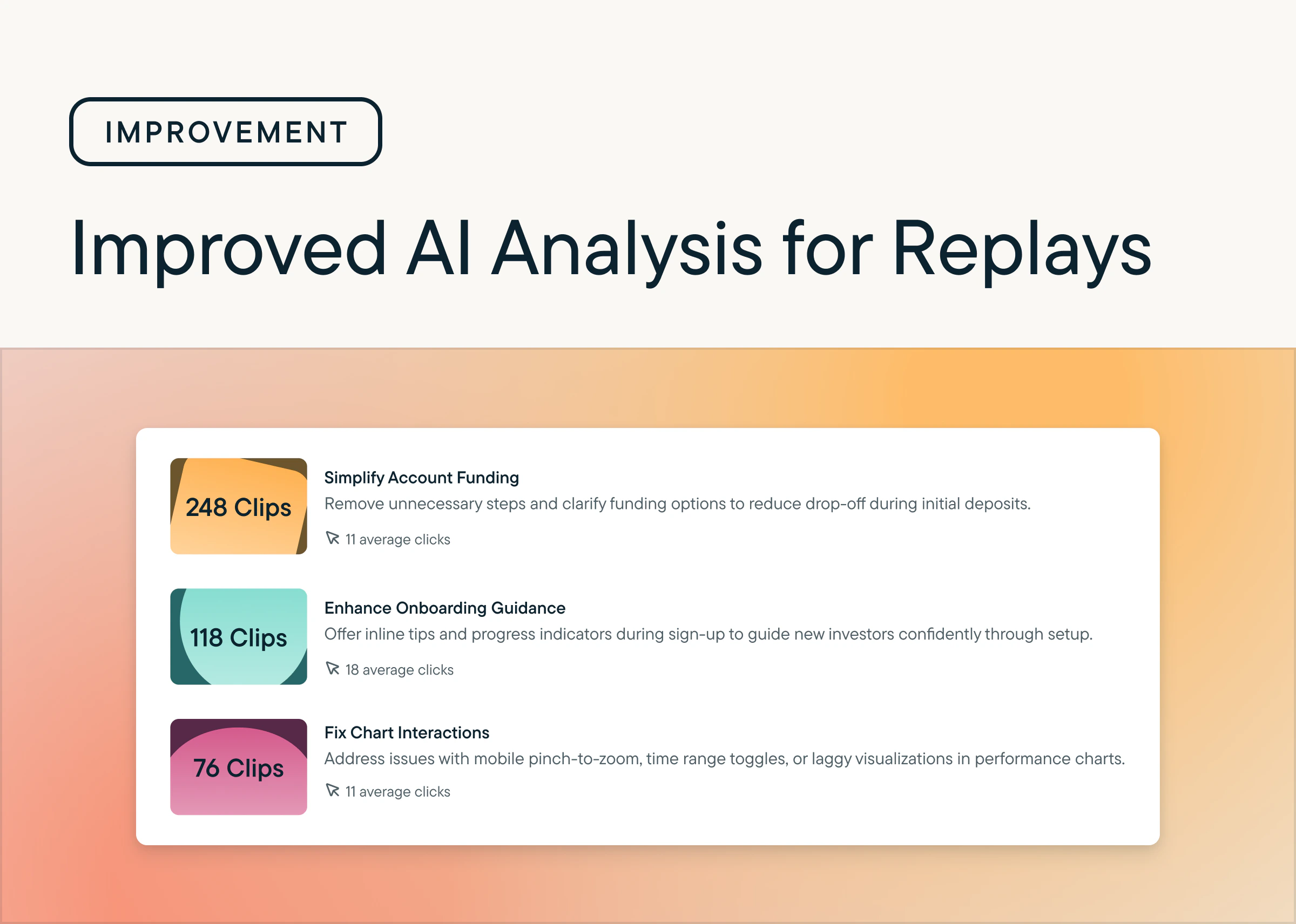
Added
Detect Friction At Scale With Frustration Signals for Always-On Replays
by Maha ChaudhryFrustration Signals are now in beta for Always-On Replays. Sprig automatically flags sessions with rage and dead clicks, making it easier to identify points of friction and take action to improve the user experience.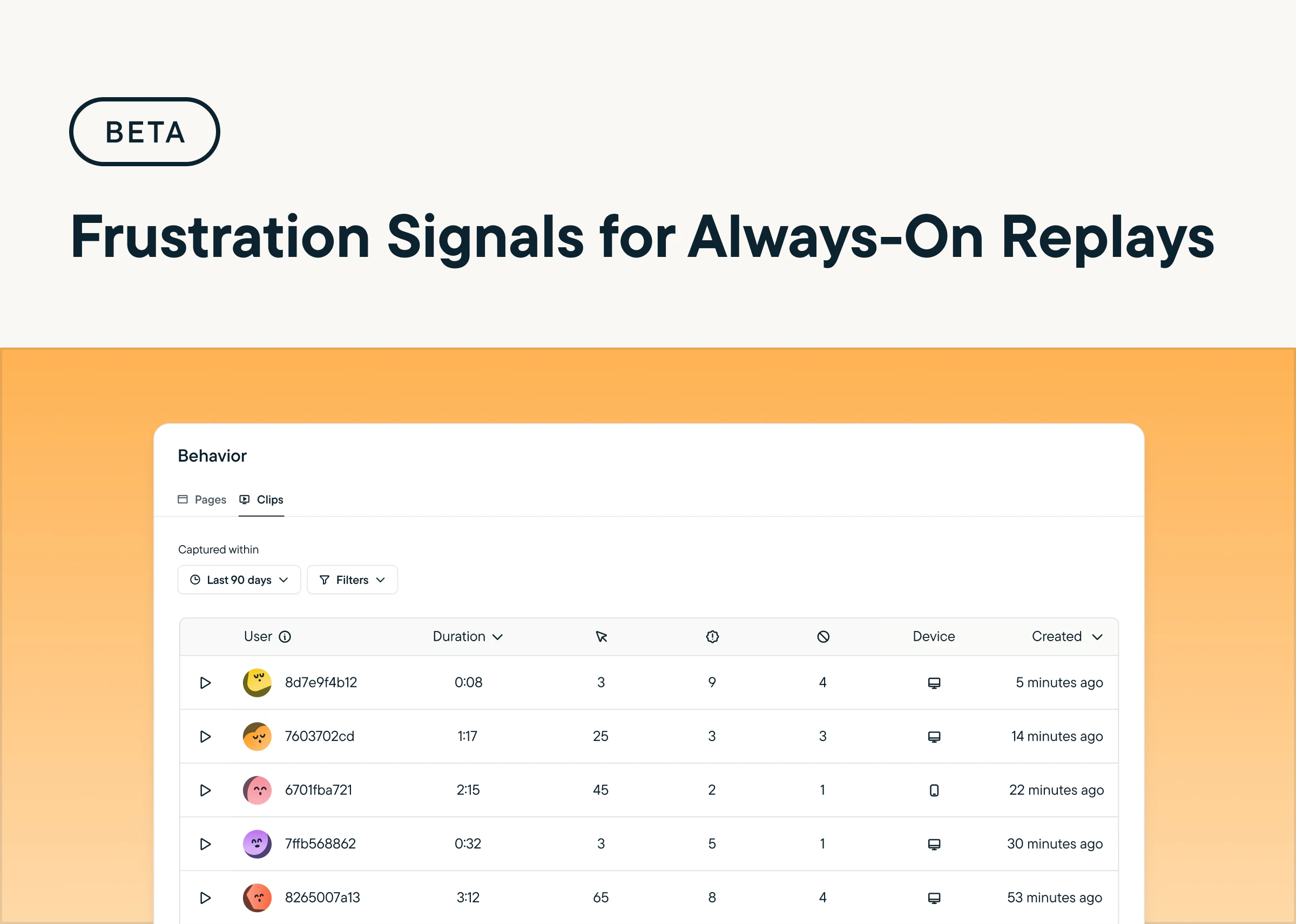
Added
Surface the Highest-Signal Sessions With Daily Clip Limits
by Maha ChaudhryYou can now set a daily cap on Always-On Replay clips by product and environment, giving you more control over volume and helping your team stay focused on the sessions that matter most. By reducing noise, you can more easily prioritize high-signal behavior and uncover actionable insights faster. Head to the Configure tab within your Heatmaps & Replays settings to try it out.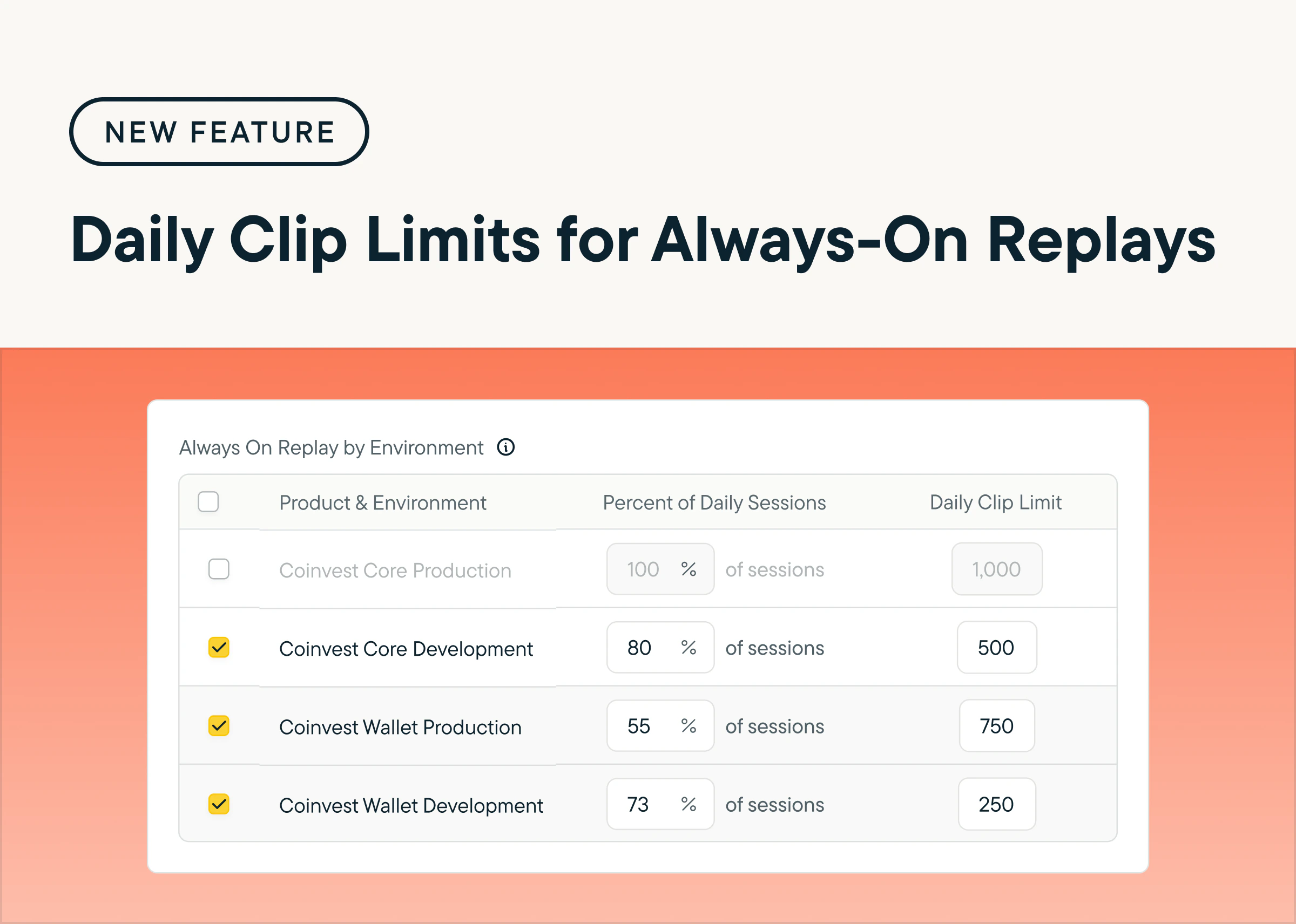
Added
Reveal Friction Automatically with AI-Powered Always-On Replays
by Maha ChaudhryUnderstand how users move through your product and spot friction faster with AI-Powered Always-On Replays. Sprig AI automatically recreates sessions, organizes behaviors into clear flows, and highlights key pain points. Plus, built-in advanced privacy controls make it easy to mask sensitive fields and customize exclusions. Explore AI-Powered Always-On Replays by heading to the Behavior tab in your Sprig account. (Requires Sprig SDK update)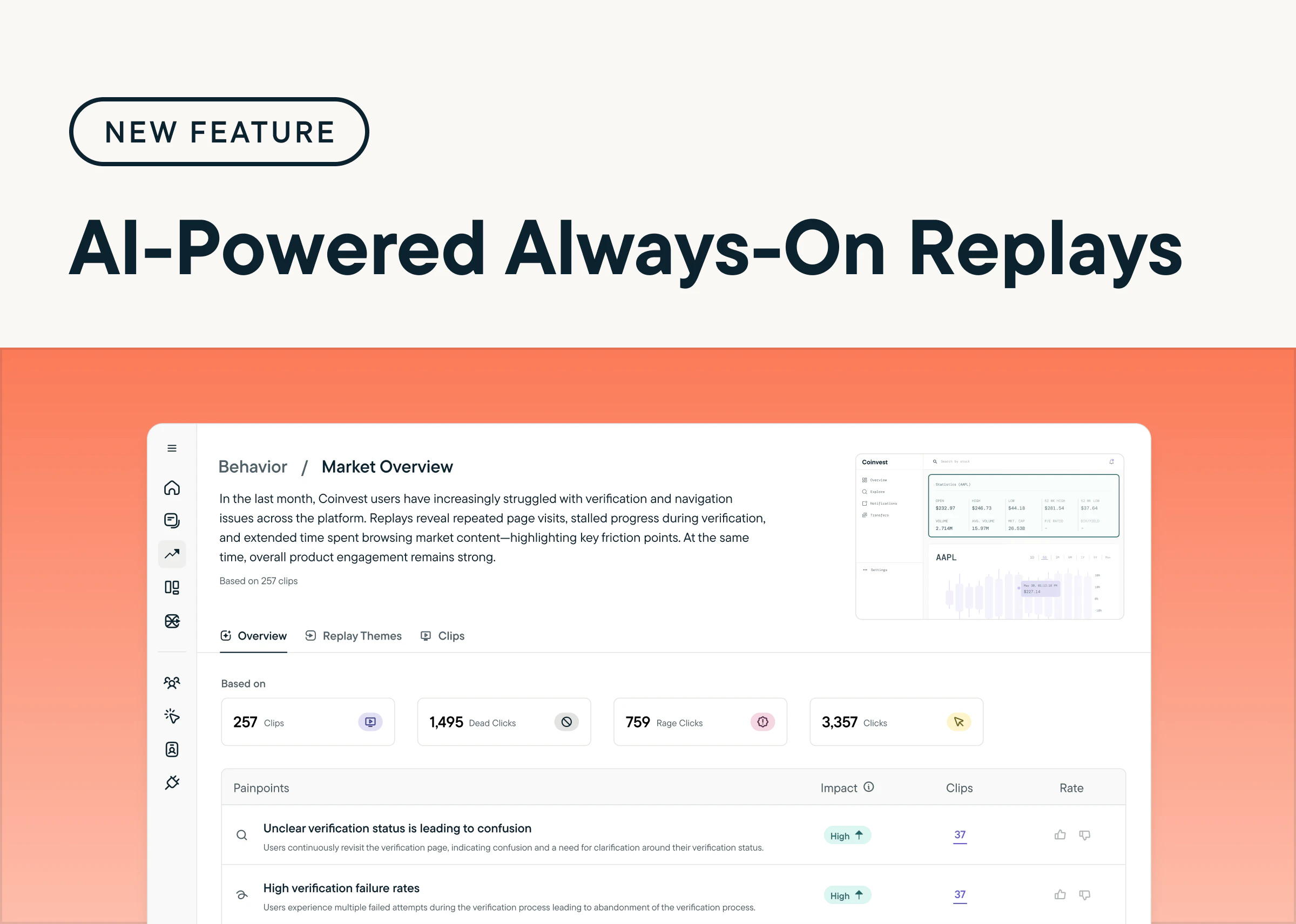
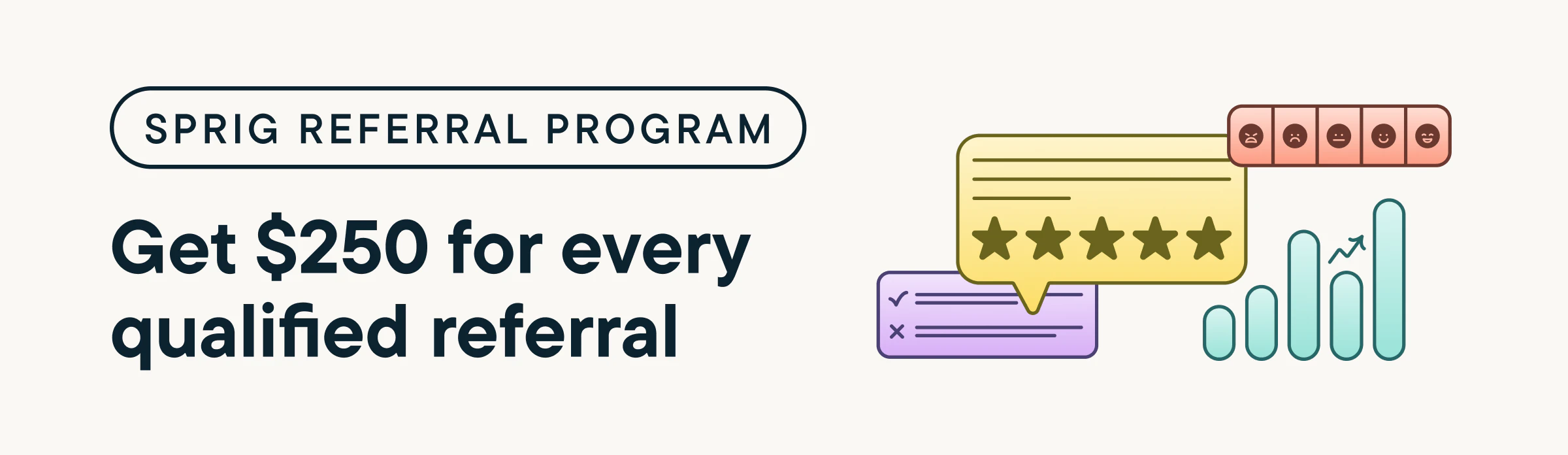
Earn $250 for Every Qualified Referral to Sprig
by Maha ChaudhrySprig’s Referral Program makes it easy to share Sprig with your network—and get rewarded for it.If you know someone who’d benefit from Sprig’s product experience platform, refer them to our team. Whenever your referral leads to a qualified meeting, we’ll send you a $250 gift card as a thank-you.Here’s how it works:- Submit a qualified referral
- Your referral must meet all of the following:
- Role: UXR or Product Design, manager level+
- Company: 150+ employees, U.S.-based
- Budget: Can purchase Sprig Enterprise
- Sales status: Not in an active deal with Sprig
- Receive your bonus
- Payout timing: After an annual contract is signed
- Bonus amount: $250 via digital gift card
- Referral limit: Unlimited—get rewarded for each qualified referral
- Payout method: Sent via Sendoso
Added
Uncover Friction Points with Frustration Signals in Sprig Replays
by Maha ChaudhryQuickly spot friction points in your product with frustration signals in Sprig Replays. Now, Sprig can detect and highlight dead clicks (clicks that have no effect on a page) and rage clicks (multiple rapid clicks in one area) within a user’s session. By surfacing these moments of user frustration, you can take immediate action to streamline workflows, reduce user pain points, and improve conversion rates. Go to any Replay study and play back the session clips to see any frustration signals in your user’s experience.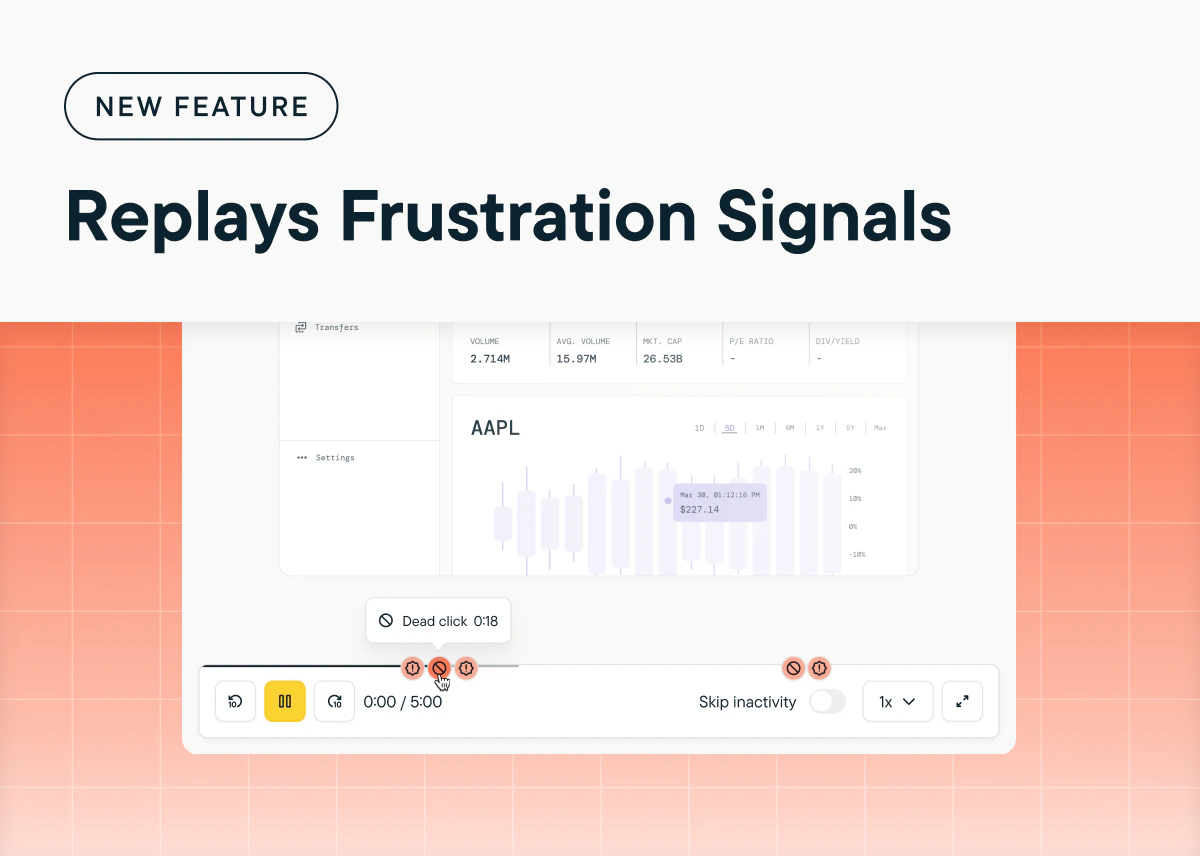
Added
Unlock Continuous User Insights with Always-On Replays
by Maha ChaudhryGet continuous, real-time insights into user behavior across your product with Always-On Replays. This feature (currently in beta) automatically reproduces user sessions across your product without any manual setup, enabling you to surface behavioral patterns and usability pain points passively. If you want to try Always-On Replays firsthand, request access to our beta program today! (Sprig SDK update required)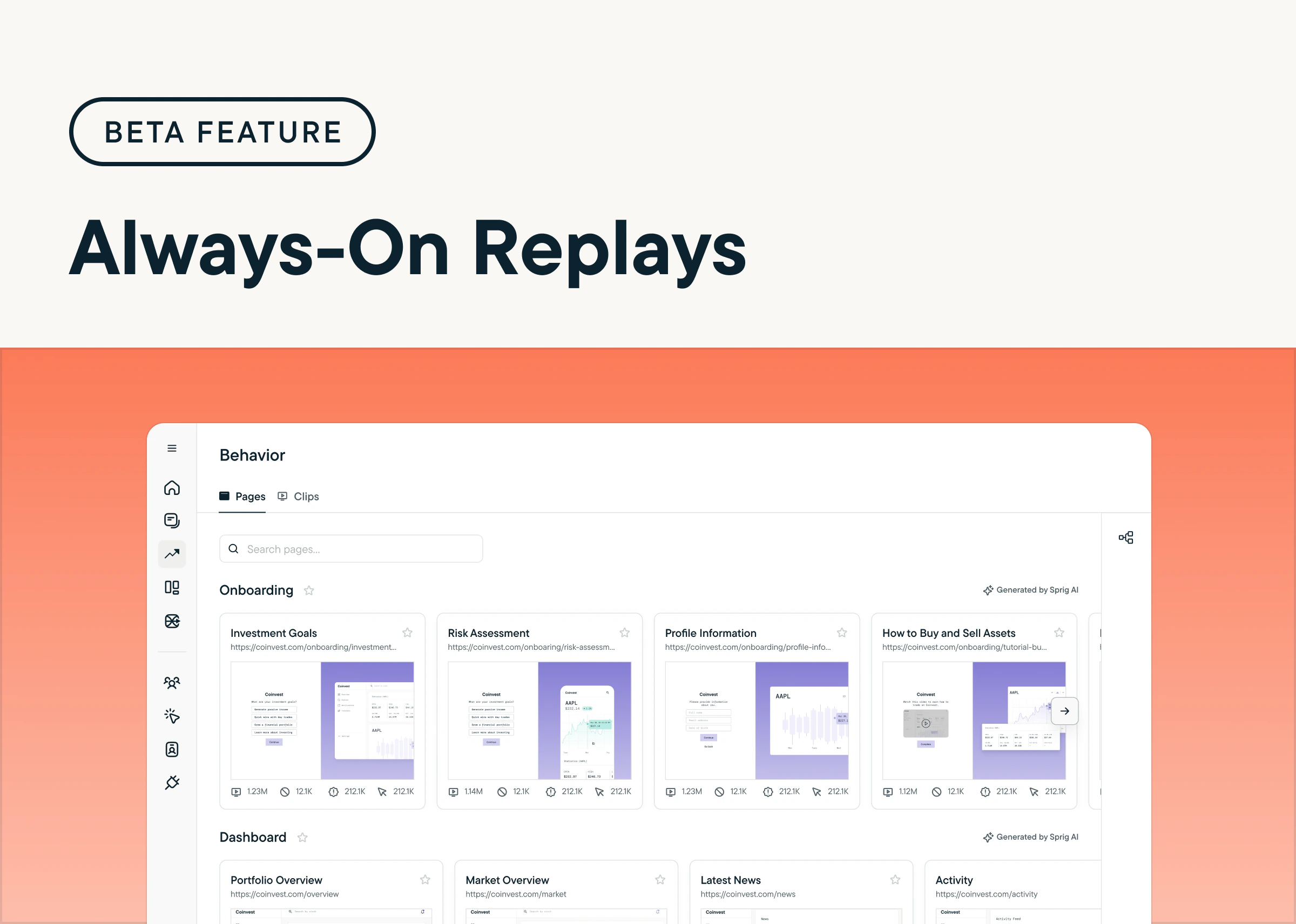
Added
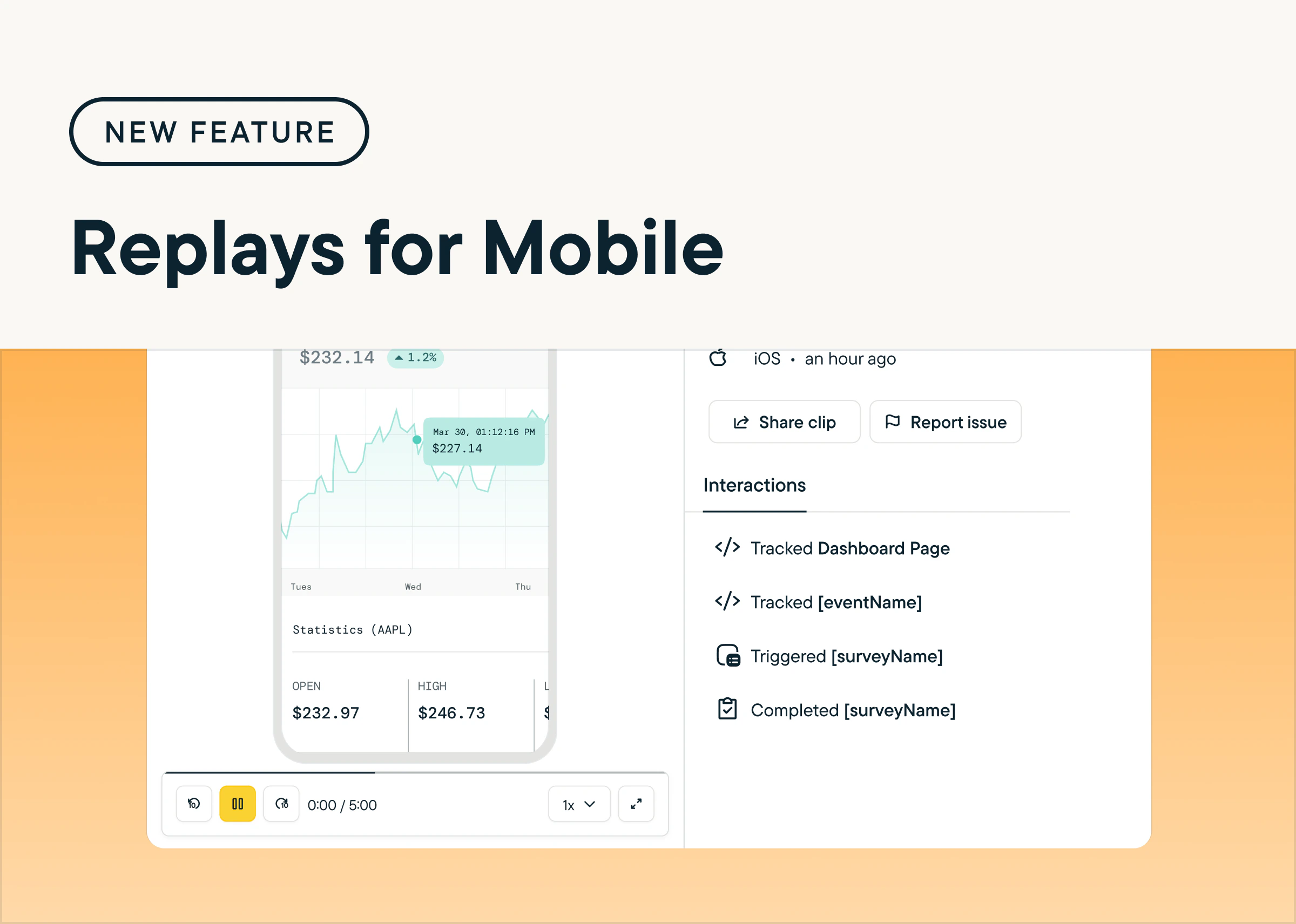
Reproduce Users’ App Journey with Replays for Mobile
by Maha ChaudhryUnderstand how users navigate your mobile app and uncover opportunities to improve the experience with Sprig Replays for iOS, Android, and React Native. Replays for Mobile lets you reproduce key moments from the user journey, helping you identify friction points, validate changes, and prioritize new features for your mobile experience. To try it out, create a new Replay study and select Mobile App under Delivery Platform. (Sprig SDK update required)