

Access & Support
With the introduction of Sprig Surveys, Prototype Tests will be deprecated when all existing prototype functionality is embedded within Surveys. As of October 15, 2025, new customers will automatically receive Surveys in a limited capacity instead, with Prototype Tests automatically included. If you would like to use Prototype Tests, contact Sprig Support to have the feature enabled in your workspace.Note: Existing customers who already have access will continue to see both options available.
Overview
Prototype Tests through Sprig Surveys let you collect feedback on early designs, wireframes, and interactive prototypes directly within Sprig Surveys. You can embed prototypes from popular design tools and gather insights on usability, comprehension, and visual design- all without setting up any code.Note: Most of the legacy prototype feedback functionality available in Prototype Tests is now supported in Surveys, which are now the recommended option for most prototype-based feedback workflows.
Supported Prototype Sources
To apply a prototype to a Sprig Prototype test, simply paste a url into each question to align Sprig survey questions with prototype links. You can embed prototypes from the following supported services. The prototype URL must contain the domain listed for its service:Features
Prototype Tests support all standard Sprig question types, including Open Text, Rating Scale, Multiple Choice (single- or multi-select), NPS, Matrix, Video or Voice, Text/URL Prompt, MaxDiff, Rank-Order, and Consent/Legal. They also include one additional type unique to this study: Recorded Task, which captures participant screen, video, and audio.Recorded Task
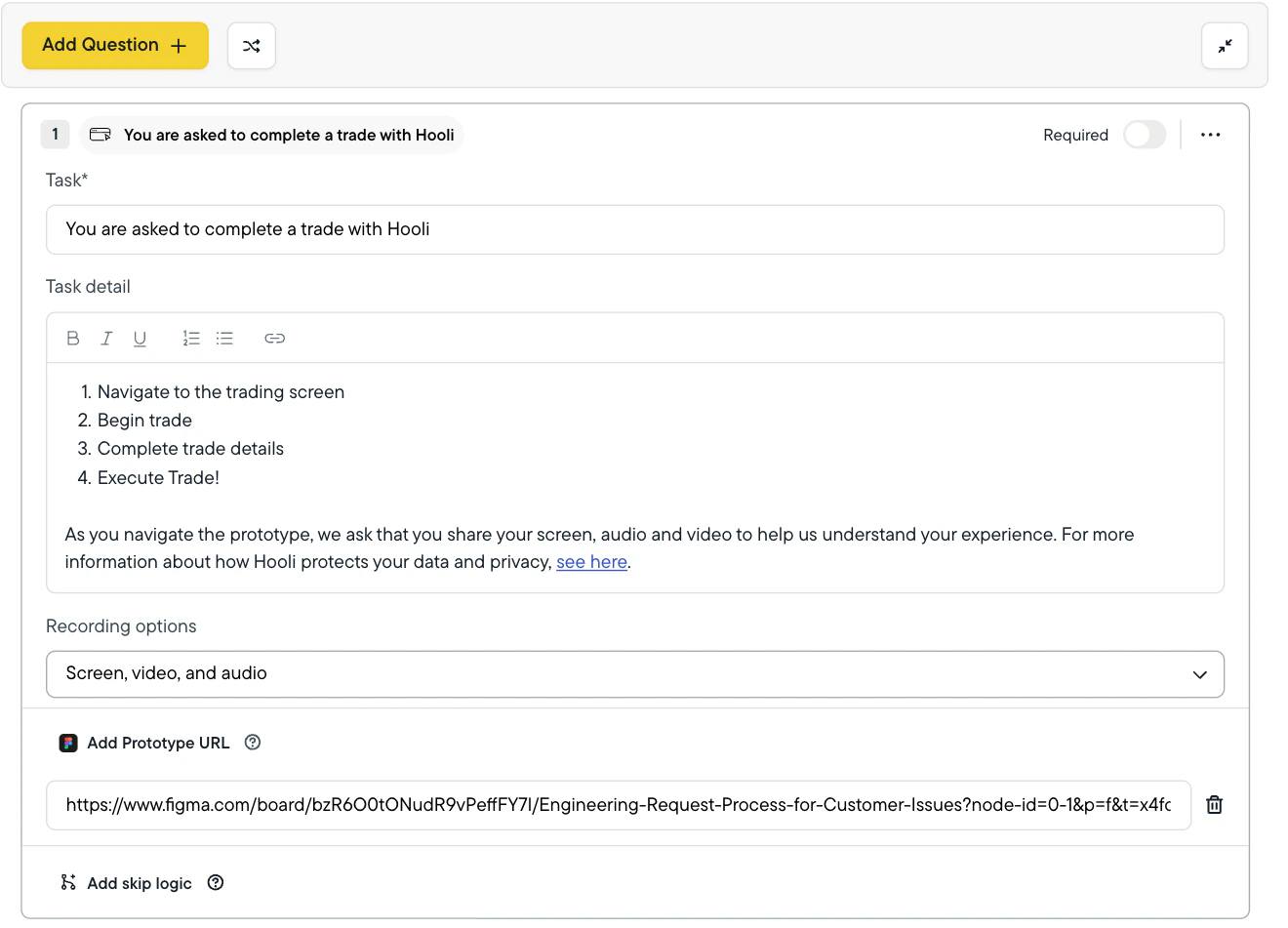
The Recorded Task question type lets you capture a participant’s screen, camera, and microphone as they complete a task within your prototype. This helps identify usability issues and observe where participants click, navigate, and hesitate. The following capture options are supported:- Screen, Video, and audio
- Screen and audio
- Screen
Reviewing Recorded Task Responses
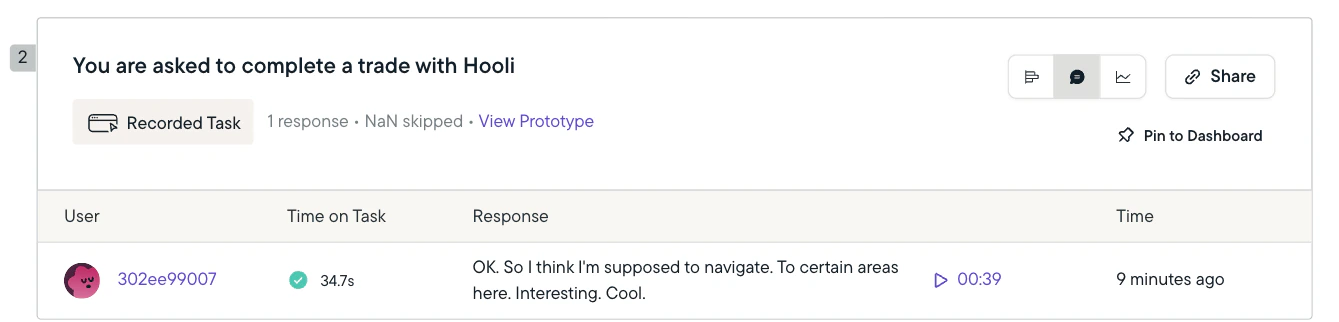
When responses are submitted, the responses and recording will flow into the Sprig Study Summary. Sprig will provide:- An automatically generated transcript of the users audio (if collected)
- A “Time on Task” ie. the time it took the user to complete the task
- A screen recording of the user (if video was collected) and the screen
- Metrics on how many users completed the task vs. gave up
Exporting Studies with Recorded Tasks
Exporting via CSV will provide the following information (on top of the standard data exported via CSVs):- Completed/ Gave Up
- Task Completion Time (ms)
- Transcription of Audio (if captured)
- Screen Recording URL (for viewing or download)
- Video Recording URL (for viewing or download, if captured)
Delivery
Prototype Tests are delivered via a shareable link, similar to other Sprig survey types. Prototype Tests can be embedded, enriched, and delivered in the same way as Surveys. See our documentation on Delivering Link-Based Studies. This includes:- Linking from In-Product Surveys
- Email and QR code delivery
- Identity enrichment (
user_id,email) - Pre-setting first-question responses
- Custom metadata
- Email bot-activity considerations