
Bot Detection
Ensure you're only reviewing responses from real respondents by using Bot Detection.
When sharing a Long-Form Survey link via email, security software on the end-user’s device may click through the link and complete the survey. This would result in survey responses for the Long-Form Survey being a mixture of real end-user responses and bot responses.
To filter out bot responses from human responses, you can enable an invisible reCAPTCHA (powered by Google) that is added to Long-Form Survey links. The reCAPTCHA examines the behavior of the survey taker as they complete the survey and scores each survey taker on whether they are likely a human or a bot. The reCAPTCHA score is saved with the user’s survey responses in Sprig and can be used to filter out suspected bot responses, ensuring the integrity of the data collected.
How to Enable
Bot Detection is off by default. To enable it:
- Go to Settings > Team > Bot Detection.
- Click the toggle to enable Bot Detection.
Once Bot Detection is enabled, the reCAPTCHA analysis will run as respondents complete Long-Form Surveys.
Filtering Suspected Bot Responses
When Bot Detection is enabled, there will be a new toggle on the Summary and Responses tabs of a survey that allows you to exclude suspected bot responses from the results displayed.

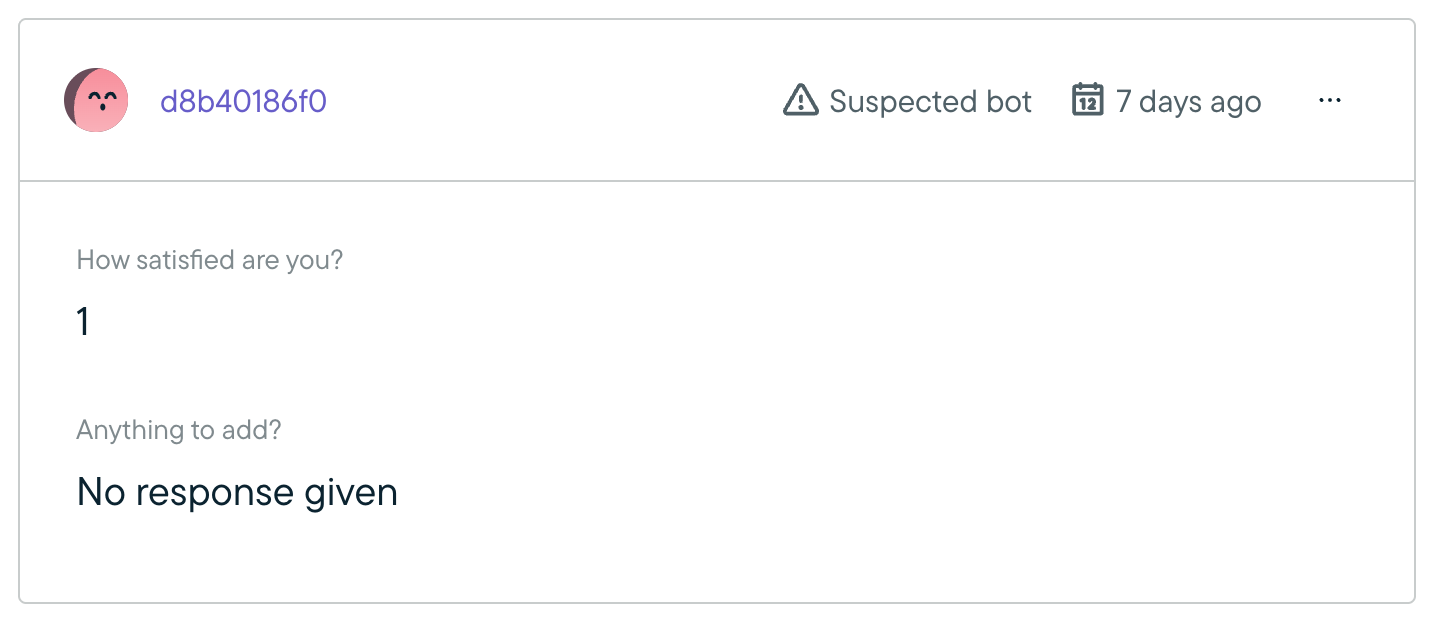
On the Responses page, there will be a note on individual responses that says “Suspected bot” to warn that the response likely came from a bot.
Note: due to backend processing, you may experience up to a 5 minute delay in the categorization of bot responses. Responses will be hidden when the "Exclude suspected bots" filter is on until the determination of bot vs human is fully populated across the backend.
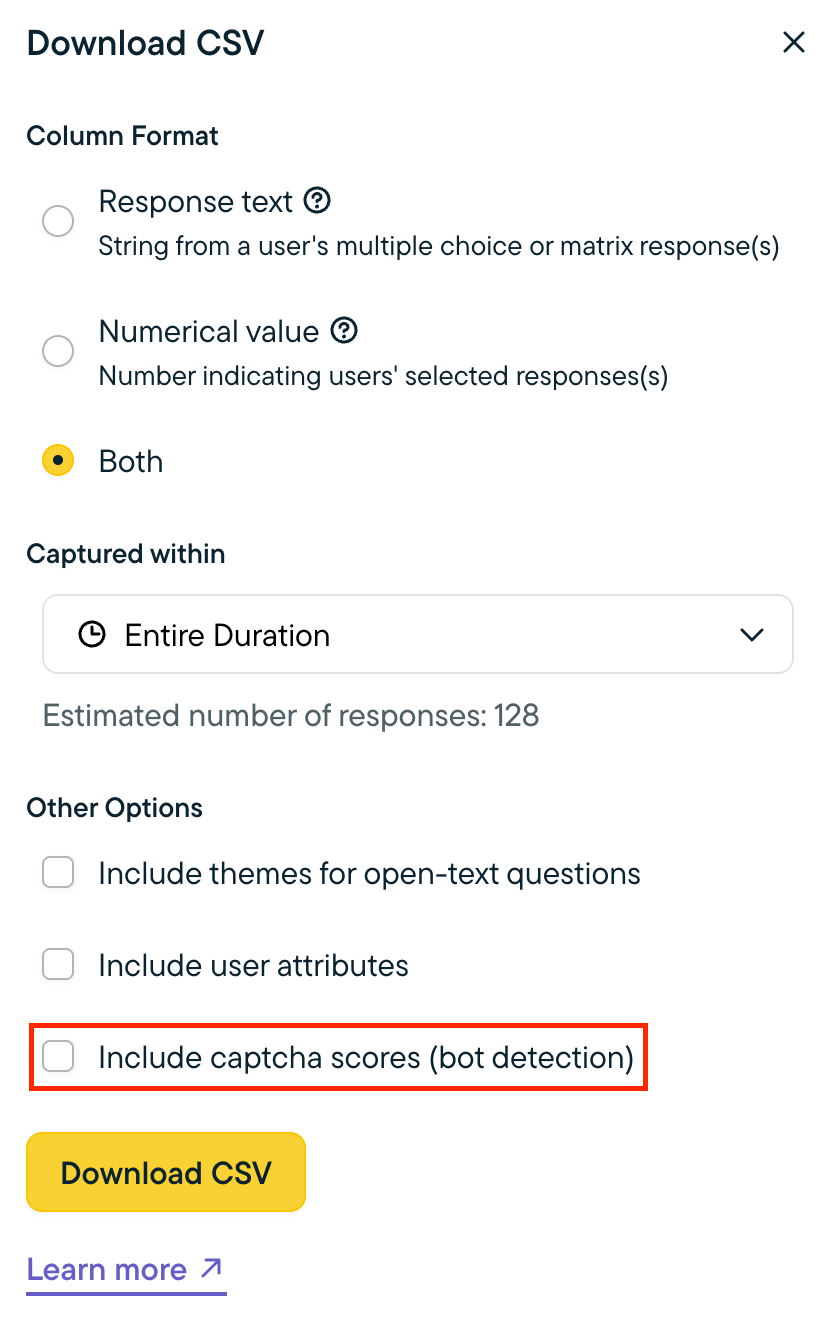
When exporting study data via CSV, suspected bot responses are included, but you have the option to include reCAPTCHA scores in the export. The score will be in a new column labeled “captchaScore.” Scores range from 0.0 to 1.0. The higher the score, the more likely that the response is from a human. Learn more by reviewing Google's interpreting reCAPTCHA scores page.
Suspected bot responses are currently included in Slack notifications.
When accessing response data through the API, the reCAPTCHA score is included.
Updated about 2 months ago