
AI Follow-up Question
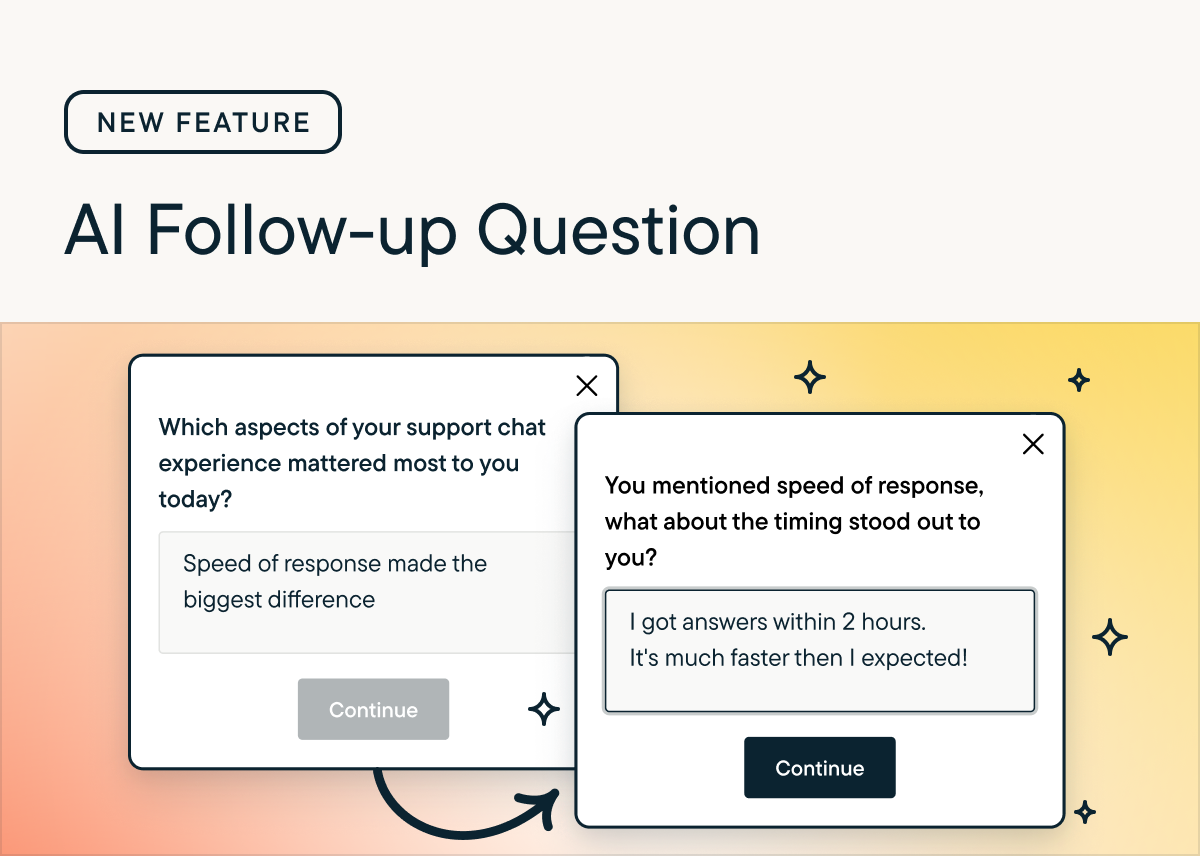
AI Follow-Up Questions let you dig deeper automatically by generating a follow-up open text question to an existing question, based directly on each respondent’s answer. This helps you capture richer context and clearer detail without manually programming additional probes.
Key Features
- Supports Open Text questions; currently unavailable for Voice/Video. When a respondent submits their answer: The AI generates a short, neutral follow-up question in your study’s primary language. If a safe and relevant question cannot be generated quickly, the follow-up is skipped to maintain survey quality.
- Users must choose between AI Follow-Up or Skip Logic per question.
- Skips automatically if a relevant or safe question cannot be generated quickly.
Why use AI follow-up questions?
- AI follow-up questions help turn vague feedback into specific, actionable insights by probing for clarity, examples, and root causes.
- They mimic a live interviewer at scale, improving response quality without adding researcher workload.
How to Use
- Enable via the toggle in Study Setup for any Open Text question.
- Context used: Uses Agent Context, previous responses, and NLP signals (sentiment, intent) to tailor probes.
- Generates questions focused on clarification, impact, sentiment, or depth.
- Results: View both the AI-generated probe and the respondent’s answer in the Results tab.
- AI Follow-Up relies on several sources of context to generate relevant questions:
- Agent Context (if provided): Keeps the follow-up aligned with your research objectives
- Respondents prior question and responses: Broadens contextual understanding
- NLP signals, such as: Intent, sentiment, topics, entities
- Types of questions AI may generate:
- AI Follow-Up produces one of several question styles, depending on the respondent’s answer: Clarification, depth, context, impact, sentiment, keyword
Best Practice
- Use 1–2 AI Follow-Up questions per survey to balance deeper insights with respondent experience.
CSV File
The AI Follow-ups feature stores follow-up prompts and responses that were generated by AI for a respondent’s original answers. The CSV format for bulk export/import of AI follow-ups
- Q1a_Question_Text
- Q1a_Response
- Q1b_AI_Followup_Question_Text
- Q1b_Response
The Q1a/b refers to the parent question and response. Q2 a/b refers to the child question and response.
API Endpoint updates
/responses endpoint:
The only difference is the addition of parentQuestionId
      {
            "visitorId": 0,
            "surveyId": 31064,
            "questionId": 241190,
            "updatedAt": "2026-01-29T18:14:18.167Z",
            "createdAt": "2026-01-29T18:14:18.167Z",
            "responseGroupUid": "d9bb8e7f-a0c5-4844-bf2f-01c6a14993fb",
            "response": "payments was confusing",
            "questionText": "can you clarify your response?",
            "parentQuestionId": 241188,
            "externalUserId": "",
            "partnerAnonymousId": "",
            "visitorUuid": "dfe1361a-0055-40f7-ab50-0e2bda8a6f06",
            "questionType": "AIDYNAMICFOLLOWUP"
        },
/surveys endpoint:
The only addition is parentId, and of course the type now can also include AIDYNAMICFOLLOWUP
              {
                    "id": 242496,
                    "type": "AIDYNAMICFOLLOWUP",
                    "order": 2,
                    "options": [],
                    "parentId": 242495,
                    "questionText": "Dynamic follow-up placeholder",
                    "routingOptions": [],
                    "optionsProperties": {
                        "required": false,
                        "conceptUrl": null
                    }
                }
/themes endpoint
No change
Updated about 1 month ago